Sketchbook Lite - Artbook
Sketchbook Lite - Artbook
Sketchbook Lite - Artbook
As a big fan of art who's always searching for the ideal digital sketchpad, I recently came across Sketchbook Lite - Artbook. Interested in all the talk about this app, I decided to test it out myself. Here are my thoughts on this creative tool that aims to let you bring your artistic visions to life directly on your phone.
**First Impressions: A Canvas in Your Pocket**
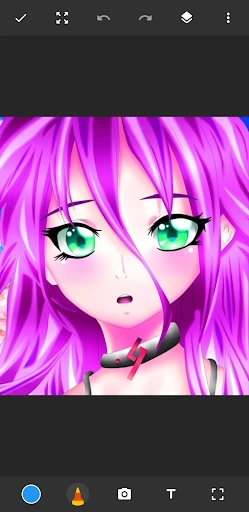
When you first open Sketchbook Lite, it feels like walking into a clean, organized artist's studio. The layout is smooth, easy to understand, and inviting, so you can start creating right away, even if you're not great with technology. It's like carrying a portable canvas that's always ready, ideal for those moments of sudden inspiration when you're on the move.
**Features That Stood Out to Me**
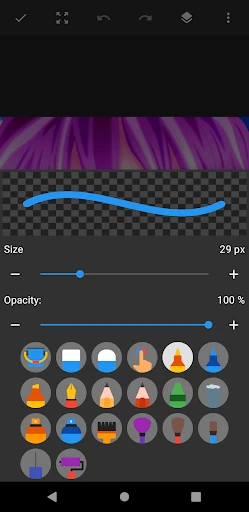
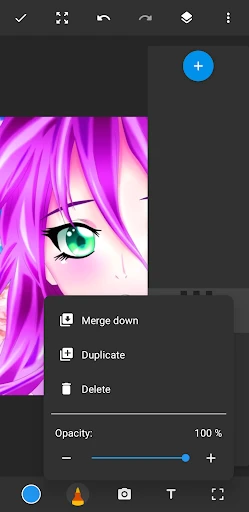
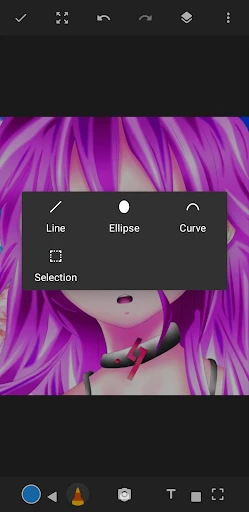
One of the first things that grabbed my attention was the huge range of tools right at my disposal. You get all the standard pencils and brushes, but the app goes much further. The selection of textures and brush sizes is really something, working for everything from simple sketches to detailed artworks. And here's the kicker: the app includes layers, which is a feature you usually only find in paid apps. This lets you build up complicated pieces without worrying about ruining your earlier work.
The color options are another strong point. They're extensive and you can adjust them, letting you blend and choose colors to get the exact shade you need. Also, if you use a stylus, the app responds to pressure, which makes drawing feel much more natural, almost like using real paper.
**Performance: How Does It Handle?**
When it comes to how it runs, Sketchbook Lite does a solid job. The app works fluidly, even on phones that aren't the newest, which is a big advantage for people who don't always upgrade their gadgets. There's no annoying delay or freezing, so your creative flow isn't broken. That said, during longer drawing periods, I found the app can use up your battery a bit quickly, so it's a good idea to have a power bank or charger nearby.
**Saving and Sharing Your Creations**
After you've finished your artwork, Sketchbook Lite gives you simple options to save and share it. The app works with several file types, so you're all set whether you're sending your art to a buddy or posting it online. There's also a useful export function that lets you save your work in high quality, making sure your art looks just as sharp on other screens as it did in your head.
**The Bottom Line: Should You Get It?**
After using Sketchbook Lite - Artbook for a while, I can easily say it's a great tool for any artist's collection. No matter if you're an expert or just starting out, this app provides a strong set of features without being confusing. It's both easy to use and capable, hitting a sweet spot that's rare to find in free drawing applications.
So, if you're in the market for a fresh way to be creative or just want to enjoy some casual sketching, give Sketchbook Lite a shot. You might just find a hidden artistic talent you never knew you had.

- Developer
- Cards
- Version
- 2.5.7
- Installs
- 5,000,000+
- Android Version
- 6.0
- Content Rating
- Everyone
- Price
- Free
- Intuitive user interface for quick navigation.
- Wide range of brushes and tools available.
- Lightweight
- doesn't take much device space.
- Supports high-resolution canvas for details.
- Limited features compared to the full version.
- Occasional ads can interrupt workflow.
- No cloud sync in the lite version.
- Some brushes require in-app purchases.
- Lacks advanced layer options.