Adobe Capture: Illustrator,Ps
Your Pocket-Sized Design Studio: An Intro to Adobe Capture
Your Pocket-Sized Design Studio: An Intro to Adobe Capture
Ever found yourself stuck in a creative rut, desperately searching for inspiration or the perfect tool to make your artistic ideas real? Let me introduce you to Adobe Capture. Think of it as a mini design studio that fits right in your pocket, and honestly, it's a total game-changer for everyone from hobbyists to pro designers.
Designing Wherever You Are
Picture this: you're walking down the street and see a mural with an amazing color scheme. With Adobe Capture, you can just take a photo of that mural and instantly pull out the color palette to use in your next project. This ability to grab and create color themes is just one of its cool features. I use it constantly, not just for work stuff, but for my personal projects, too.
A World of Textures and Patterns
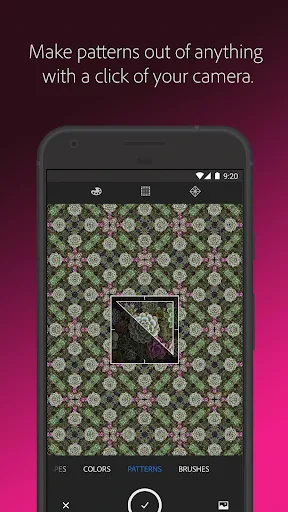
But that's not all! This app is also fantastic for patterns and textures. You can take any photo and turn it into a seamless pattern or a texture. Whether it's the complex veins of a leaf or the rough look of a brick wall, Adobe Capture lets you grab these real-world elements and drop them right into your digital art. It's like having a magic button for creating intricate designs.
Create Your Own Brushes and Shapes
Now, if you're like me, the brush maker will really impress you. Think about drawing with a brush that you created from your own sketch! Adobe Capture lets you transform your simple doodles into custom brushes for Adobe Photoshop or Illustrator. This is perfect for anyone wanting to add a unique, personal flair to their work.
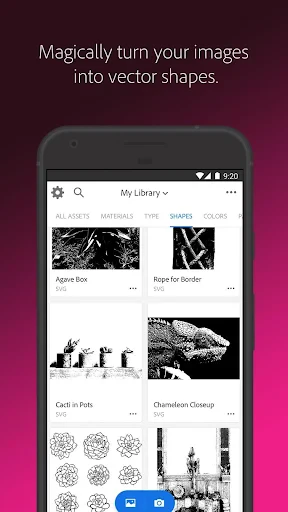
The shape tool is another winner. You can change images into vector shapes ready for your projects, giving your designs a super professional look. It's like having a vector expert on standby, ready to help you build the perfect graphic elements.
It All Connects with Creative Cloud
Another huge advantage is how smoothly it works with Adobe Creative Cloud. Everything you make is saved and synced automatically. This means you can begin a project on your phone and polish it on your computer without any hassle. For people who are always moving around, this feature is a lifesaver. It’s like carrying your entire creative workspace with you, no matter where you go.
Adobe Capture is more than just an app; it's a doorway to endless creative options. From snapping up inspiring bits of the world around you to converting them into digital tools, this app handles it all. And even though it's loaded with powerful features, it's still really easy to use. Even if you're just starting out with design apps, you'll find it simple and straightforward to get the hang of.
If you're aiming to take your creative projects to the next level, Adobe Capture is absolutely worth a look. It's an essential tool for anyone passionate about design, offering a treasure chest of features that will motivate you and help you push your creative limits. So why not try it out? You might be surprised at how it brings your ideas to life.



- Developer
- Adobe
- Version
- 9.1.1 (3594)
- Installs
- 5,000,000+
- Android Version
- 8.0
- Content Rating
- Everyone
- Price
- Free
- Intuitive interface for easy use.
- Seamlessly integrates with Adobe apps.
- High-quality image capturing.
- Offers diverse creative tools.
- Regular updates enhance features.
- Requires Adobe account to access.
- Premium features need subscription.
- Resource-heavy
- may slow device.
- Limited offline functionality.