Microsoft Designer
Unleash Your Inner Designer Without the Learning Curve
Unleash Your Inner Designer Without the Learning Curve
First Look: Clean and Easy to Use
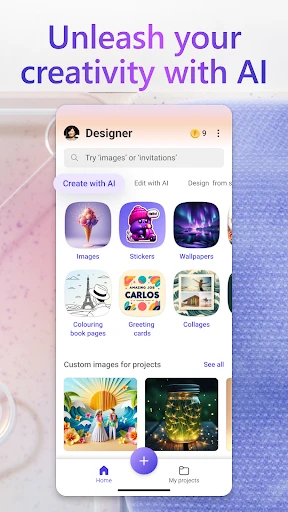
Right when you open up Microsoft Designer, you'll see how neat and simple it is. It doesn't hit you with complicated menus or too many choices. The layout is direct and makes getting around super easy. I really like how everything is sorted into clear categories, letting you start your project right away without any confusion.
A Huge Selection of Templates
One of the best things about Microsoft Designer is its massive library of templates. No matter if you're making a flyer, a social media graphic, or a business card, there's a template for that. And these aren't just basic templates. They're made by professional designers so your creations look sleek and high-quality. Just choose a template, and you're already most of the way to a great-looking design.
Make It Uniquely Yours
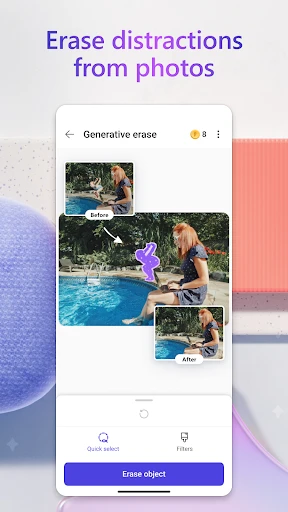
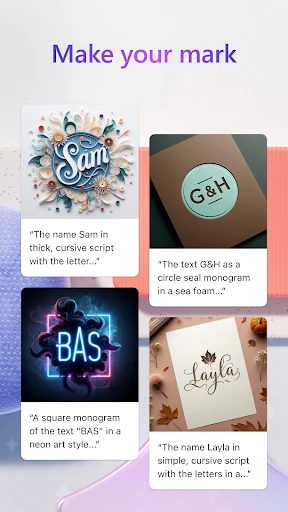
Templates are a fantastic start, but the true power of Microsoft Designer is in how much you can change. You can adjust every single part to match your taste. Swap out colors, try different fonts, or add your own photos – the options are practically limitless. I spent a long time just experimenting with different looks, and I was always surprised by how simple it was to make something that was both unique and attention-grabbing.
Working Together is Simple
Teamwork is essential nowadays, and Microsoft Designer is built with that in mind. The app lets multiple people work on the same project at once without any trouble. This is ideal for teams that need to share ideas and make quick changes together. Also, with everything saved to the cloud, you can get to your designs from any device, which makes working from anywhere really easy.
How It Runs and Where You Can Use It
In terms of performance, Microsoft Designer works flawlessly on both Android and iOS. I didn't have any crashes or lag, even when making more detailed designs. The app also works with many different file types, so you can save your designs for printing or posting online. Whether you're using a phone or a tablet, the app looks and works great on any screen size, giving you a reliable experience on all your devices.
In conclusion, Microsoft Designer is a game-changer for anyone looking to dive into the world of graphic design without the steep learning curve. It’s packed with features that cater to both beginners and seasoned designers, making it a versatile tool for a wide range of users. If you’re looking to create stunning visuals with minimal effort, this app is definitely worth a try. Trust me, you’ll be designing like a pro in no time
- Developer
- Microsoft Corporation
- Version
- 1.2507604.7001
- Installs
- 1,000,000+
- Android Version
- 9
- Content Rating
- Everyone
- Price
- Free
- Intuitive UI for seamless design.
- Wide range of templates available.
- Collaborative features integrated.
- Cross-platform compatibility.
- Regular updates with new features.
- Requires a Microsoft account to use.
- Limited offline functionality.
- May consume significant storage.
- Occasional lag on older devices.
- Subscription needed for premium features.