Color Wheel
Stuck in a Color Rut? Meet Your New Creative Sidekick
Stuck in a Color Rut? Meet Your New Creative Sidekick
Have you ever found yourself in a creative rut, struggling to find the perfect color scheme for your latest project? Enter the Color Wheel app – your new best friend in the world of hues, shades, and tones. This app promises to be the ultimate tool for artists, designers, and anyone with a passion for color. So, let's dive in and see what it's all about.
Your Digital Color Playground
At first glance, the Color Wheel app is a visual treat. The interface is sleek, modern, and incredibly intuitive. You won't find yourself fumbling around trying to figure out how to use it. From the moment you launch the app, you're greeted with a vibrant spectrum of colors that just begs to be explored.
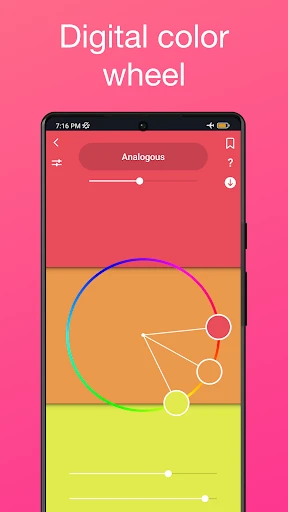
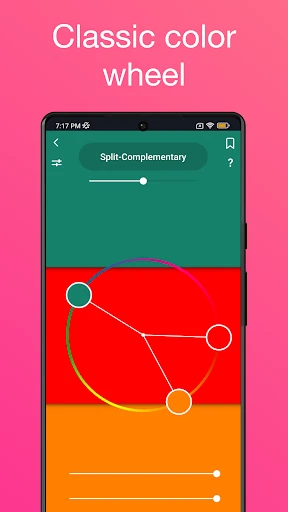
One of the standout features is the color harmony tool. Whether you're looking for complementary, analogous, or triadic color schemes, this app has got you covered. The app automatically generates these schemes for you, making it a breeze to find the perfect combination for your project. It's like having a personal color consultant right in your pocket.
More Than Just a Pretty Wheel
Beyond just color schemes, the Color Wheel app offers a variety of features to help you fine-tune your selection. The color picker allows you to explore different shades and tones, providing a detailed breakdown of each color's RGB and HEX codes. This is super helpful when you're trying to match colors for digital projects.
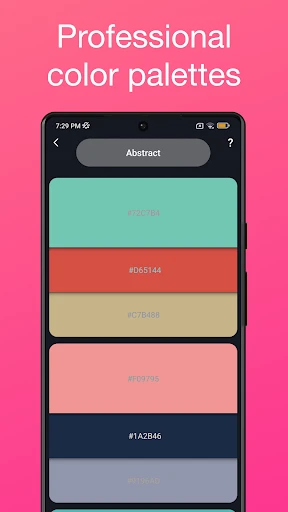
Additionally, the app includes a library of pre-made palettes that you can browse through for inspiration. Whether you're working on a spring-themed project or need something more muted for a corporate design, there's a palette for every occasion. Plus, you can save your favorite palettes for easy access later on.
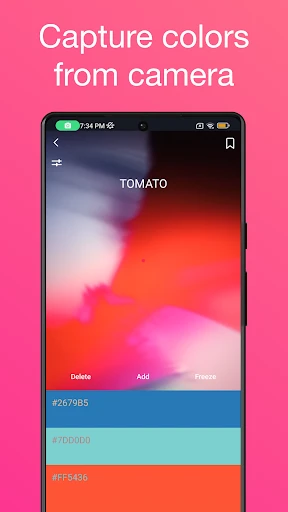
Another noteworthy feature is the ability to upload images and extract colors directly from them. This is perfect for those moments when you see a stunning sunset or a beautifully decorated room and think, "I want to use those colors in my project!" With just a few taps, you can capture the essence of any scene and incorporate it into your work.
Is This App a Must-Have?
In a world where color plays such a crucial role in design and creativity, having a tool like the Color Wheel app is invaluable. It takes the guesswork out of creating beautiful color palettes and allows you to focus on what truly matters – bringing your vision to life.
Whether you're a professional designer or just someone who loves to dabble in creative projects, this app is a must-have. It's user-friendly, packed with features, and, most importantly, it's a lot of fun to use. So why not give it a try and see how it can transform the way you work with color?

- Developer
- Roman Sevastianov
- Version
- 1.37
- Installs
- 50,000+
- Android Version
- 6.0
- Content Rating
- Everyone
- Price
- $1.99
- User-friendly interface for easy navigation
- Wide range of color options available
- Customizable color palettes
- Supports color harmony rules
- Low system resource usage
- Limited advanced features for professionals
- Occasional app crashes reported
- Ads can be intrusive at times
- Lacks integration with design software
- No offline mode available