
Microsoft Authenticator
My Digital Security Sidekick: A Look at Microsoft Authenticator
My Digital Security Sidekick: A Look at Microsoft Authenticator
Ever had those moments where you can't remember which of your umpteen passwords you used for a particular account? Yeah, me too. That's where Microsoft Authenticator swoops in like a digital superhero. And let me tell you, after giving it a whirl, I'm pretty impressed.
Getting Started Was a Total Breeze
Getting the app going was surprisingly simple. I grabbed it from the App Store (it's on both Android and iOS), and in just a few minutes, I was all set. The app guides you through the setup with really clear instructions, which is great for anyone who isn't super techy. All you do is scan a QR code from your Microsoft account, and just like that, you're good to go!
That Extra Security Layer We Can't Do Without
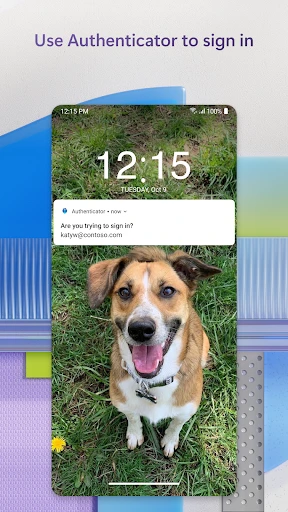
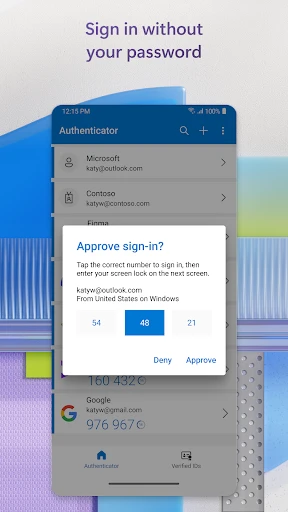
Let's get to the main event: two-factor authentication (2FA). With all the online dangers out there, having that additional security step is like adding a deadbolt to your front door. Microsoft Authenticator makes this incredibly easy. After it's set up, you get a notification on your phone to approve any login try. It's as easy as tapping "approve." No more scrambling for text messages or emails to find those annoying verification codes.
It's Not Just for Microsoft Stuff
Even though it's called Microsoft Authenticator, it's way more versatile than that. I went ahead and added my Google, Facebook, and even my Amazon accounts to it. It’s like having a master key for a bunch of different digital locks. The app handles multiple accounts without a problem, which is a huge help for someone like me who has an account for just about everything.
The App is Seriously Easy to Use
The look and feel of the app is clean and super user-friendly. I really like how everything is arranged so neatly, which makes getting around a snap. The interface is simple and not cluttered at all. Even if you don't know much about technology, you'll find it really easy to figure out.
Your Info is Safe, Even if You Lose Your Phone
A feature that really caught my attention is the backup and sync option. If you lose your phone, it doesn't automatically mean you've lost all your authentication info. With this turned on, your accounts get saved to the cloud, and you can restore them to a new device without any trouble. It's like having an insurance policy for your digital identity.
Wrapping Up: An Essential Tool for Online Safety
To sum it all up, Microsoft Authenticator is like that reliable buddy who always looks out for you. It's trustworthy, flexible, and absolutely essential if you want to seriously guard your online life. Whether you're a tech expert or just someone who wants better security without the headache, this app is definitely worth installing. So why not give it a shot? You'll feel better knowing your accounts have that extra protection.



- Developer
- Microsoft Corporation
- Version
- 6.2505.3089
- Installs
- 100,000,000+
- Android Version
- 8.0
- Content Rating
- Everyone
- Price
- Free
- Easy setup and intuitive interface.
- Supports multi-factor authentication seamlessly.
- Integrates well with Microsoft services.
- Quick access to passwords and accounts.
- Strong security measures in place.
- Limited offline capabilities.
- Occasional sync issues reported.
- Requires Microsoft account for full features.
- No customization for notifications.
- Can be overwhelming for new users.