Google Chat
My Recent Experience with Google Chat
My Recent Experience with Google Chat
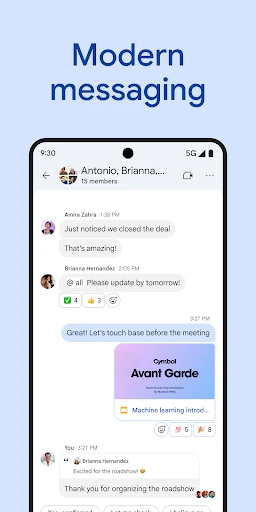
A Fresh Take on Messaging
Let me tell you about my recent experience with Google Chat, Google's messaging platform designed to streamline communication and collaboration. Whether you’re connecting with colleagues or catching up with friends, this app offers a solid set of features that work well for both professional and personal needs.
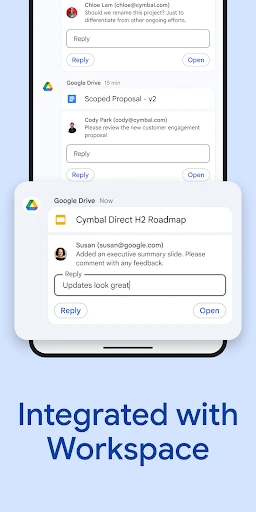
Google Chat is not just another messaging app; it's a full-featured communication tool. The app works smoothly with Google Workspace, making it a great fit for anyone who already uses Google's other services. From sending quick messages to sharing files directly from Google Drive, Google Chat makes staying in touch a breeze.
Noteworthy Features
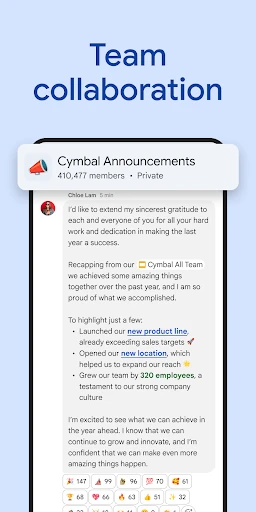
One of the best features is the ability to create rooms (now called "spaces") for different projects or groups. This helps users keep conversations tidy and on-topic. Each space can have multiple threads, so you won’t lose important talks in a sea of messages. It's a real help for project managers and teams handling several discussions at once.
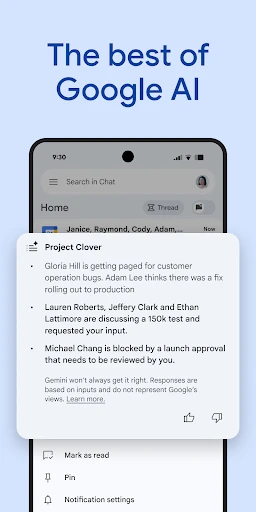
Another great feature is the app's link with Google Meet. With one click, you can jump from a chat to a video call, which is super useful for remote teams. Also, the smart reply feature, which suggests answers based on the chat's context, adds a layer of ease that's hard to beat.
A User-Friendly Design
The look of Google Chat is clean and straightforward. If you’ve used any Google products before, you’ll know your way around. Its simple design makes sure users can move through the app without getting lost. On top of that, the app offers both dark and light modes, suiting different visual tastes and keeping things comfortable during long chats.
Notifications are another strong point. You can adjust them a lot, letting you quiet certain chats or set priority alerts for key contacts. This control helps you stay in the loop without being overwhelmed by constant pings.
Wrapping It Up
All in all, Google Chat stands out as a dependable and effective messaging platform. Whether you’re running a team or organizing a get-together, the app gives you the right tools to make communication smoother. Its connection with Google Workspace is especially helpful for people who use Google's tools a lot. While it might not have the playful vibe of apps like WhatsApp or Messenger, its strength in productivity and teamwork is where it really wins.
If you’re in the market for a messaging app that mixes ease of use with useful features, Google Chat is certainly worth a look. It’s a tool that aims to improve how you communicate, making your chats more orderly and productive.

- Developer
- Google LLC
- Version
- Varies With Device
- Installs
- 50,000,000+
- Android Version
- Varies With Device
- Content Rating
- Everyone
- Price
- Free
- Integrates smoothly with Google Workspace.
- Supports threaded conversations for clarity.
- Real-time collaboration with team members.
- Cross-platform availability via web and app.
- Secure with end-to-end encryption.
- Limited third-party integrations.
- Notifications can be overwhelming.
- Interface lacks customization options.
- Requires Google account to use.
- Video call features are basic.