Whova - Event & Conference App
Whova - Event & Conference App
Whova - Event & Conference App
Let me tell you about an app that has completely changed how I experience events: Whova. If you're someone who goes to a lot of conferences or networking meetups, this app is about to become your go-to sidekick.
Getting the App Up and Running
First off, downloading and setting up Whova is super simple. Just search for it in your phone's app store, whether you're on Android or iOS. After you download it, the app will guide you to either create a new account or sign in. I thought the whole sign-up process was really easy, and before I knew it, I was all set to explore.
Keeping Your Events Organized
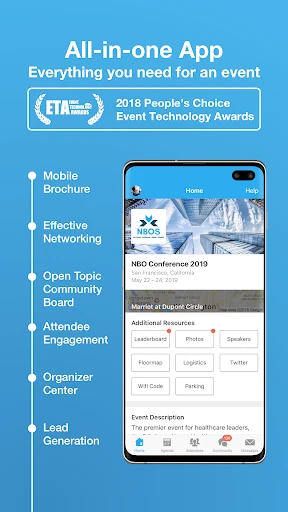
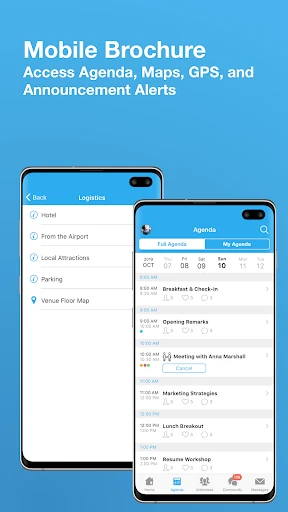
A huge plus for Whova is how it effortlessly handles all your events in one spot. It keeps everything for your registered events together, so you can easily check the schedule, learn about the speakers, and look at venue maps. I really like that I can create my own personal agenda and get alerts if anything changes. This single feature saves me from the usual mess of paper schedules or constantly refreshing my email.
Making Connections Effortlessly
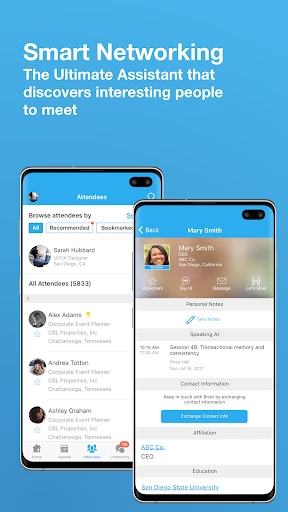
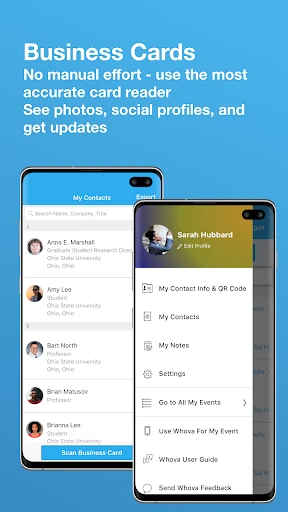
Networking can feel a bit intimidating, but Whova makes it surprisingly easy. The app lets you see who else is attending and connect with them before the event even starts, while it's happening, or after it's over. I found the built-in chat feature especially handy for arranging quick meet-ups and staying in touch with new people. It’s like always having a digital business card ready to go.
Getting Involved and Having Fun
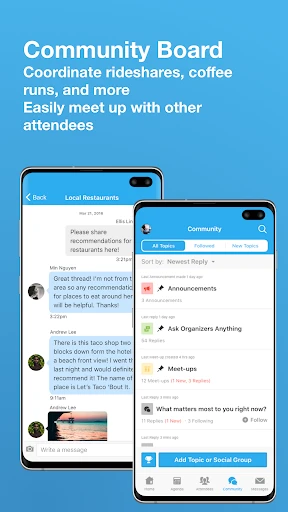
Whova does more than just keep you organized; it makes the whole event more engaging. The app gets you involved with interactive sessions, live polls, and Q&A opportunities. I joined a live poll during one talk, and it was really cool to see the results pop up instantly and spark conversations. There's also a community board where you can jump into discussions and share thoughts with other attendees, which makes everything feel more connected and lively.
Another neat thing is you can take and post photos right in the app. It's a great way to save your favorite moments and add to the event's shared photo gallery for everyone to see.
Wrapping It All Up
In short, the Whova app is a total game-changer for anyone who regularly goes to events. It takes the stress out of planning, makes networking a cinch, and helps you get more involved, which makes the whole experience a lot more enjoyable. Whether you're running the event or just attending, this app is a fantastic tool that improves how we connect and interact. So, for your next conference, be sure to download Whova and see the difference yourself
- Developer
- Whova
- Version
- 10.11.7
- Installs
- 1,000,000+
- Android Version
- 6.0
- Content Rating
- Teen
- Price
- Free
- User-friendly interface.
- Seamless event check-in.
- Detailed agenda management.
- Networking opportunities.
- Real-time updates.
- Requires internet connection.
- Limited free features.
- Occasional app crashes.
- Notification overload.
- Learning curve for new users.