

Sling: Employee Scheduling App
Have you ever found yourself juggling employee schedules and wondering if there’s an easier way to manage it all? Well, I recently stumbled upon the Sling app, and let me tell you, it’s like a breath of fresh air for anyone involved in scheduling employees. Whether you’re managing a small team or a large workforce, this app claims to streamline the process, and after trying it out, I’m inclined to agree. Let’s dive into the ins and outs of this nifty tool.
Have you ever found yourself juggling employee schedules and wondering if there’s an easier way to manage it all? Well, I recently stumbled upon the Sling app, and let me tell you, it’s like a breath of fresh air for anyone involved in scheduling employees. Whether you’re managing a small team or a large workforce, this app claims to streamline the process, and after trying it out, I’m inclined to agree. Let’s dive into the ins and outs of this nifty tool.
Getting Started with the App
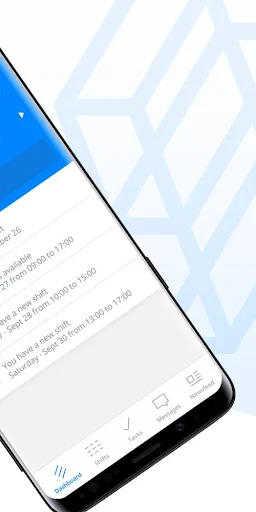
From the moment I opened the Sling app, I could tell it was designed with user-friendliness in mind. The interface is sleek and intuitive, making it easy to navigate through the various features. You’re greeted with a clean dashboard displaying all your scheduling essentials. Whether you need to assign shifts or approve time-off requests, everything is just a few taps away.
Effortless Shift Planning
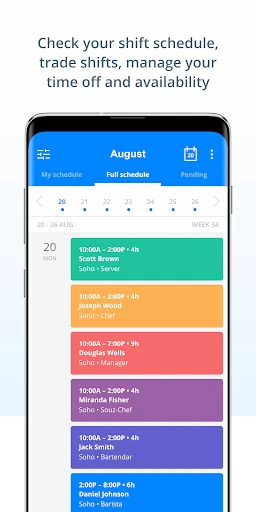
One of the standout features is how effortless it is to create and manage schedules. You can quickly drag and drop shifts, and if you need to make changes on the fly, the app makes it a breeze. No more frantic calls or texts to employees about their shifts; they’re notified instantly through the app. It’s a real time-saver, and honestly, a stress reliever too.
Keeping Everyone in the Loop
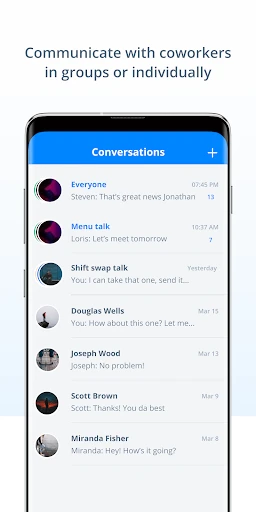
Beyond just scheduling, Sling excels in keeping the lines of communication open. The built-in messaging feature allows for seamless communication between managers and employees. You can send group messages or individual notes, and even create chat groups for specific teams. This feature alone makes coordination smoother and helps avoid any miscommunication.
Insights and Accountability
If you’re someone who loves data, the time tracking and reporting capabilities will be right up your alley. Sling provides detailed reports that help you keep track of labor costs and hours worked, making it easier to stay on budget. This feature is particularly useful for managers who need to present accurate data to higher-ups.
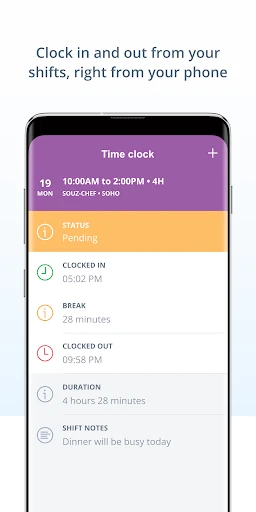
Moreover, the time clock function allows employees to clock in and out directly through the app. It’s an efficient way to monitor punctuality and ensure everyone is where they need to be when they need to be there.
In conclusion, if you’re looking for a comprehensive tool to manage your team’s scheduling needs, Sling is a solid choice. The app combines simplicity with powerful features, making it an indispensable tool for any manager. It’s like having a personal assistant right in your pocket, ready to help you tackle the day-to-day challenges of employee scheduling. So why not give it a whirl and see how it transforms your scheduling woes into wins?

- Developer
- Sling Inc.
- Version
- 1.90.74
- Installs
- 1,000,000+
- Android Version
- 9
- Content Rating
- Everyone
- Price
- Free
- Intuitive user interface design.
- Seamless integration with payroll systems.
- Supports multi-location businesses.
- Real-time shift updates and alerts.
- Customizable scheduling templates.
- Limited offline functionality.
- Occasional sync issues.
- Lacks advanced reporting features.
- No direct customer support chat.
- Premium features can be expensive.


