OBD Fusion (Car Diagnostics)
Getting Started with OBD Fusion
Getting Started with OBD Fusion
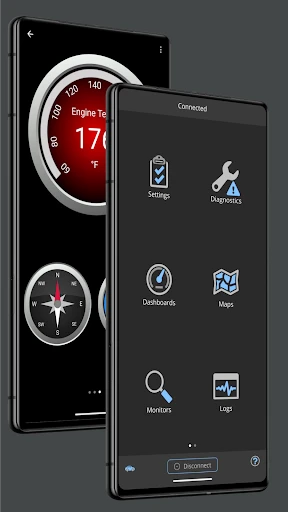
If you're like me and enjoy knowing exactly what's going on with your car, then OBD Fusion could be the perfect app for you. It works on both Android and iOS, turning your phone into a powerful diagnostic tool that gives you a deeper look into your vehicle's health than ever before.
Getting Your OBD Fusion Ready
First up, let's get everything set up. To use OBD Fusion, you'll need an OBD-II adapter. This little device plugs right into your car's OBD-II port. Not sure where that is? The app includes helpful guides to find it. After it's plugged in, just connect the adapter to your phone using Bluetooth or Wi-Fi, and you're ready to start exploring your car's data.
A Look at What It Can Do
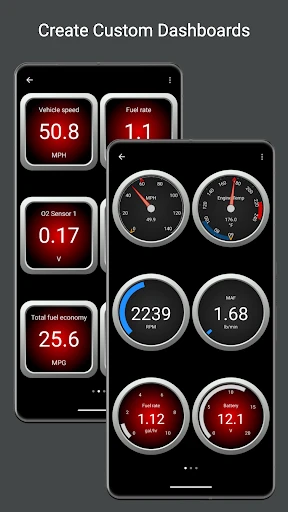
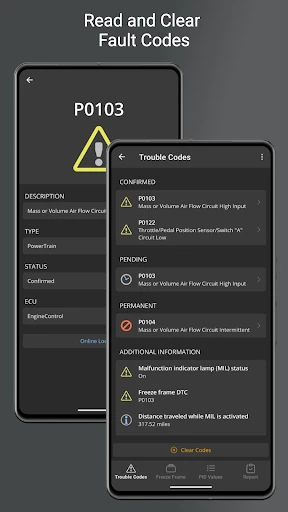
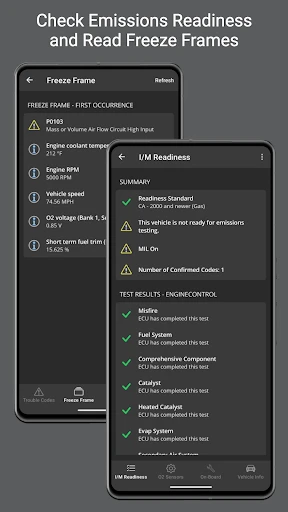
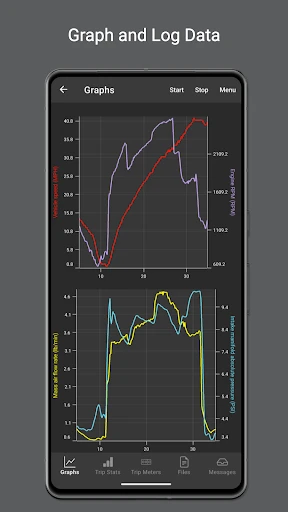
Now for the exciting part! OBD Fusion is packed with useful and easy-to-understand features. You can read and clear diagnostic trouble codes, and you can also watch real-time information like your speed, RPM, and fuel consumption. It's really cool to see what your car is doing as you drive, and it's super useful for boosting your fuel economy or catching small issues before they turn into big, expensive repairs.
Making the Display Your Own
My absolute favorite part is the customizable dashboards. You can set them up to show the information you care about most, whether it's engine stats, fuel economy, or even the temperature of individual cylinders. It's like having a personal mission control for your car right in your pocket, and it's every bit as awesome as it seems.
How It Feels to Use
OBD Fusion is built to be user-friendly. The layout is straightforward and simple to get around, even if you don't know a lot about cars. The app gives you clear explanations for every trouble code, so you'll actually understand what a code like 'P0420' means. On top of that, their support team is quick to help if you have any problems, which is a great perk.
Works With Your Car and Stays Updated
The app works with a huge variety of cars, which is perfect if you have multiple vehicles or plan on getting a new one. The developers also release regular updates to make sure OBD Fusion works with the latest car models and diagnostic standards, so you can always trust the information you're seeing.
Wrapping Up
To sum it all up, OBD Fusion is an excellent app for anyone who wants to understand their car better. Whether you're a professional or just a car owner who wants to keep things running smoothly, this app puts a wealth of information right in your hands. It's simple to use, loaded with features, and provides the kind of detailed data that can save you money on mechanic visits. If you want to be more in tune with your car's health, you should definitely check out OBD Fusion – it's worth it
- Developer
- OCTech, LLC
- Version
- 6.7.0
- Installs
- 50,000+
- Android Version
- 6.0
- Content Rating
- Everyone
- Price
- $4.99
- Comprehensive real-time car diagnostics.
- User-friendly interface with easy navigation.
- Customizable dashboards for personalized view.
- Supports multiple vehicle brands and models.
- Regular updates enhance functionality.
- Requires a compatible OBD-II adapter.
- Advanced features may need in-app purchases.
- Initial setup can be time-consuming.
- Some data may overwhelm casual users.
- Limited support for older car models.