Watchgram for Telegram
Stay Connected: Watchgram Brings Telegram to Your Wrist
Stay Connected: Watchgram Brings Telegram to Your Wrist
Have you ever wished for a seamless way to integrate your love for Telegram with your smartwatch? Enter Watchgram, an app that brings Telegram to your wrist, making it easier than ever to stay connected without constantly reaching for your phone.
Setting Up Watchgram on Your Wrist
First things first, let's talk about the setup process. Downloading and installing Watchgram is a breeze, and it’s available for both Android and iOS devices. Once installed, you’ll need to sync it with your smart wearable. The app walks you through the process with clear instructions, so even if you’re not particularly tech-savvy, you shouldn’t face any hiccups.
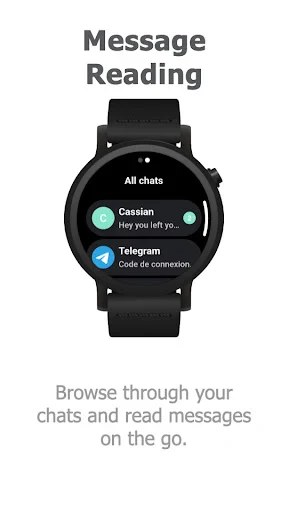
After syncing, you’ll be prompted to log into your Telegram account. Don’t worry, the app uses Telegram's secure protocol to ensure your data remains safe. In just a few taps, you’ll have your Telegram chats ready to go on your smartwatch.
Cool Features You'll Love
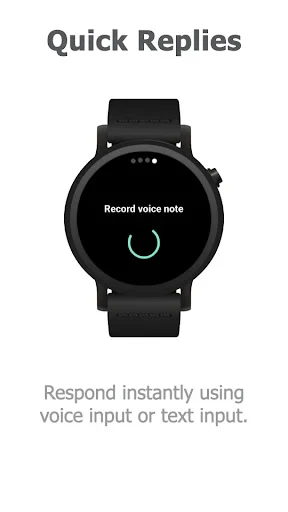
Watchgram isn’t just about reading messages; it’s packed with features that make interactions smooth and efficient. For instance, you can reply to messages using voice commands, which is incredibly handy when you’re on the move. The app also supports a range of emojis, stickers, and even voice notes, bringing the full Telegram experience to your wrist.
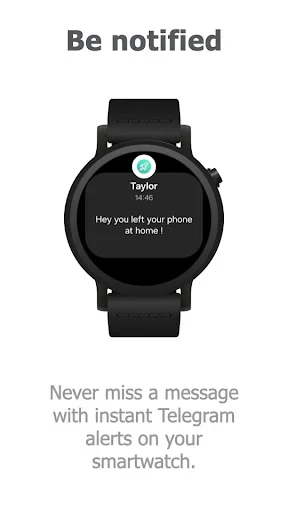
One of my favorite features is the customizable notifications. You can choose which chats are important enough to buzz your wrist, helping you filter out the noise and focus on what truly matters. This level of customization means your smartwatch won’t constantly be lighting up with every message, allowing you to maintain focus throughout your day.
How Well Does It Work?
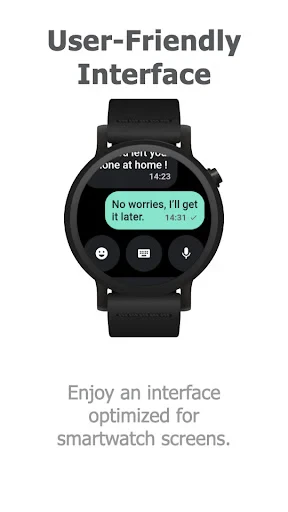
Performance-wise, Watchgram is a solid performer. The app is lightweight, ensuring it doesn’t drain your smartwatch's battery excessively. The interface is clean and intuitive, sticking closely to Telegram’s design ethos, which means it feels familiar and easy to navigate.
However, I did notice a slight lag when loading media-heavy chats. It’s not a dealbreaker, but something to be aware of, especially if you’re part of groups where media sharing is frequent. On the flip side, the app handles text-based chats seamlessly, which is what you’ll likely use it for the most.
The Final Verdict
In conclusion, Watchgram for Telegram is a must-have for anyone who relies on Telegram and wants the convenience of accessing it from their smartwatch. Its ease of use, coupled with robust features, makes it a strong contender in the world of smartwatch apps. While it has room for improvement in handling media, the overall experience is smooth and highly functional.
If you’re tired of pulling out your phone for every ping and buzz, give Watchgram a try. It’s a small step towards embracing the future of messaging, right from your wrist.
- Developer
- clapps
- Version
- 1.0.0-lynx
- Installs
- 100+
- Android Version
- 7.1
- Content Rating
- Everyone
- Price
- $2.49
- User-friendly interface for all ages
- Seamless integration with Telegram
- Supports multiple watch faces
- Real-time notifications on your wrist
- Battery efficient design
- Limited customization options
- Occasional syncing issues
- Requires constant internet connection
- No offline mode available
- Limited to specific smartwatch brands