3D Modeling App: Sculpt & Draw
Dive into the World of 3D Modeling with Sculpt & Draw
Dive into the World of 3D Modeling with Sculpt & Draw
Hey there, fellow 3D fans! If you're like me, the thought of creating your own 3D models wherever you are sounds super exciting. Let me tell you about Sculpt & Draw, an app that's really popular in the 3D world. It's like having a tiny art studio right on your phone, and it's great for pros and newbies alike.
Getting to Know the App: An Interface That's Easy to Use
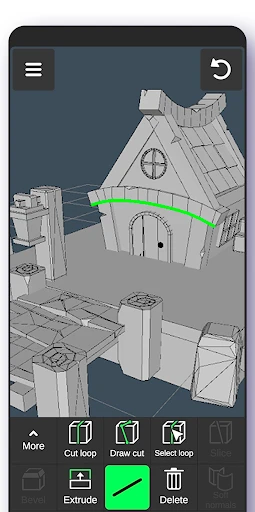
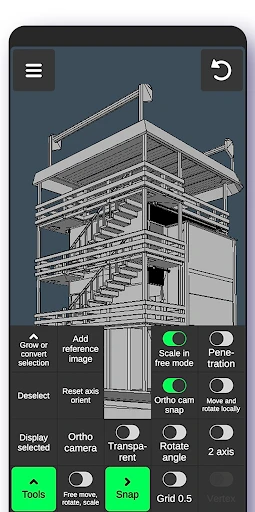
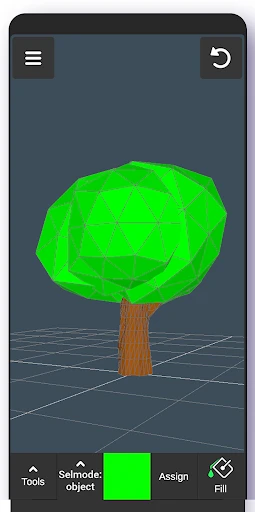
First up, the layout. Sculpt & Draw has a clean, simple design that's really easy to get around. When you open the app, you see a straightforward home screen that isn't cluttered with too many choices. All the tools are arranged logically, so you can start making stuff right away without any confusion. And believe me, you don't need to be a computer expert to understand it!
What It Can Do: Tools to Set Your Imagination Free
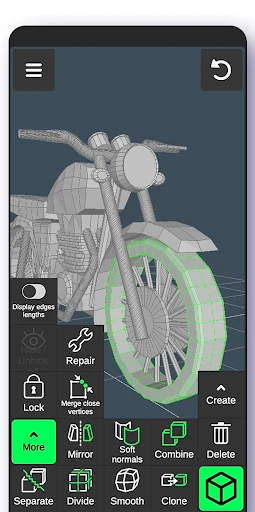
The thing that makes Sculpt & Draw special is its collection of tools. The app gives you all sorts of brushes and sculpting tools that feel like the real thing. Whether you're shaping a form or adding fine lines, the app reacts perfectly to your fingers. Also, the multi-touch feature means you can easily zoom in, move around, and spin your models, giving you total command over your work.
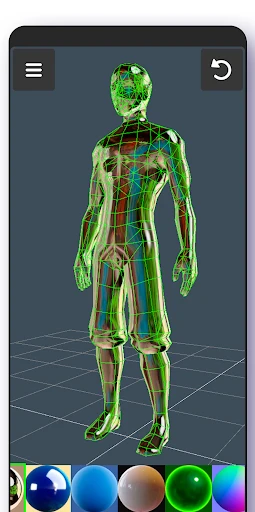
Another awesome part is the layers. You can handle different parts of your model on separate layers, which is incredibly helpful for complicated projects. And if you enjoy using color, the app has a full set of colors and gradient choices to make your creations really stand out.
How It Runs: Fast and Fluid
Now, about how well it works. I was seriously surprised by how fast Sculpt & Draw operates, even on phones that aren't the newest. There's no slowing down or weird errors – just smooth, continuous creating. The people who made the app have definitely worked hard to make it run great on mobile, and you can tell. Whether I'm building a detailed object or just playing around, it always feels quick and natural.
Getting Your Work Out There: Sharing What You Make
After you've finished your creation, showing it to others is really simple. Sculpt & Draw lets you save your work in several different file types, making it a breeze to post on social media or work with fellow creators. You can even send your models straight to 3D printing companies, which is an amazing option if you want to make a real-life version of your digital art.
Final Thoughts: An Essential App for 3D Fans
To sum it up, Sculpt & Draw is a real standout among 3D modeling apps. It mixes advanced tools with a simple layout, so it's good for anyone. Whether you're just getting into 3D art as a pastime or you're a pro who needs a tool on the go, this app is definitely worth trying. So give it a shot, let your ideas flow, and begin building your visions in 3D!
Happy modeling
- Developer
- 3D Modeling Apps
- Version
- 1.20.1
- Installs
- 10,000,000+
- Android Version
- 6.0
- Content Rating
- Everyone
- Price
- Free
- Intuitive interface for beginners.
- Supports a wide range of 3D formats.
- Offers powerful sculpting tools.
- Regular updates with new features.
- Compatible with stylus for precision.
- Requires a high-performance device.
- Learning curve for advanced tools.
- Occasional bugs in rendering.
- Limited free version features.
- Consumes a lot of battery.