Floor Plan Creator Home Design
When it comes to designing a new home or just reimagining the space you currently have, having the right tools can make a world of difference. That's where Floor Plan Creator comes into play. Available on both Android and iOS, this app is a game-changer for anyone looking to dabble in interior design or professional architects seeking a reliable tool to visualize their projects.
When it comes to designing a new home or just reimagining the space you currently have, having the right tools can make a world of difference. That's where Floor Plan Creator comes into play. Available on both Android and iOS, this app is a game-changer for anyone looking to dabble in interior design or professional architects seeking a reliable tool to visualize their projects.
What Makes This App So Handy?
First off, let's talk about how user-friendly this app is. Unlike other complex design software, Floor Plan Creator makes it easy for you to start crafting your dream space. Even if you're not a seasoned designer, the intuitive interface allows you to drag and drop elements effortlessly. I was genuinely surprised at how quickly I could put together a rough sketch of my apartment's layout.
Cool Tools You'll Love Using
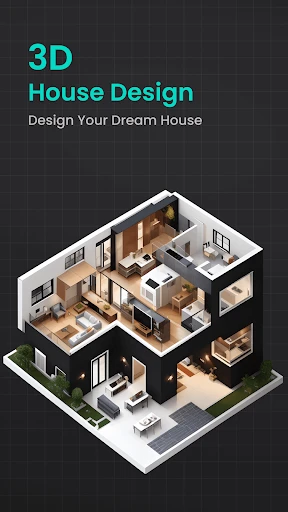
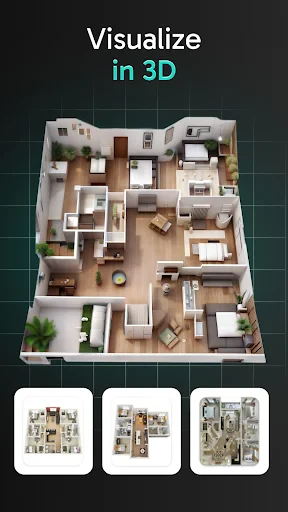
One of the most striking features is the real-time 3D visualization. This allows you to see your space from various angles, making it easier to spot any potential issues before they become costly mistakes. I found this feature incredibly helpful in understanding how different pieces of furniture would fit into my rooms.
Another cool feature is the ability to import existing plans. If you have blueprints in PDF or image formats, you can easily incorporate them into the app and start working your magic without missing a beat. This saved me a lot of time and hassle, as I didn't have to start from scratch.
Making the Design Truly Yours
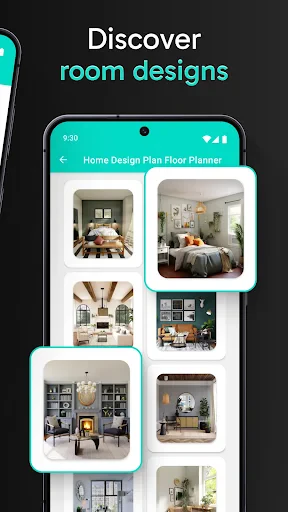
What I also love about Floor Plan Creator is the level of customization it offers. Whether you want to adjust the wall thickness, add doors and windows, or tweak the color schemes, the app gives you the flexibility to make changes as you see fit. I spent hours tweaking my designs, and the app handled everything like a champ.
The app also supports cloud synchronization, which is a lifesaver for anyone working on multiple devices. You can easily save your projects to the cloud and access them from your phone, tablet, or computer. This seamless integration ensures you always have your latest designs at your fingertips.
A Few Things to Keep in Mind
Now, it's not all sunshine and rainbows. While the app is powerful, it does come with a bit of a learning curve if you want to take full advantage of its capabilities. It took me a few tries to get the hang of some of the more advanced features, but once I did, it was smooth sailing.
Also, while the app is free to download, some features are locked behind a paywall. If you're serious about getting the most out of Floor Plan Creator, you might want to consider investing in the premium version. Trust me, it's worth it if you're planning to do more than just a couple of projects.
In conclusion, Floor Plan Creator is a robust tool that offers a plethora of features for anyone interested in home design. Whether you're a novice or a pro, this app has something to offer. So why not give it a try and see how it can transform your design process? Happy designing!


- Developer
- Firehawk
- Version
- 2.1.0
- Installs
- 500,000+
- Android Version
- 8.0
- Content Rating
- Everyone
- Price
- Free
- Intuitive user interface
- Supports 3D floor plans
- Real-time collaboration
- Large library of objects
- Export in various formats
- Limited free features
- High learning curve
- Occasional bugs
- Requires internet connection
- No landscape mode