Location Share
Have you ever found yourself in a situation where you needed to share your location, but it just seemed like a hassle? Well, let me introduce you to Location Share, an app that's here to make your life a whole lot easier. I recently downloaded it and gave it a whirl, and I've got some thoughts to share with you.
Have you ever found yourself in a situation where you needed to share your location, but it just seemed like a hassle? Well, let me introduce you to Location Share, an app that's here to make your life a whole lot easier. I recently downloaded it and gave it a whirl, and I've got some thoughts to share with you.
First things first, getting Location Share up and running was super simple. Right after I grabbed it from the app store, it asked to connect with my Google account. This was really handy because, honestly, who can remember another password?
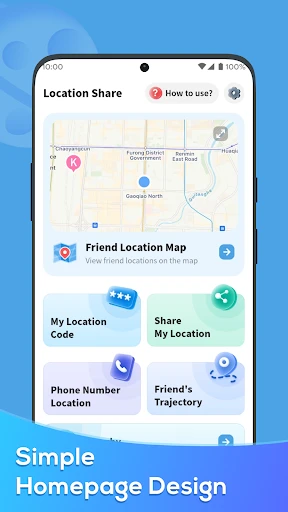
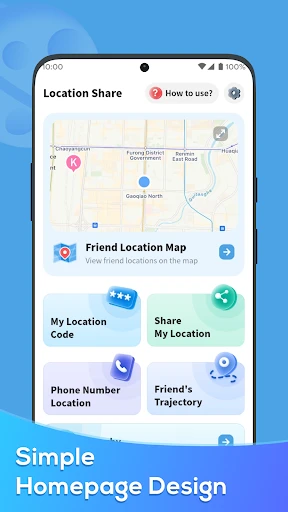
The app's design is clean and not at all complicated. I like that it doesn't have a bunch of extra stuff I don't need. The home screen is easy to understand, showing a map with where I am and a big, clear button to share my spot. No fuss, it just works.
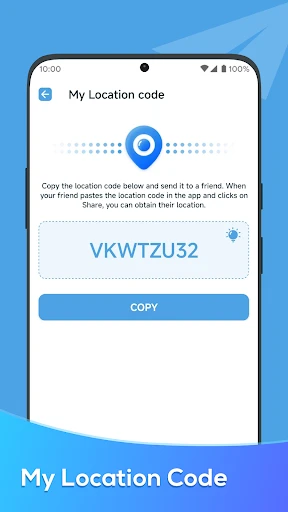
The whole point of this app is to share where you are, and I tested this by sending my location to a friend who was meeting me at a place we'd never been. I just hit the share button and got a bunch of choices for how to send it—text message, email, or apps like WhatsApp.
A really neat part is you can choose how long your location is visible to others. I picked one hour, which was perfect for my friend to find me without me having to remember to shut it off later. It's a great help for anyone who's a little scatterbrained.
Okay, I get it—you're probably wondering about safety and privacy. The app thinks about that, too. Location Share doesn't just send your location out to everyone. You're the one in charge of who gets to see it and for how long. On top of that, the app says your information is encrypted, which is definitely good to know these days.
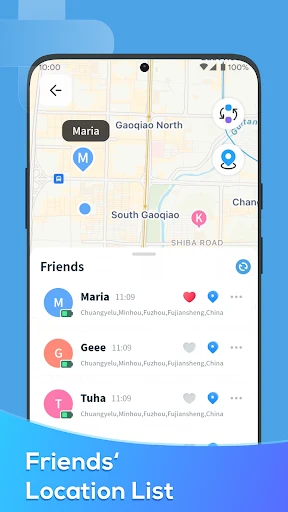
I also noticed there's a list of everyone I've shared with in the past, which is useful if you want to check on your privacy. It's obvious the people who made this app really want users to feel safe.
After using Location Share for about a week, I can honestly say it's a useful app to keep on your phone. Whether you're coordinating with friends or just letting family know you're okay, it does what it says it will. The app isn't full of annoying ads, which is a massive bonus for me.
Sure, it doesn't have a million extra features, but that's actually why I like it. It focuses on one job and does it really well. In a time when so many apps try to do everything, it's nice to find one that knows exactly what it's for.
So, if you want a simple, no-fuss app for sharing your location, you should check out Location Share. It's free, easy to figure out, and best of all, it helps you feel secure. Just don't forget to stop sharing your location when you're finished
- Developer
- P & L Studio
- Version
- 1.3.9
- Installs
- 10,000,000+
- Android Version
- 5.0
- Content Rating
- Everyone
- Price
- Free
- Easy to use interface for all users.
- Real-time location tracking feature.
- Low battery consumption.
- Works with weak internet connections.
- Allows location sharing with non-users.
- Privacy concerns over data sharing.
- Occasional app crashes reported.
- Limited features in free version.
- High battery usage during continuous tracking.
- Requires internet for accurate tracking.