Bose Connect
Unlocking the Full Potential of Your Bose Gear
Unlocking the Full Potential of Your Bose Gear
Getting Your Bose Devices Up and Running
First things first, getting the app set up is really simple. You just download it from the App Store or Google Play, and it finds your Bose gear without any fuss. I was surprised by how fast it spotted my headphones. The layout is clean and simple, which is a major win for people who aren't super techy.
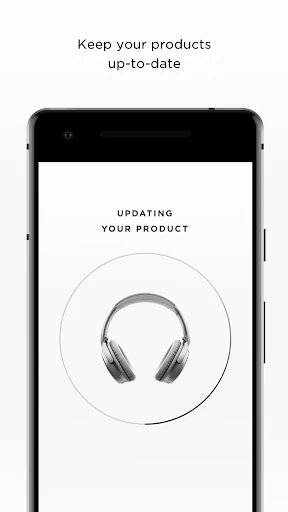
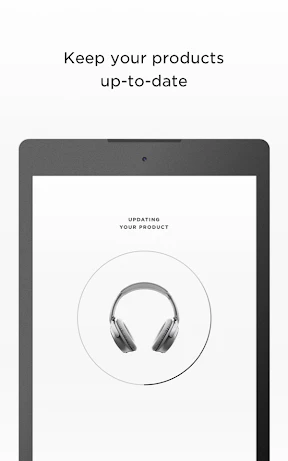
Once you're in, the app walks you through connecting your devices step-by-step. The whole thing feels natural, and I was connected in under a minute. You also get a heads-up whenever there's new firmware available, which is super useful for keeping your equipment in top shape.
Handy Features You'll Actually Use
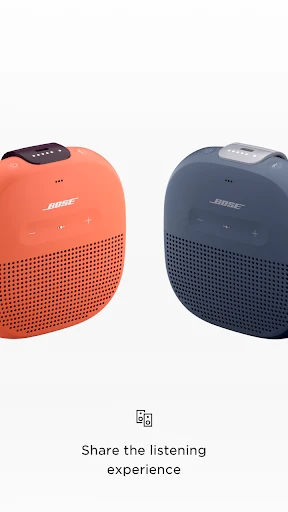
Now, let's talk about what the app can do. Bose Connect has some clever tricks that make using your gear better. The "Music Share" feature is a standout. It allows you to share whatever you're listening to with a friend, as long as they have compatible Bose headphones. I tested it on a run with a friend, and we both jammed to the same tunes without a hitch.
Another feature I really like is the ability to control noise cancellation. You can change how much outside sound you block out right from the app. Whether you're in a noisy coffee shop or on an airplane, being able to adjust this setting on the fly is a great perk.
Small Touches That Make a Difference
While the big features get most of the attention, Bose Connect doesn't forget the small stuff. For example, you can give your devices custom names. It might sound like a minor thing, but it's actually really helpful if you own more than one Bose product.
The app also shows your battery level clearly, so you never have to wonder how much power you have left. It might not sound like a huge deal, but in everyday use, it's these little details that make life easier.
A Few Areas That Could Be Better
Naturally, no app is flawless. I did find that Bose Connect can sometimes feel a little slow. There were a few times when it hesitated, particularly when I was digging into some of the deeper settings. It's not a major problem, but it can be a slight annoyance.
Also, while the app handles the fundamentals well, some people might want more advanced controls. If you're the type who loves to fine-tune every part of your sound, you might feel the app is a bit limited in that area.
All in all, Bose Connect does a great job of making your Bose products even better. It's easy to use, comes with some cool features, and takes the stress out of managing your devices. If you use Bose gear, it's absolutely worth a try to see if you like it.
So, that's my take on the Bose Connect app. It isn't perfect, but it makes your Bose gadgets better without adding any complication. If you're invested in the Bose ecosystem, this app is the perfect finishing touch that ties everything together.
- Developer
- Bose Corporation
- Version
- Varies With Device
- Installs
- 10,000,000+
- Android Version
- Varies With Device
- Content Rating
- Everyone
- Price
- Free
- Enhances audio experience significantly.
- User-friendly interface and navigation.
- Seamless device pairing process.
- Customizable sound settings.
- Regular updates for new features.
- Limited compatibility with non-Bose devices.
- Occasional connectivity issues.
- Battery drain can be noticeable.
- Requires frequent app updates.
- Limited advanced features.