MobileSheets
MobileSheets: A Game-Changer for Musicians
MobileSheets: A Game-Changer for Musicians
When it comes to managing sheet music on your tablet, MobileSheets is a name that pops up quite often. As someone who’s spent countless hours flipping through physical scores, I was eager to see how this app could revolutionize my music sessions. Spoiler alert: it’s a game-changer!
Getting Your Music on the Tablet
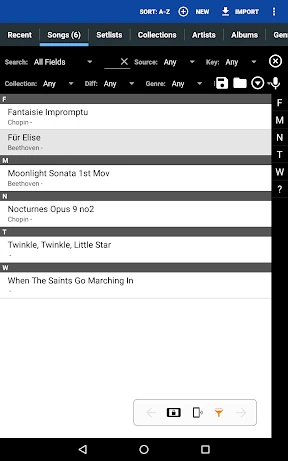
Getting started with the app is a breeze. No matter if you use an Android device or an iPhone, downloading and installing it is simple. When you open it up, you'll find a clean and easy-to-understand layout that isn't confusing. It feels like the people who made it really understood what musicians want—a tool that's both simple and powerful.
Features That Make Practice Easier
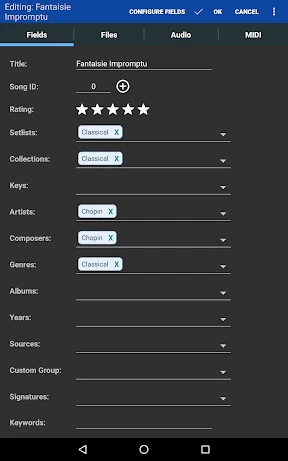
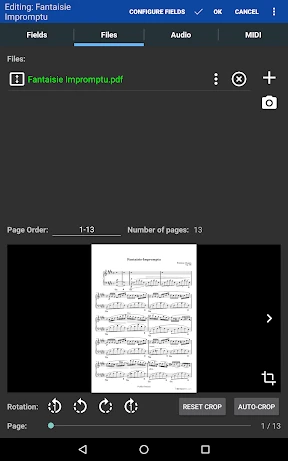
The app really stands out because of all the things it can do. Its system for organizing your music is excellent. You can sort your sheets by the song name, who wrote it, the style of music, or even create your own categories. Putting your music into the app only takes a few taps, whether you're bringing in PDFs, photos, or other file types. I'm a huge fan of the feature that lets you add a bunch of files at once—it's perfect for anyone with a large music library.
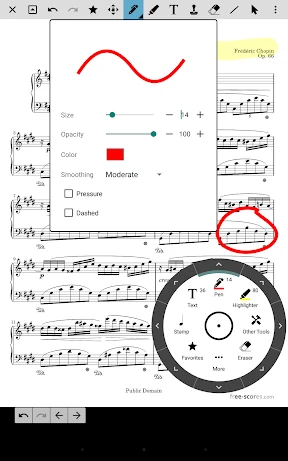
The tools for writing on your sheets are another big plus. No more writing notes in pencil on paper scores. With this app, you can type notes, highlight important parts, or draw directly on the page. And if you mess up? Just tap to undo it.
Playing Live and Organizing Your Songs
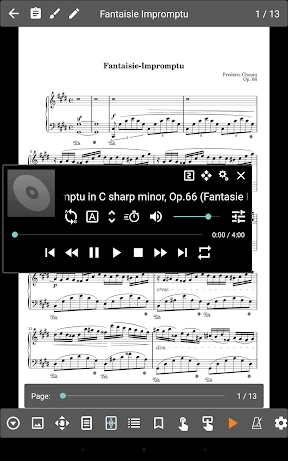
For anyone who plays concerts, the performance mode is a lifesaver. You can make setlists for your shows and move between songs without any hassle. The half-page turn feature makes sure you're never stuck trying to turn a page in the middle of playing. It's clear this app was built with performing musicians in mind.
Having a built-in metronome and the ability to play audio files is the perfect bonus. You can keep time while you practice or play along with recorded tracks that you've linked to your sheet music. It's like having your own personal backup musician right there with you.
Keeping Your Music Collection Safe
One thing I really worried about with digital sheet music was the chance of losing everything. This app solves that problem with its strong backup and sync features. Whether you like to use cloud services or save files directly to your computer, the app can handle it. I can't tell you how nice it is to know that all my music is secure.
Wrapping It Up
In a time when digital tools are everywhere, this app proves to be a must-have for musicians. It mixes everyday usefulness with a collection of features that work for both hobbyists and pros. If you're switching from paper sheets, there might be a small learning curve, but the benefits are totally worth it.
So, if you want to make your music practice or live performances smoother, you should test out this app. It's not just another program on your device; it's a companion for your music-making.
- Developer
- Zubersoft
- Version
- 3.9.7
- Installs
- 100,000+
- Android Version
- Varies With Device
- Content Rating
- Everyone
- Price
- $15.99
- Highly customizable sheet music reader.
- Supports various file formats.
- Annotation tools included.
- Cloud sync available.
- Easy library management.
- User interface can be complex.
- Limited free version features.
- Occasional sync issues.
- Requires frequent updates.
- Steep learning curve for new users.