Norton Family Parental Control
When it comes to keeping an eye on your kids' online activities, Norton Family Parental Control is like having a digital babysitter. As someone who’s always on the lookout for tools to help manage screen time and ensure a safe online environment for the little ones, I decided to give this app a whirl. Let me take you through my experience.
When it comes to keeping an eye on your kids' online activities, Norton Family Parental Control is like having a digital babysitter. As someone who’s always on the lookout for tools to help manage screen time and ensure a safe online environment for the little ones, I decided to give this app a whirl. Let me take you through my experience.
Getting Your Digital Watchdog Up and Running
Installing Norton Family Parental Control was a breeze. Available on both Android and iOS, the app is designed to help parents monitor and manage their children’s online activities. The setup process is straightforward, even for those who aren't particularly tech-savvy. After downloading the app, I created a family account, and within minutes, I was ready to dive into its features.
The Handy Tools in the Parental Control Kit
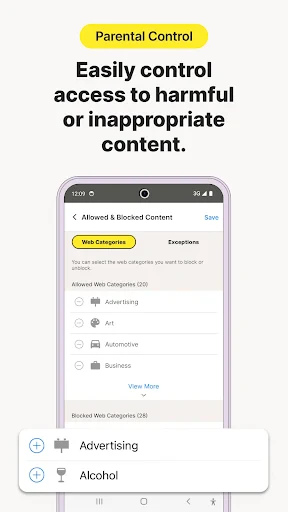
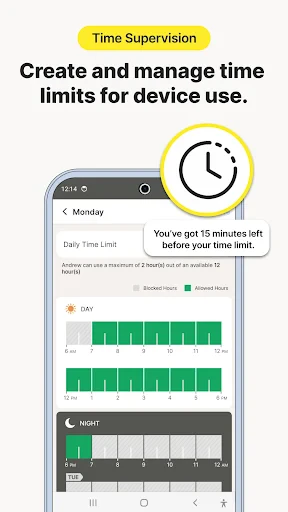
One of the first things I noticed was the app's ability to set specific rules for each child. You can tailor restrictions based on age and maturity level, which is a nice touch. The web supervision feature is pretty slick too; it lets you see the sites your kids visit and even block specific websites if necessary. And let's not forget the time supervision tool that allows parents to set time limits on devices. This is a lifesaver when trying to balance screen time and playtime.
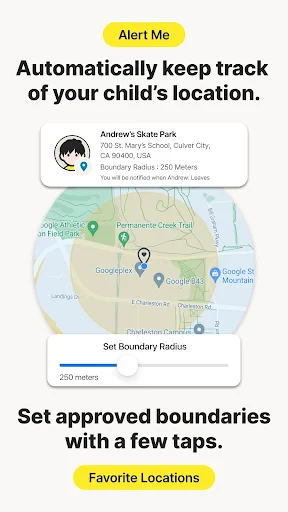
Another feature worth mentioning is the location supervision. It uses GPS to track the whereabouts of your child’s device. While some might find this a bit intrusive, I think it offers peace of mind, especially if your kids are at that age where they’re gaining more independence.
Keeping Tabs: Understanding Your Kid's Online World
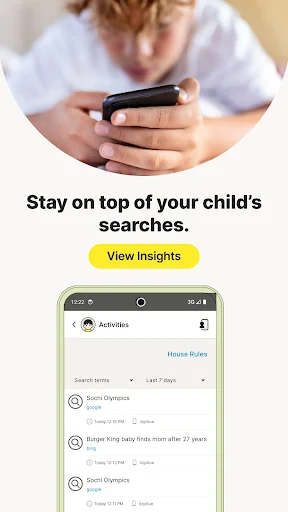
Norton Family also provides detailed reports on your child's online behavior. These reports are easy to access and understand, offering insights into what your kids have been up to. It’s like having a window into their digital world without being overly intrusive. The app sends notifications for any red flags, so you’re always in the loop.
What I appreciate most is how Norton doesn’t just focus on restrictions but also encourages open communication. The app provides recommendations on how to discuss online safety with your kids, making it a partner in parenting rather than just a policing tool.
Final Verdict on Your Family's Digital Sidekick
All in all, Norton Family Parental Control is a robust app that offers a comprehensive suite of tools for parents looking to safeguard their kids in the digital realm. It's not just about monitoring but also about fostering a healthy relationship with technology. If you're looking for a way to keep your kids safe online while also teaching them responsible internet use, this app is definitely worth considering. It’s like having an extra pair of eyes watching over your family’s digital adventures.

- Developer
- NortonMobile
- Version
- 7.9.0.12
- Installs
- 1,000,000+
- Android Version
- 8.0
- Content Rating
- Everyone
- Price
- Free
- Comprehensive web filtering options.
- Easy setup and configuration.
- Customizable alert notifications.
- Location tracking for child's device.
- Supports multiple devices per account.
- Limited social media monitoring.
- Expensive premium subscription.
- Occasional app crashes.
- Requires constant internet access.
- Limited time management features.