Parallel Space - app cloning
Parallel Space: Your New Best Friend for Managing Multiple Accounts
Parallel Space: Your New Best Friend for Managing Multiple Accounts
Getting Your Parallel Space Up and Running
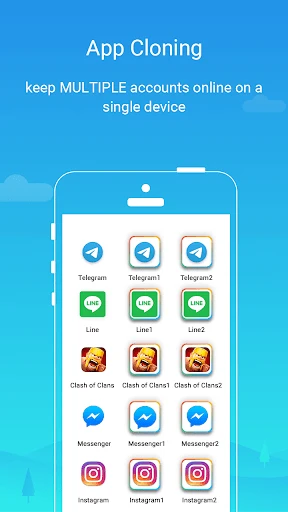
Getting started with Parallel Space is super simple. After you download and install it, the app guides you through an easy setup. You just pick which apps you want to clone, and that's it, you're all set! The layout is really user-friendly, so even if you're not great with tech, you'll find it a breeze to use.
What's the Point of Cloning Apps Anyway?
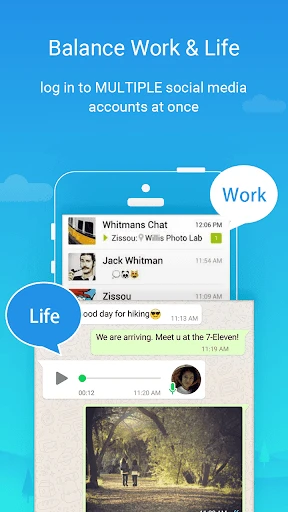
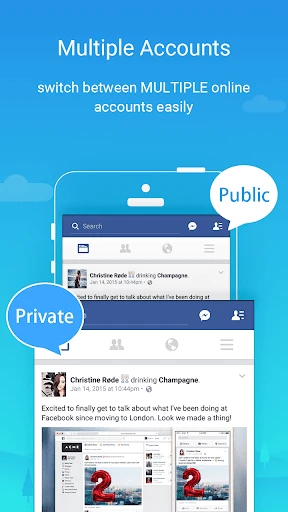
Just think about it: keeping different social media profiles separate, handling both work and personal accounts, or playing the same game with different tactics. Parallel Space lets you do all of this without the annoyance of constantly logging in and out. It's like having a secret doorway to another world where you can easily switch between different versions of yourself.
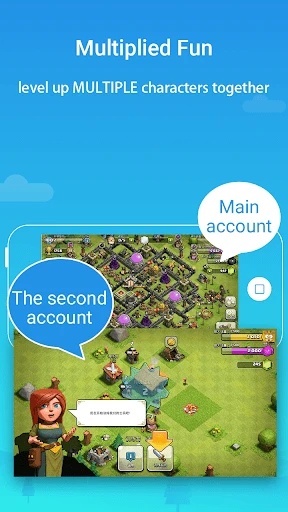
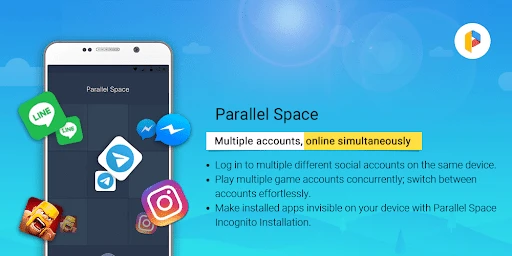
The app works with almost all the big-name apps, from social media like Facebook and Instagram to popular mobile games. Imagine being able to see your work messages and personal chats on the same phone without ever getting them confused. It's also incredibly useful for gamers who want to try out different game levels or strategies at the same time.
How Well Does It Perform?
You might be worried that running two copies of an app will slow your phone down. The good news is that Parallel Space is built to work smoothly, and I didn't see any major lag on my phone. It's made to use very little of your phone's power, so even older models can run it just fine.
I did run into one small issue, though. Sometimes, the notifications from the cloned apps were a bit delayed. But let's be honest, no app is completely perfect.
Keeping Your Information Safe
It's normal to be concerned about security when you have several accounts open, but Parallel Space has features to protect you. It includes a privacy locker to hide your cloned apps from anyone else. You can also set a password so you're the only one who can get into your parallel apps. It's good to know that while you're handling your different digital lives, your information stays private and secure.
To wrap it up, if you're tired of constantly jumping between different accounts and apps, Parallel Space can really change the game. It makes juggling multiple tasks much simpler and helps you keep everything in your digital life organized. Try it out, and you'll probably ask yourself how you ever got by without it
- Developer
- LBE Tech
- Version
- 4.0.9500
- Installs
- 100,000,000+
- Android Version
- 5.0
- Content Rating
- Everyone
- Price
- Free
- Supports multiple accounts in one device.
- Easy to switch between cloned apps.
- Doesn't require root access.
- Customizable themes for clones.
- Lightweight and fast performance.
- May have compatibility issues with some apps.
- Consumes more battery with heavy use.
- Notifications can be delayed.
- Limited features in free version.
- Occasional ads in the interface.