Google Photos
Rediscover Your Memories with Google Photos
Rediscover Your Memories with Google Photos
Hey there! So, I just got around to exploring Google Photos, and let me tell you, it's like opening a treasure chest of forgotten memories. This app isn't just about storing photos; it's a comprehensive experience for managing, sharing, and reliving your moments. Let's dive into what makes this app a must-have for anyone with a smartphone.
Effortless Photo Sorting
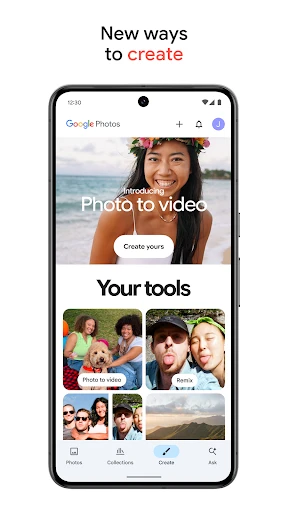
One of the first things that struck me about Google Photos is how it effortlessly organizes my photo collection. You know those times when you're scrolling through thousands of pictures trying to find that one shot from last summer's vacation? Well, Google Photos makes it a breeze. It automatically sorts your photos by people, places, and things, thanks to its smart AI. It's like having an assistant who knows exactly where everything is!
A Home for All Your Pictures
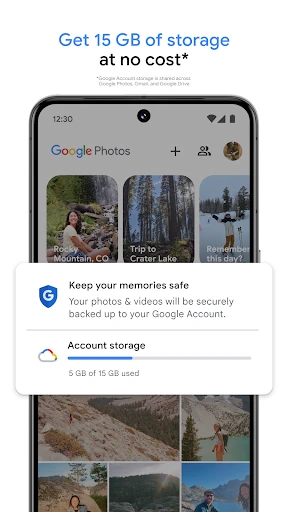
We all know the struggle of running out of storage space on our devices. Google Photos offers a neat solution with its high-quality storage option, allowing you to store an unlimited number of photos and videos for free. That's right, free! While there might be a slight reduction in quality, honestly, it's hardly noticeable unless you're a professional photographer. So, snap away without the fear of running out of space!
Easy Ways to Share with Everyone
Sharing photos and videos with friends and family has never been easier. With Google Photos, you can create shared albums and invite others to add their own captures. It's perfect for group trips or family gatherings. Plus, the app's sharing suggestions make it super easy to send photos to the people who matter most. You know, those folks who'd love to see your beach selfies or the new puppy!
Your Personal Memory Curator
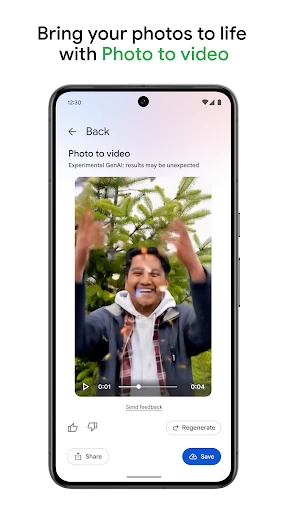
The Google Photos Assistant is like your personal curator. It surprises you with collages, animations, and even mini-movies created from your photo collection. It's a fantastic way to look back and relive those precious moments. I was genuinely amazed when it put together a delightful slideshow of my last road trip. It's these little touches that make using the app so enjoyable.
Quick Fixes with Built-In Tools
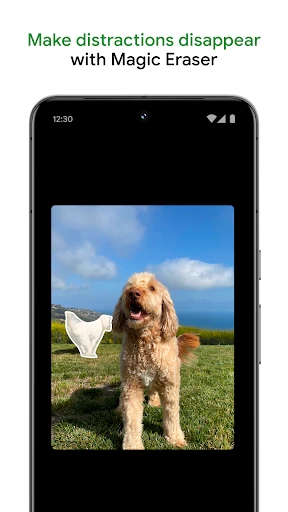
The built-in editing tools in Google Photos are pretty impressive. They're not going to replace professional software, but for quick tweaks, they're fantastic. You can adjust lighting, add filters, and crop your photos right within the app. It's perfect for giving your snaps that extra pop before sharing them with the world.
Keeping Your Photos Safe and Secure
In today's digital age, privacy is a big concern. Google Photos takes this seriously with robust security measures. Your photos are backed up to your Google account, ensuring that if something happens to your device, your memories are safe. Plus, you have control over who sees your photos, so you can keep your private moments private.
Overall, Google Photos is more than just a photo storage app; it's a gateway to rediscovering and sharing your memories in fun and creative ways. Whether you're a photography enthusiast or just someone who loves capturing life's little moments, this app is a game-changer. Give it a try, and let your photos tell your story
- Developer
- Google LLC
- Version
- Varies With Device
- Installs
- 10,000,000,000+
- Android Version
- Varies With Device
- Content Rating
- Everyone
- Price
- Free
- Unlimited free storage for high-quality photos.
- Seamless integration with Google services.
- Automatic photo organization and search.
- Easy sharing and collaboration features.
- Cross-platform availability.
- Limited original quality storage without subscription.
- Privacy concerns with data storage.
- Occasional sync delays.
- Requires Google account to use.
- Limited editing features compared to some apps.