Meitu
Let’s dive into the world of Meitu
Let’s dive into the world of Meitu
Your First Look at the App
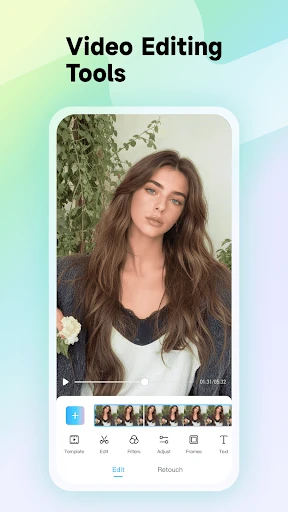
The first thing you'll notice about Meitu is its clean, easy-to-use layout. It's pretty impressive how an app with so many tools can feel so straightforward. The simple design is a big plus—it doesn't feel cluttered when you open it up. All the options are well organized, so you can find what you're looking for quickly and without any hassle.
A Deep Dive Into the Toolbox
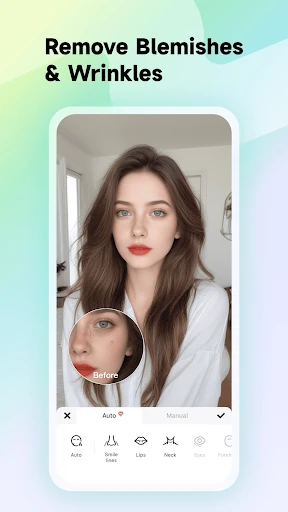
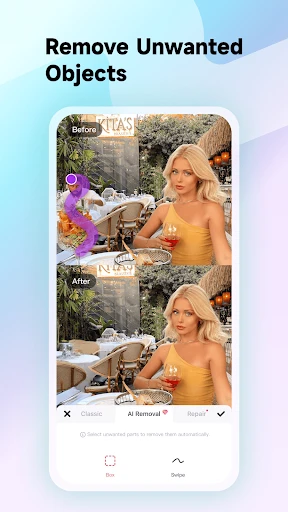
What really makes Meitu special is its huge range of features. You get everything from simple actions like cropping and rotating your pictures to more advanced, AI-powered beauty tools and fun AR filters. The beautification tools are particularly amazing—it's like having your own personal stylist. You can soften skin, make your eyes look bigger, and even adjust the shape of your face with just a few taps. It feels almost like magic!
Playing with Augmented Reality
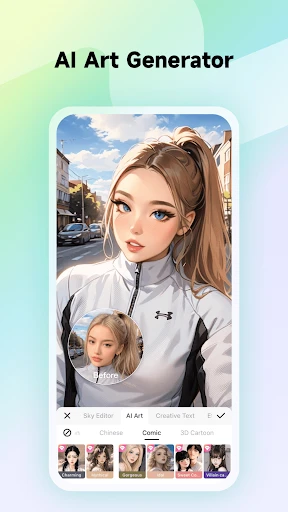
Meitu has fully embraced augmented reality, and they've done a great job with it. Their AR filters are not only a lot of fun but also look very real. You can turn yourself into an adorable animal or add some sparkle with a glittering crown. For anime lovers, there are also some fantastic anime-themed filters that are really popular. It’s like getting the best parts of Snapchat and a pro-level photo editor in one app.
Unleashing Your Artistic Side
Beyond just touch-ups, Meitu is packed with creative options. You can add text, fun stickers, and even draw directly on your photos. The collage maker is another standout feature, giving you lots of different layouts to combine several pictures into one. It's ideal for making posts that stand out on social media or just for putting together your memories in a creative way.
Getting Your Photos Out There
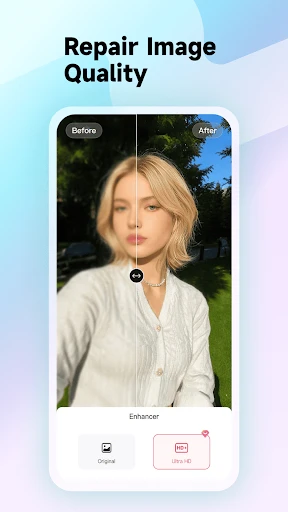
Sharing your finished photos is super easy with Meitu. You can send your creations directly to apps like Instagram, Facebook, and Twitter, so you can show off your work right away. Another great thing is that the app saves your edited photos in high quality, which is perfect for anyone who cares about getting a clear, sharp image.
How It Handles and Works
In terms of performance, Meitu runs very well without any frustrating delays. It works on both Android and iPhone, which is great for everyone. One thing to keep in mind is that you'll need an internet connection for some of the features, which can be a bit inconvenient if you're trying to edit photos while you're out and about without Wi-Fi.
Wrapping Up the Meitu Experience
To sum it all up, Meitu is an excellent app for both beginners and those who are more experienced with photo editing. It mixes powerful editing tools with playful filters, making it a great all-around choice for improving your pictures. While there are some paid options inside the app, the free version still gives you plenty to work with. If you haven't tried it yet, you should—it could easily become your go-to app for creating photo magic
- Developer
- Meitu (China) Limited
- Version
- 11.8.5
- Installs
- 100,000,000+
- Android Version
- 8.0
- Content Rating
- Teen
- Price
- Free
- Easy-to-use interface for quick edits.
- Variety of filters for creative expression.
- Powerful AI features enhance photos effortlessly.
- Regular updates improve features and stability.
- Supports both photo and video editing.
- Contains ads in the free version.
- Some features require in-app purchases.
- Can be resource-intensive on older devices.
- Occasional bugs in new updates.
- Requires internet for some functionalities.