Peachy - AI Face & Body Editor
Getting to Know Peachy - AI Face & Body Editor
Getting to Know Peachy - AI Face & Body Editor
Hey everyone! If you're like me, you're always on the lookout for new apps that are either super helpful or just a blast to use. I recently came across Peachy - AI Face & Body Editor, and I was instantly curious. With AI being such a big deal now, I wanted to see how this app fit into the photo editing scene. So, let's fire up our phones and check out what makes Peachy so special!
First Look and Feel
Right after I downloaded Peachy from the app store, I was impressed by its clean and straightforward design. You know how some apps just feel right from the moment you open them? That's Peachy for you. It's incredibly easy to use, with all the options clearly marked, so even if you're not super tech-savvy, you'll find your way around without any trouble.
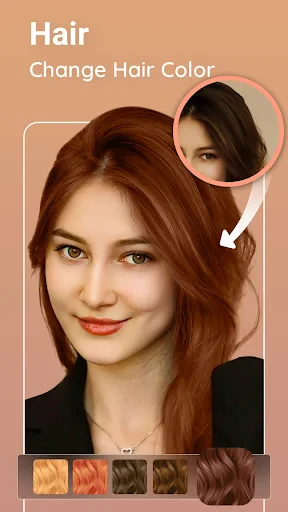
The app offers a ton—like slimming your face, reshaping your body, and clearing up skin, all thanks to AI. It's basically like having a mini photo-editing expert right in your pocket. Downloading it was quick and simple, and before I knew it, I was already uploading my first photo to test it out.
Cool Tools and Functions
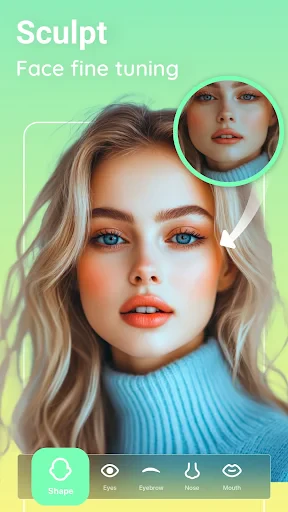
The first thing I tested was the face editor. With just a couple of taps, I managed to spruce up my selfie, toning down those dark circles (a result of too many late nights!) and even making my smile pop a bit more. The edits were gentle but made a real difference, which was great because you still want to look like yourself!
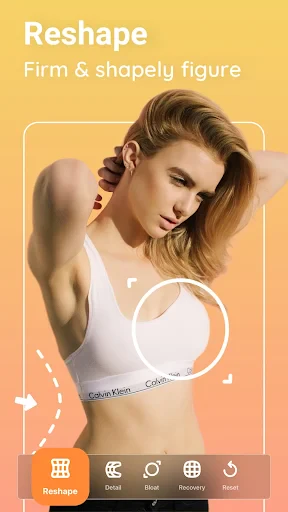
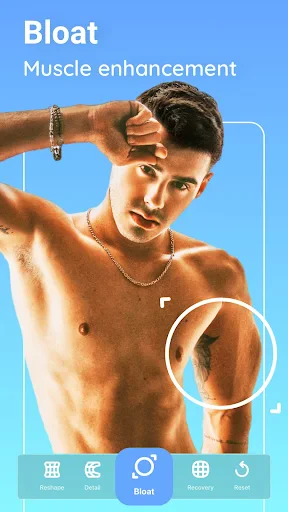
Next, I tried the body editor, and I was amazed at how precisely it could reshape and refine. Whether you want to trim down a little or enhance your curves, this tool is flexible and makes adjustments that look completely natural. It's ideal for giving your vacation pics a confidence boost without making it obvious.
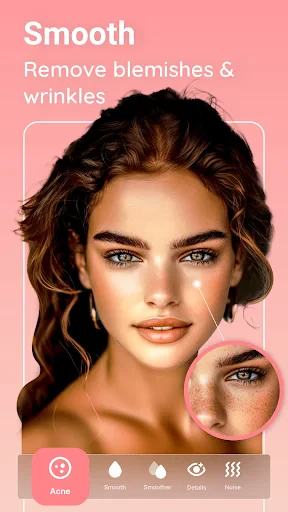
I also have to give a shout-out to the blemish remover. Let's face it, we all have days when our skin isn't perfect, but Peachy's AI comes to the rescue, clearing up spots while keeping your skin's real texture intact. It's like having a magic eraser for your face!
The Tech Inside
Okay, I'm not a computer expert, but the way Peachy uses AI is seriously cool. You can tell the people who made it really focused on how the app reads and changes photos, making sure the outcomes are both powerful and genuine. The AI works smoothly to make editing fast and simple, so you can spend less time fiddling with settings and more time posting your awesome pictures.
Wrapping It Up
So, what's the final word on Peachy - AI Face & Body Editor? If you want an app that's simple to use but still packs a punch with its editing features, you should definitely give Peachy a shot. It's a fantastic resource for anyone looking to quickly improve their photos without getting bogged down in complicated software. And honestly, it's just a really enjoyable app to experiment with!
Whether you're a social media pro wanting to perfect your feed or just someone hoping to look great in a snapshot with friends, Peachy has all the tools you need to get that ideal shot. Try it out for yourself—you might just discover your next go-to app. Have fun editing
- Developer
- InShot Video Editor
- Version
- 1.130.36
- Installs
- 5,000,000+
- Android Version
- 7.0
- Content Rating
- Everyone 10+
- Price
- Free
- User-friendly interface
- Wide range of editing tools
- High-quality output
- Fast processing speed
- Regular updates
- Requires in-app purchases
- Can be addictive
- Privacy concerns
- Needs internet connection
- Limited free features