Popsa | Print Your Photos
Turn Your Digital Memories into Physical Treasures with Popsa
Turn Your Digital Memories into Physical Treasures with Popsa
Getting the Popsa App on Your Phone
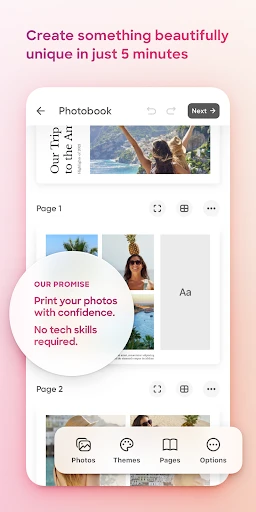
First off, grabbing Popsa is super simple. It's waiting for you in both the Android and iOS app stores. Just tap download, and you're pretty much set. Once it's installed on your phone, you'll find the layout is straightforward and easy to use. Honestly, it's so simple that just about anyone could figure it out in no time!
How to Make Your Own Photobook
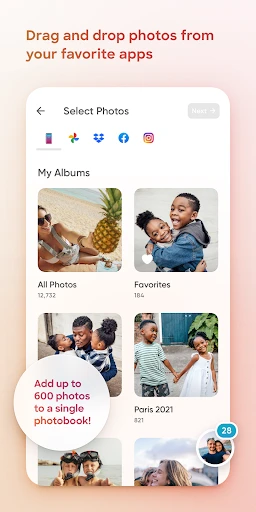
The coolest part is when you begin making your photobook. With only a few taps, you can pull pictures straight from your phone's gallery, Instagram, Facebook, or even Google Photos. I was really surprised by how smoothly Popsa connects with all these different places. You can skip the hassle of moving photos to your computer first!
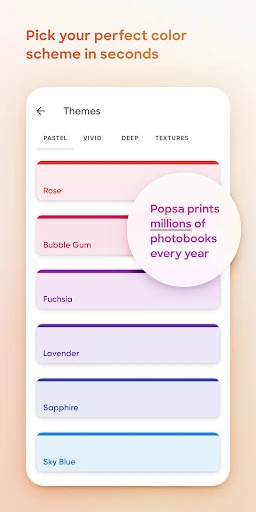
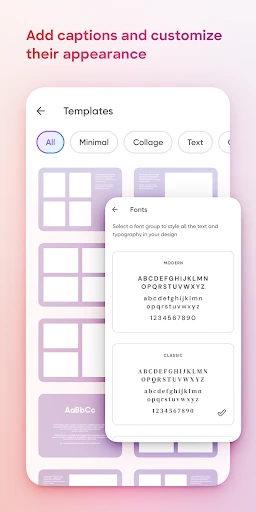
Now, about making it your own. Popsa has loads of different styles and page designs. Whether you like a clean, simple look or something bright and bold, there's a template that'll work for you. And the best thing? You don't need to be a design expert to create a beautiful photobook. Just drag your photos around, drop them in place, and have fun with it.
What to Expect with Print Quality and Shipping
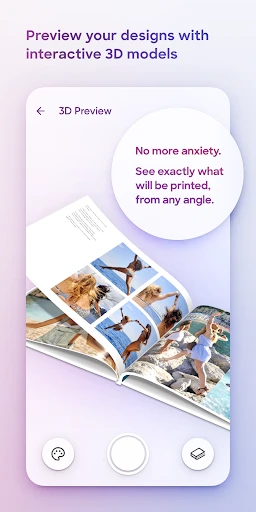
After you've got your creation just right, go ahead and place your order. I have to admit, I was a little doubtful about the quality at first, but I was totally mistaken! The final prints are crisp, the colors are rich, and they use this high-quality paper that feels really nice. Popsa also has different sizes available, so you can get a small pocket book or a bigger one for your coffee table.
The shipping is pretty quick, too. For me, it showed up in about a week. That's pretty good, especially since it came from another country. Popsa sends you tracking updates so you always know where your order is and when it's going to arrive.
Wrapping Up the Popsa Experience
So, to sum it all up, Popsa is a brilliant app for anyone who wants to turn their digital pictures into something you can hold. It's really easy to use, gives you plenty of ways to personalize your projects, and the quality of the prints is excellent. Yes, there are other apps that print photos, but Popsa's combination of simplicity and great results makes it a real winner in my opinion. If your camera roll is packed with memories that are just waiting to be printed, you should definitely test out Popsa. You'll be glad you did
- Developer
- Popsa
- Version
- 5.59.7
- Installs
- 1,000,000+
- Android Version
- 6.0
- Content Rating
- Everyone
- Price
- Free
- Easy-to-use interface for quick photo book creation.
- Wide variety of templates to choose from.
- Integration with multiple photo sources.
- High-quality print and paper options.
- Fast delivery and good customer service.
- Limited editing features for photo customization.
- Slightly higher price compared to competitors.
- App may occasionally lag or crash.
- Shipping costs can be expensive.
- No option for digital photo book downloads.