

Notion: Notes, Tasks, AI
Ever found yourself juggling between tasks, notes, and ideas, wishing you had a personal assistant to keep everything in check? Well, let me introduce you to Notion: Notes, Tasks, AI – your new best friend in the digital workspace. It's like having a Swiss Army knife for productivity right in your pocket.
Ever found yourself juggling between tasks, notes, and ideas, wishing you had a personal assistant to keep everything in check? Well, let me introduce you to Notion: Notes, Tasks, AI – your new best friend in the digital workspace. It's like having a Swiss Army knife for productivity right in your pocket.
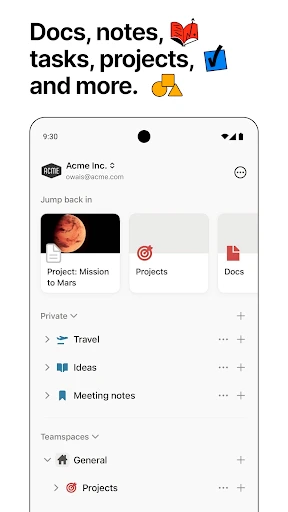
First off, downloading and setting up Notion is a breeze. Available on both Android and iOS, this app feels like a breath of fresh air for anyone tired of cluttered interfaces and confusing navigation. The user interface is sleek and intuitive, making it super easy to dive right in without feeling overwhelmed. Trust me, even if tech isn't your forte, you'll find this app pretty accessible.
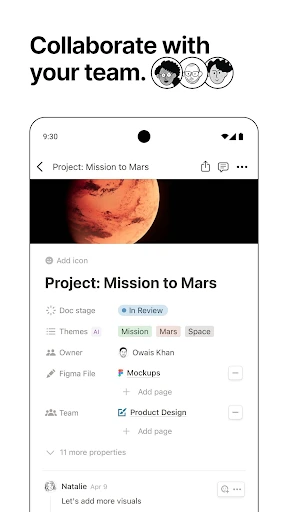
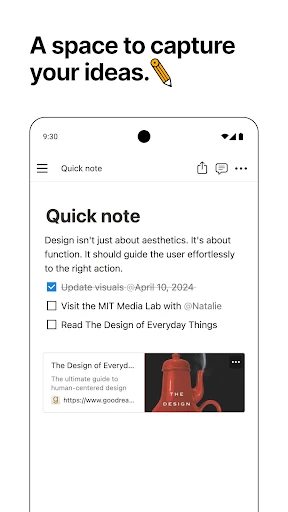
What makes Notion a standout is its versatility. It's not just a note-taking app; it's an all-in-one workspace where you can create notes, manage tasks, and even collaborate with others in real time. Imagine having your notes, to-do lists, and project plans all in one place. It’s like organizing your thoughts in a digital notebook that you can access anytime, anywhere.
One of the coolest features is the ability to create databases. Whether you’re tracking your favorite books, managing a project, or simply keeping a journal, Notion lets you customize everything to suit your needs. You can create tables, boards, calendars, and lists with just a few taps. It’s like building your own personalized productivity hub.
Now, let's talk about the AI part. Notion’s AI features are like having a smart assistant by your side. It helps you with writing suggestions, provides insights, and even helps automate repetitive tasks. It’s like having that extra brainpower when you need it the most. Have you ever been stuck trying to find the right words? The AI is there to nudge you in the right direction.
Another great perk is the app’s ability to integrate with other tools you might already be using. From Google Drive to Trello, syncing your existing workflows with Notion is seamless. This integration capability truly makes it a powerhouse for productivity enthusiasts like you and me.
In a world where multitasking has become the norm, Notion: Notes, Tasks, AI stands out by simplifying the way we organize our lives. Its flexibility, coupled with AI-powered features, makes it an indispensable tool for anyone looking to boost productivity. Whether you’re a student, a professional, or just someone trying to keep track of daily tasks, Notion is worth a try.
So, if you’re ready to take control of your digital life, give Notion a shot. It’s more than just an app; it’s a game-changer. And who doesn’t love a game-changer?


- Developer
- Notion Labs, Inc.
- Version
- 0.6.3004
- Installs
- 10,000,000+
- Android Version
- 8.0
- Content Rating
- Everyone
- Price
- Free
- Highly customizable workspace
- Seamless integration with other tools
- Versatile for personal and team use
- Robust offline mode
- AI-powered features enhance productivity
- Steep learning curve for beginners
- Mobile app lacks some desktop features
- Limited export options
- Occasional sync issues
- Subscription required for premium features


