Govee Home
Ever wished you could control your home’s ambiance, right from your smartphone? Well, Govee Home might just be the app you’ve been waiting for. I decided to give it a whirl to see if it lives up to the hype, and let me tell you, it’s been quite the illuminating experience—pun intended!
Ever wished you could control your home’s ambiance, right from your smartphone? Well, Govee Home might just be the app you’ve been waiting for. I decided to give it a whirl to see if it lives up to the hype, and let me tell you, it’s been quite the illuminating experience—pun intended!
Getting Started with the Govee Home App
First things first, getting started with Govee Home is a breeze. Once you’ve downloaded the app, the setup process is straightforward. You’ll need to create an account, which is pretty standard, and then you can start adding devices. The app supports a wide range of Govee products, from LED strips to smart bulbs, and even some nifty smart plugs. Pairing devices is as simple as pie; just follow the in-app instructions, and you’re good to go.
Exploring the Color and Music Features
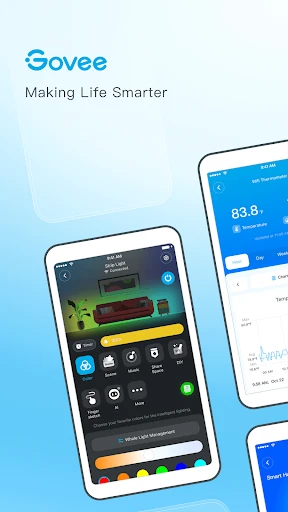
What really sets Govee Home apart is its vibrant color options. I had a blast experimenting with the different lighting scenes. Whether you want a cozy, warm glow for a relaxing evening or a bright, energizing light for some daytime productivity, this app has you covered. Plus, the ability to customize colors and save your favorite scenes is a nice touch. It’s like having a personal light show at your fingertips.
Another highlight is the music mode, which syncs your lights to the rhythm of your favorite tunes. I tested this feature during a small gathering, and it was a hit. Watching the lights dance to the beat added a fun, dynamic element to the atmosphere that everyone enjoyed.
Handy Automation and Voice Controls
Beyond just lighting, Govee Home offers some smart automation features. You can set schedules for when your lights turn on and off, which is perfect if you’re out of town and want it to seem like someone’s home. There’s also a timer feature, which I found handy for managing my energy consumption. Imagine forgetting to turn off the lights and being able to do it remotely—pretty convenient, right?
Voice control is another feather in Govee Home’s cap. The app is compatible with Alexa and Google Assistant, so you can control your devices hands-free. I found this particularly useful when I was too comfortable on the couch to reach for my phone. Just a simple voice command, and voila! The lights obeyed my every word.
Considering a Few Minor Drawbacks
Of course, no app is without its quirks. While Govee Home generally works like a charm, I did experience occasional connectivity issues, especially when trying to control devices from outside the house. It’s nothing deal-breaking, but something to keep in mind if you’re planning to use the app extensively for remote access.
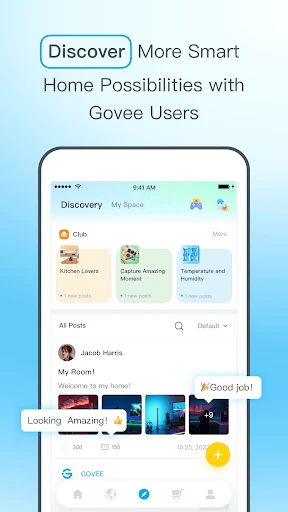
Moreover, the app interface, while user-friendly, can sometimes feel a bit cluttered. With so many features packed into one app, navigating through settings can occasionally be overwhelming. However, once you get the hang of it, it becomes second nature.
Wrapping Up the Govee Home Experience
All in all, Govee Home is a solid choice for anyone looking to dip their toes into the world of smart home technology. It offers a robust set of features that are both fun and functional. Whether you’re a tech enthusiast or just someone who wants to add a bit of flair to your living space, this app delivers. Sure, it has a few minor hiccups, but they’re easily overshadowed by the convenience and creativity it brings to home lighting management. So, if you’re in the market for smart lighting solutions, give Govee Home a shot. You might just light up your life in ways you never expected!


- Developer
- Govee
- Version
- 6.4.11
- Installs
- 5,000,000+
- Android Version
- 7.0
- Content Rating
- Everyone
- Price
- Free
- User-friendly interface
- easy navigation.
- Wide range of compatible smart devices.
- Customizable lighting scenes and effects.
- Regular updates with new features.
- Requires account for full functionality.
- Limited compatibility with non-Govee devices.
- Occasional connectivity issues with devices.
- Some features locked behind paywall.
- App can be slow to load at times.