VivaVideo - Video Cut & Editor
VivaVideo - Video Cut & Editor is a versatile and user-friendly app designed to make video editing easy and accessible for everyone. Whether you're a social media influencer, a budding filmmaker, or someone who just loves creating videos for fun, VivaVideo promises to have something for you.
VivaVideo - Video Cut & Editor is a versatile and user-friendly app designed to make video editing easy and accessible for everyone. Whether you're a social media influencer, a budding filmmaker, or someone who just loves creating videos for fun, VivaVideo promises to have something for you.
What Makes This App Special
One of the first things you'll notice about VivaVideo is its intuitive interface. Right from the get-go, it doesn’t overwhelm you with a million options. Instead, it guides you smoothly through the editing process, which, let me tell you, is a breath of fresh air compared to other apps I've tried.
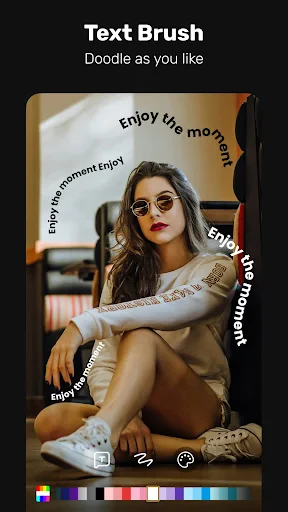
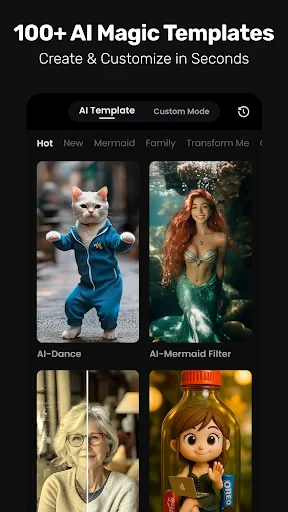
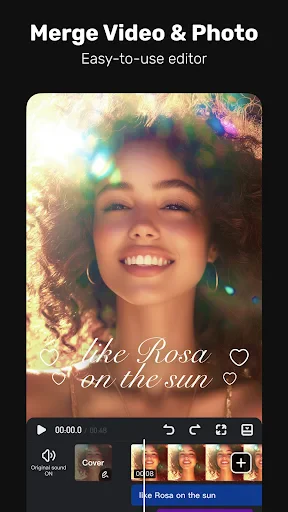
The app offers a wide range of editing tools like trimming, merging, and splitting clips, but where it truly shines is in its effects and filters. If you're someone who loves to jazz up your videos with fun stickers, themes, and transitions, you're in for a treat. The app has a vast library, and they seem to keep it updated with new and trendy effects. So, your videos won't just be well-edited; they'll be stylishly on point.
How It Performs and Feels to Use
Now, let’s talk about performance. No one likes an app that crashes right in the middle of editing, right? Thankfully, VivaVideo is quite stable. I’ve edited videos as long as 10 minutes without a hitch, which is pretty impressive for a mobile app. The rendering speed is decent too, meaning you won’t be stuck waiting forever for your masterpiece to be ready.
What I particularly enjoyed about this app is its simplicity. Even if you’ve never edited a video before, you’ll find yourself navigating through the features with surprising ease. The drag-and-drop functionality is a godsend and makes organizing clips a breeze. Plus, the app’s tutorials are straightforward, ensuring you’re never left in the dark about how to use a particular feature.
Saving and Sending Your Finished Video
Once you’ve crafted your video, sharing it is as easy as pie. VivaVideo supports direct sharing to popular platforms like YouTube, Instagram, and TikTok. The app lets you export videos in various resolutions, so whether you’re aiming for a quick social media post or a more polished presentation, you’re covered.
Another feature worth mentioning is the ability to save your project at different stages. This means you can revisit and tweak your videos whenever inspiration strikes, without having to start from scratch. Trust me, this feature is a lifesaver, especially if you’re a perfectionist like me.
In conclusion, if you’re on the lookout for an all-in-one video editing tool that’s both powerful and easy to use, VivaVideo - Video Cut & Editor should definitely be on your radar. It’s a fantastic app that caters to both beginners and seasoned editors alike, making video editing not just a task, but a genuinely enjoyable experience.
- Developer
- QuVideo Inc. Video Editor & Video Maker App
- Version
- 9.27.3
- Installs
- 500,000,000+
- Android Version
- 5.0
- Content Rating
- Everyone
- Price
- Free
- User-friendly interface for beginners
- Wide range of editing tools available
- High-quality video export options
- Regular updates with new features
- Supports multiple video formats
- Contains in-app advertisements
- Some features require paid subscription
- Can be resource-intensive on devices
- Occasional app crashes reported
- Limited music library for free users