Screen Recorder - XRecorder
Getting to Grips with Screen Recorder - XRecorder
Getting to Grips with Screen Recorder - XRecorder
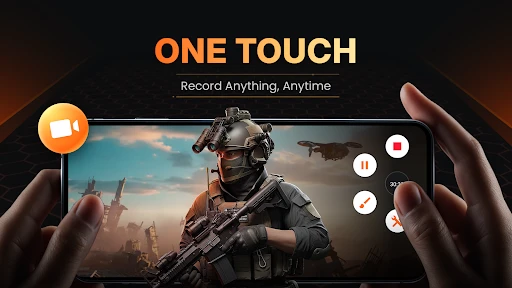
Hey everyone! I recently spent some time with the Screen Recorder - XRecorder app, and I have a lot to share about this useful little tool. Whether you're into gaming, creating how-to guides, or just like saving what's happening on your screen, this app could be your new best friend. Let's jump in and see what XRecorder is all about.
User Interface: Friendly or Frustrating?
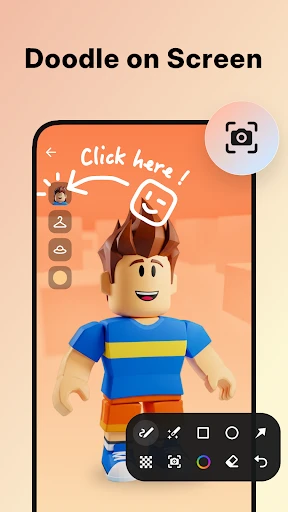
First up is the app's layout. I've got to say, getting around in XRecorder is really simple. You know those apps that overwhelm you with options right away? This isn't one of them. The design is neat, easy to understand, and super straightforward. It doesn't matter if you're a tech expert or a total beginner; you'll figure it out in no time. All the buttons are easy to see, and you don't have to dig through a bunch of menus to find the settings.
Performance: Does It Deliver?
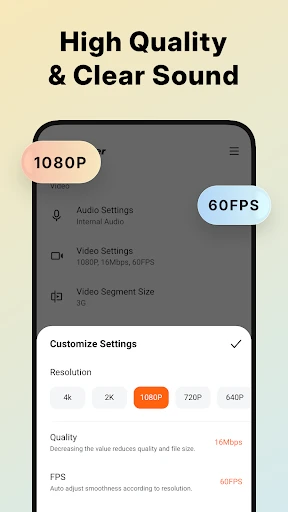
Now, let's get to the important part: how well it works. I've tried my fair share of screen recording apps, and XRecorder is definitely among the top performers. The video it captures is really smooth. There's no stuttering or strange hiccups, just clean, sharp video. You can also record in high definition, which is a huge bonus if you want to upload your videos to places like YouTube or Instagram.
Oh, and I can't forget the sound! You can pick up the sound from your device itself or use your microphone, which is perfect for adding your own commentary or narration. It's like having a tiny professional recording setup right on your phone.
Features: More Than Just Recording
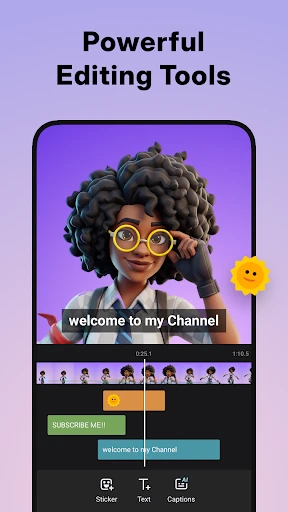
Okay, now let's talk about all the extra tools it has. Besides just recording your screen, XRecorder comes with a bunch of cool add-ons. One feature I really love is being able to edit your video right after you finish recording. You can cut out parts, add background music, or put in some text. It's incredibly handy not to have to switch to a different app just to make a few quick tweaks.
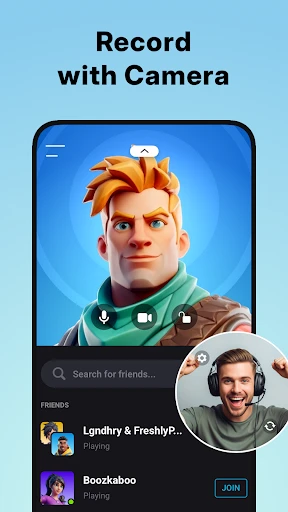
And for the gamers reading this, there's a cool feature that lets you record yourself with the front camera while you play. It's ideal for making reaction videos or game guides. Plus, there's no cap on how long you can record, which is amazing when you're having a long gaming marathon.
Storage and Sharing: Easy Peasy!
One aspect that really impressed me was how simple it is to handle your finished videos. You can save them straight to your phone's internal storage or an SD card, which helps keep your device from getting too full. Sharing your videos is just as easy. Whether you're sending a tutorial to a buddy or posting a clip online, XRecorder gives you fast and simple options to get it done.
Final Thoughts: Is XRecorder Worth It?
So, what's the final word? XRecorder is absolutely worth a download if you're looking for a dependable screen recording app. It's easy to use, loaded with features, and works really well. No matter if you're capturing game highlights, instructional videos, or anything else, this app has you covered.
In a market flooded with screen recording apps, XRecorder manages to stand out by working smoothly and offering a powerful set of tools. So why not try it out yourself and discover why people are talking about it
- Developer
- InShot Inc.
- Version
- 2.4.1.2
- Installs
- 100,000,000+
- Android Version
- 5.0
- Content Rating
- Everyone
- Price
- Free
- Easy to use interface
- High-quality video output
- Supports multiple formats
- No watermark on videos
- Allows audio recording
- Contains ads
- Limited free features
- May lag on older devices
- Requires in-app purchases
- Large storage usage