Splice - Video Editor & Maker
Splice - Video Editor & Maker: A Comprehensive Review
Splice - Video Editor & Maker: A Comprehensive Review
Getting the Hang of Splice
When you first fire up Splice, you'll find a neat and user-friendly layout that's a breeze to move around in. The design is simple and doesn't throw too much at you all at once, which is perfect for getting started. It smoothly walks you through making your first video project. Pulling in your videos, pictures, and music from your phone is super easy because Splice connects directly with your gallery and music collection.
A Deep Dive into Editing Features
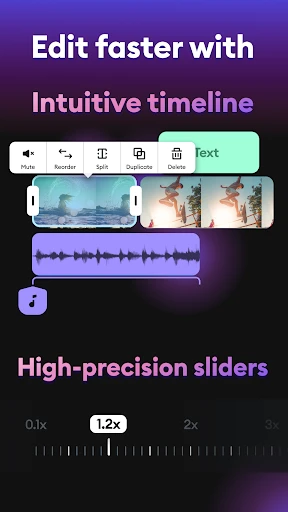
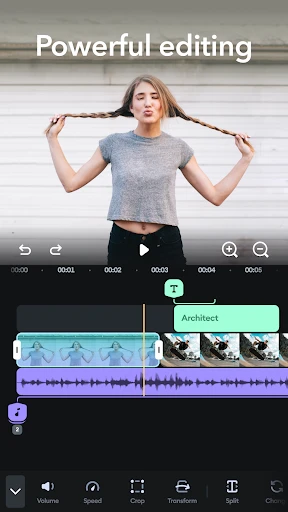
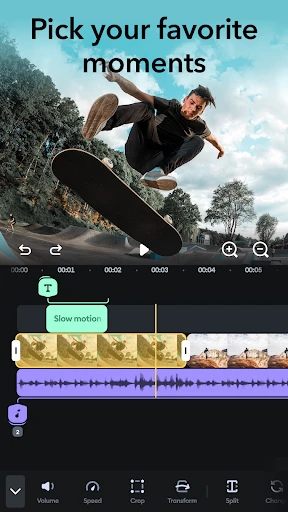
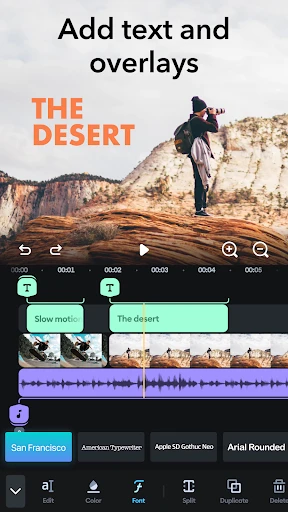
Splice is packed with editing tools that let you precisely cut, trim, and combine your video clips. You get access to a bunch of different transitions and effects to give your videos a more polished look. A real highlight is being able to add text and titles, which you can personalize with various fonts, colors, and moving styles. This is awesome for making eye-catching videos for social media.
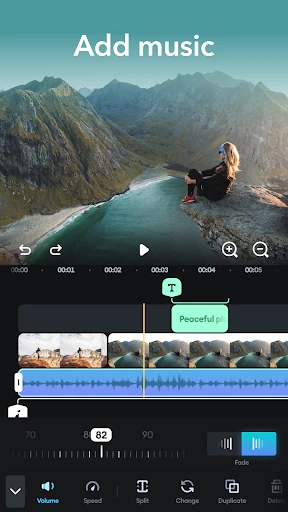
On top of that, Splice is really capable when it comes to sound. You can add background tunes or record your own voiceover, and there's even a collection of music you can use without worrying about copyright. The sound tools let you change the volume, create smooth fade-ins and fade-outs, and match up your audio with the video perfectly.
Saving and Sending Out Your Finished Video
After you've put the final touches on your video, Splice makes it really simple to save and share it. You can choose to export your video in different quality levels, including HD and 4K, so it always looks sharp and professional. Sharing your masterpiece is straightforward, with quick options to post directly to places like YouTube, Instagram, and Facebook. It's a great pick for anyone who wants to get their videos out there quickly and without any hassle.
Wrapping Up the Splice Experience
All in all, Splice - Video Editor & Maker is a top-notch app for making great-looking videos right on your phone. Its easy-to-use design, paired with a full suite of editing features, makes it a winner for both newbies and pros. Whether you're just making a fun clip for your friends or a more complex project, Splice has what you need to make your ideas happen. Give it a shot—it might just be the perfect video editing app you've been looking for.
- Developer
- Bending Spoons
- Version
- Varies With Device
- Installs
- 5,000,000+
- Android Version
- Varies With Device
- Content Rating
- Everyone
- Price
- Free
- User-friendly interface for easy editing
- High-quality export options
- Extensive music library
- Advanced video editing features
- Regular updates with new features
- Requires subscription for full features
- Occasional app crashes
- Large file sizes for exports
- Limited free version capabilities
- Can be resource-intensive on older devices