USB Camera
USB Camera: A Handy Tool for Tech Enthusiasts
USB Camera: A Handy Tool for Tech Enthusiasts
Getting Your USB Camera Up and Running
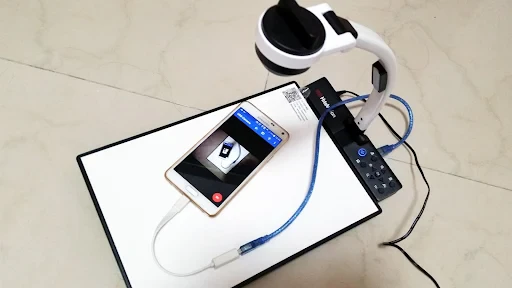
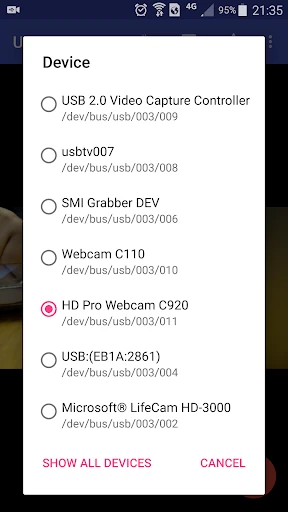
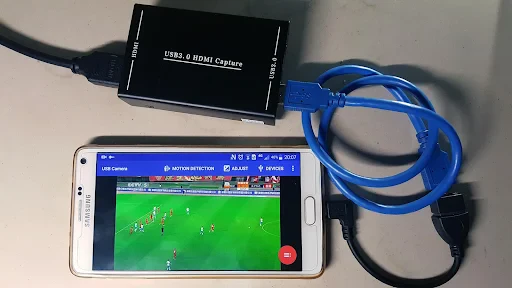
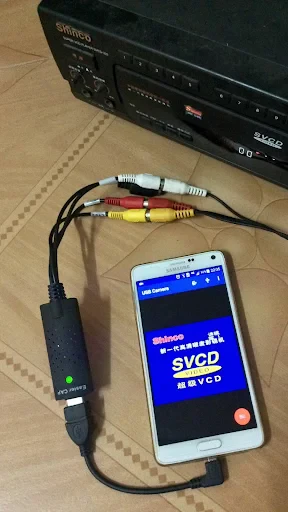
Setting up the USB Camera app is a breeze. Just grab an OTG cable, plug your USB camera into your phone, and you're good to go! It works with a huge variety of cameras, which is perfect if you don't want to spend a lot on gear. The best part is how it automatically detects your camera and starts working right away. There's no need to mess with complicated drivers or settings—it's truly plug-and-play.
Cool Features You'll Love
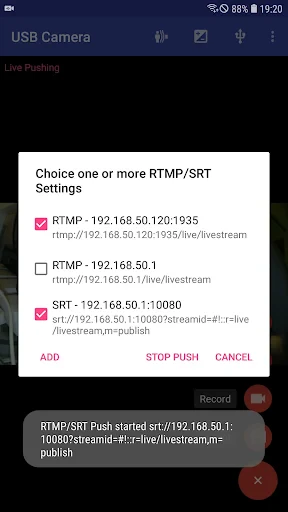
Let's get into the features. This app is packed with options that any tech lover will appreciate. You can live stream, record video, and even create timelapses. My favorite part is the manual control you get over settings like exposure, focus, and white balance, which is something you usually miss with a standard phone camera.
The real-time filters are another great touch. Whether you're going for an old-school look or something clean and modern, you can find a filter to match your style. The interface is super user-friendly, so switching between modes and adjusting settings is effortless.
How It Performs in Real-World Use
In terms of performance, the app is really reliable. During my tests, it didn't lag or crash at all, which is a big win. The video quality is impressive, delivering sharp and clear footage that works well for both professional projects and personal fun.
One thing to watch out for is that the app can use up your battery faster than normal, especially during long streaming or recording sessions. But that's a minor downside for such a powerful set of features.
Also, the app supports multiple resolutions, so whether you need 720p or 1080p, it has you covered. This flexibility is a huge advantage for people working on different kinds of projects.
Wrapping Up: Is It Worth It?
To sum it up, the USB Camera app is a fantastic tool for boosting your photo and video skills without spending a fortune. It's easy to use, loaded with useful features, and it actually does what it says. Whether you're a pro or just like playing with new tech, this app is definitely worth a try. So, connect your USB camera, download the app, and dive into a world of creative fun
- Developer
- 沈垚 / ShenYao China
- Version
- Varies With Device
- Installs
- 5,000,000+
- Android Version
- Varies With Device
- Content Rating
- Everyone
- Price
- Free
- Easy to connect with various USB cameras.
- Supports high-definition video streaming.
- User-friendly interface for quick setup.
- Compatible with both Android and iOS.
- Offers real-time video recording features.
- Requires external USB OTG adapter.
- Limited support for older devices.
- May experience lag on low-end phones.
- Consumes significant battery power.
- App updates can be infrequent.