CBS
CBS App: Your On-the-Go TV Companion
CBS App: Your On-the-Go TV Companion
Alright folks, let’s dive into the world of the CBS app, the official hub for the CBS Television Network. Whether you love reality shows, gripping dramas, or classic late-night talk, CBS has a bit of everything. But does the app itself deliver a great experience? Let’s check it out!
First up, getting the CBS app is super simple. You can grab it from the Apple App Store or Google Play. Once it's on your device, you'll find a clean and modern layout that's a cinch to figure out. Creating your account is quick, and before you know it, you're ready to start watching.
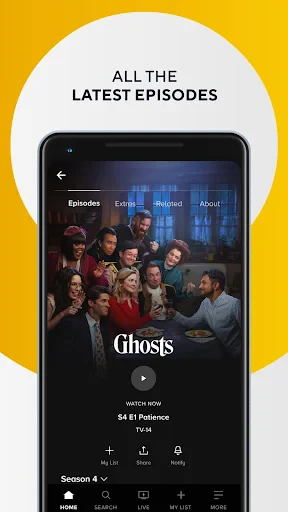
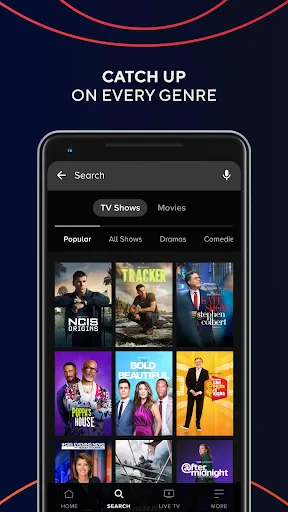
Now, onto the good stuff—what the app can do. A major highlight is the live TV feature, letting you watch shows as they're broadcast, so you don't have to wait. Its on-demand collection is also huge. Whether you need to catch the newest NCIS or have a Survivor marathon, you'll find it all here.
The app works with Chromecast, making it easy to send shows from your phone right to your television. This is perfect for watching with friends or family. Another awesome feature is the ability to save episodes directly to your device for watching later when you don't have an internet connection, like on a plane ride.
How does it feel to use? Overall, the CBS app performs well. It's generally smooth and stable, which is key for getting lost in a show without annoying interruptions. The picture quality is excellent, and it can even tweak the video quality automatically to match your internet speed, helping to prevent pauses.
That said, no app is perfect. A few people have mentioned the video sometimes stutters, especially during live events. But from my use, this doesn't happen often and usually fixes itself pretty fast.
Okay, let's talk about the cost. There is a free version of the app, but to unlock everything, you'll need a CBS All Access subscription. The price is fair, and when you look at the massive selection of shows and specials you get, it feels like a good deal for regular viewers.
They usually have a free trial period, which is a fantastic no-risk way to see if you like it. Just remember to set a reminder to cancel if you decide it's not for you, otherwise you'll get charged when the trial is over.
In summary, the CBS app is a reliable and handy tool for keeping up with your favorite CBS programs wherever you are. With its easy navigation, huge selection of shows, and the flexibility of live and offline viewing, it's a great pick for any TV fan. It might have a small issue now and then, but overall, it provides a really good experience. Why not give it a try


- Developer
- CBS Interactive, Inc.
- Version
- 15.0.50
- Installs
- 5,000,000+
- Android Version
- 5.0
- Content Rating
- Teen
- Price
- Free
- Wide variety of TV shows and movies.
- User-friendly interface for easy navigation.
- High-quality video streaming.
- Supports offline viewing for select content.
- Live TV streaming available.
- Requires subscription for full access.
- Limited content available offline.
- Ads present in free version.
- Occasional streaming lags.
- Some content is region-locked.