Google Sheets
Ah, Google Sheets! If you’re like me and love organizing data but also enjoy the flexibility of working from anywhere, then Google Sheets is the kind of app that becomes your best friend. Let’s dive into what makes this app a staple for anyone dealing with spreadsheets.
Ah, Google Sheets! If you’re like me and love organizing data but also enjoy the flexibility of working from anywhere, then Google Sheets is the kind of app that becomes your best friend. Let’s dive into what makes this app a staple for anyone dealing with spreadsheets.
Teamwork Made Easy
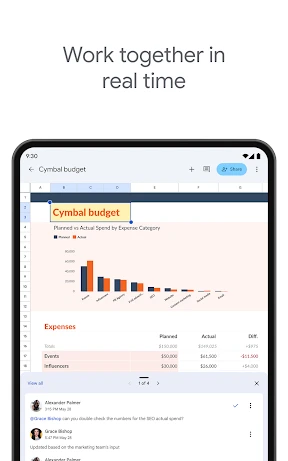
One of the best things about Google Sheets is how it lets several people work on the same sheet at once. No more sending Excel files over email. With Google Sheets, you just share a link, and boom, your whole team can jump in! It's like a shared digital workspace where everyone can add their part without causing confusion. You can even watch edits happen live, which is a huge relief if you've ever had to sort out mismatched data.
Your Files, Available Anywhere
Since it lives online, you can open Google Sheets on any gadget with an internet connection—your computer, tablet, or phone. This means your data is always within reach, whether you're at your desk or out and about. And there's the auto-save function. It's like a little guardian that saves your progress every few seconds, so you don't have to panic about losing anything.
Surprisingly Smart Tools
It might look simple, but Google Sheets is full of clever features. You can build pivot tables, use complex formulas, and it works for both newbies and pros. Want to make your data look more interesting? The built-in chart tools help you turn plain numbers into eye-catching graphics. And if you want to save time on routine jobs, you can use the Google Sheets API and Google Apps Script to handle them for you.
It Plays Well with Other Apps
Another great thing about Google Sheets is how smoothly it fits in with other Google services. You can easily bring in responses from Google Forms or put a Sheets chart right into a Google Slides deck. Everything in the Google family is built to connect, so you can keep your work flowing without constantly switching between different programs.
Keeping Your Information Safe
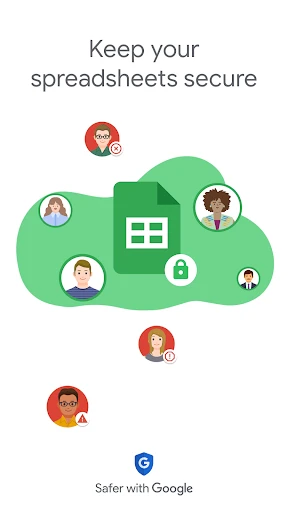
These days, keeping your data secure is super important, and Google Sheets takes that seriously. It uses strong safety steps like two-step verification and encryption to protect your files from unwanted access. You also get to decide exactly who can see or change your documents, so your information stays just how you want it—private and secure.
To wrap it up, Google Sheets is more than just a spreadsheet tool. It's a versatile, collaborative app that simplifies data management and enhances productivity. Whether you're a student tracking your assignments, a small business owner managing inventory, or just someone who loves to play with numbers, Google Sheets has something for everyone. So go ahead, give it a try, and see how it transforms the way you work with data


- Developer
- Google LLC
- Version
- Varies With Device
- Installs
- 1,000,000,000+
- Android Version
- Varies With Device
- Content Rating
- Everyone
- Price
- Free
- Real-time collaboration with team members
- Accessible from any device with internet
- Integration with other Google Workspace apps
- Automatic saving to prevent data loss
- Customizable with various add-ons
- Limited offline functionality
- Requires Google account to use
- May have compatibility issues with Excel
- Complex functions can be hard to learn
- Limited formatting options compared to Excel