GoPro Quik: Video Editor
Ever had that moment when you just captured an epic adventure, but the thought of editing that footage feels like climbing Everest without a guide? Well, say hello to GoPro Quik: Video Editor. It’s like having a creative buddy in your pocket, ready to turn your chaotic clips into cinematic glory.
Ever had that moment when you just captured an epic adventure, but the thought of editing that footage feels like climbing Everest without a guide? Well, say hello to GoPro Quik: Video Editor. It’s like having a creative buddy in your pocket, ready to turn your chaotic clips into cinematic glory.
First Impressions
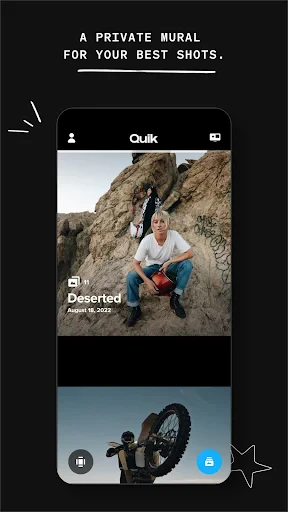
From the get-go, GoPro Quik impresses with its sleek interface. It doesn’t bombard you with a gazillion options, which is a relief if you’re anything like me and get overwhelmed by too many buttons. It’s like walking into a minimalist’s dream studio, everything you need is there, just without the clutter.
Features That Stand Out
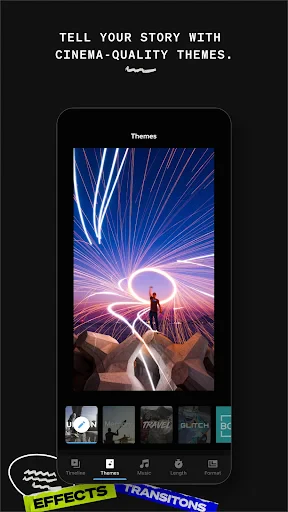
One of the coolest features is the auto-editing capability. You simply select your favorite clips, and bam - Quik does its magic. It slices, dices, and syncs everything to the beat of the music. Sometimes, it feels like having a little Spielberg in your phone.
Speaking of music, the app comes with a decent library of tunes. But if you’re like me and have that one perfect song in mind, you can import your own tracks too. And let’s not forget the QuikStories feature. It automatically pulls footage from your GoPro, making sure not a single epic jump or sunset is left behind.
Editing Made Easy
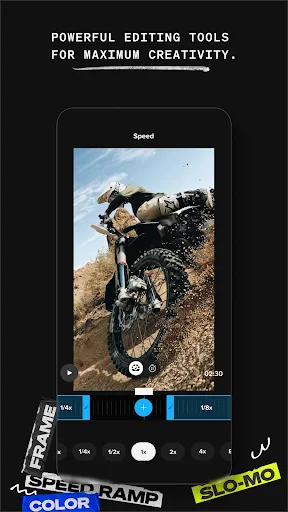
What I love about Quik is how it simplifies the editing process. Its drag-and-drop functionality makes it super intuitive. Plus, you can tweak the finer details like color, contrast, and speed with just a few taps. It’s user-friendly enough for beginners, yet offers enough depth for seasoned editors to find joy in the process.
The Little Extras
Apart from the basics, Quik offers some nifty extras. You can add GPS stickers to your videos, which is perfect for those who love tracking their adventures. Additionally, the app supports 4K editing, so your footage maintains its crisp quality.
Also, cloud backup ensures your creations are safe and sound, ready to be shared across your social media platforms with just a tap. It’s like having your own personal media server, minus the tech headaches.
Final Thoughts
In a nutshell, GoPro Quik: Video Editor is like having a pocket-sized production studio. It takes the stress out of video editing, allowing you to focus on capturing the moment rather than worrying about how you’ll stitch it together later. Whether you’re documenting your travels, or just capturing life’s little moments, Quik delivers with simplicity and style. So next time you’re out there, shooting the next viral video, rest easy knowing Quik’s got your back.


- Developer
- GoPro
- Version
- Varies With Device
- Installs
- 10,000,000+
- Android Version
- Varies With Device
- Content Rating
- Everyone
- Price
- Free
- User-friendly interface
- Quick video editing
- High-quality output
- Cloud storage integration
- Built-in themes
- Limited free features
- Occasional app crashes
- Requires GoPro account
- Subscription for full access
- Limited audio editing tools