House Design 3D - Home Planner
Design Your Dream Home with House Design 3D
Design Your Dream Home with House Design 3D
Have you ever wanted to plan out your perfect home without needing to build anything for real? With House Design 3D - Home Planner, you can do exactly that! I decided to try this app to see if it could bring my big home design ideas to life on my screen. Let me tell you, I came away pretty impressed.
Getting Going is a Breeze
When you first open House Design 3D, the layout is clean and easy to understand. I was a little worried it might be too complicated for a beginner, but it was actually the opposite. The app provides a simple tutorial for new users that helps you start designing right away. Even if your only design experience is playing with building blocks, you'll find this app super easy to get the hang of.
What Makes It Special
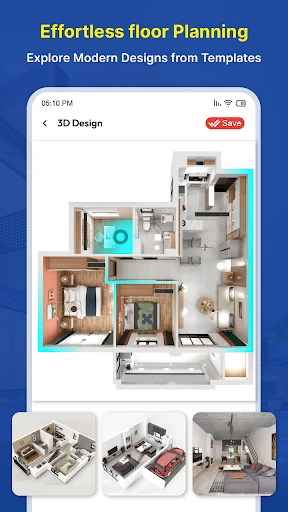
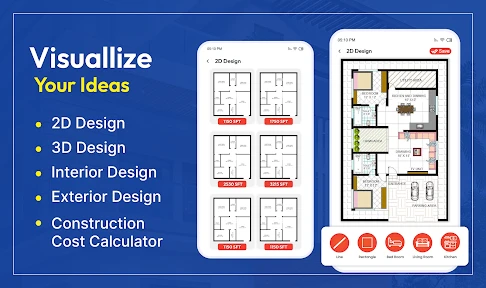
The thing that really makes House Design 3D great is its features. The 3D graphics are awesome. You can get up close, pull back, and spin your design around to see it from every angle. It feels like you're actually taking a tour through your future home!
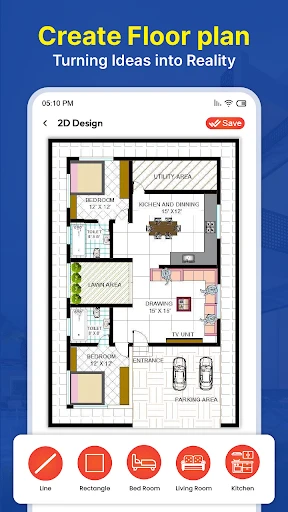
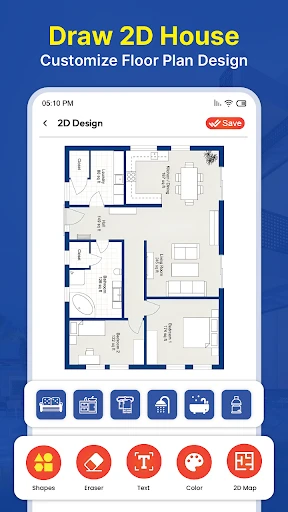
Another feature I found really useful is the option to flip between 2D and 3D modes. The 2D view is perfect for getting your measurements and layout precise, while the 3D view shows you what it will actually feel like. Having both options is a huge plus for someone who likes to see their ideas from all perspectives.
Endless Ways to Make It Yours
The app comes with a massive selection of furniture, decorations, and materials. Feel like testing how a bright red couch looks with dark blue walls? Or wondering if that wood floor fits your contemporary style? Go for it! You can change almost anything, letting you adjust every little detail until your digital room looks perfect.
And for those who want to show off their work or get some feedback, you can save your designs and send them to friends or builders. So not only can you design professionally, but you can also work with others just like a pro would!
Are There Any Downsides?
Even though I really like this app, nothing is without its flaws. I found that on phones or tablets that are a few years old, the app can get a little slow, particularly with big, complex projects. It's not a major problem, but it's something to consider if your device isn't the latest model.
Also, the free version is really good and has lots of features, but some of the more advanced options require a payment. If you're a serious design enthusiast, you might feel like you need to pay a little extra to get all the best tools.
All in all, House Design 3D - Home Planner is an excellent app for anyone interested in design, from total newbies to experts. Whether you're just rethinking one room or planning your entire future house, this app can handle it. Get your device, unleash your creativity, and you might just design something incredible
- Developer
- Digital Grace App
- Version
- 2.2.0
- Installs
- 1,000,000+
- Android Version
- 6.0
- Content Rating
- Everyone
- Price
- Free
- User-friendly interface for easy navigation.
- Realistic 3D rendering of home designs.
- Extensive library of furniture and decor.
- Offline mode for designing without internet.
- Supports multi-floor and complex designs.
- Limited free version features.
- Occasional app crashes reported.
- High-quality output may require in-app purchases.
- Some users find loading times slow.
- Complex designs may drain battery quickly.