Icon Changer
Ever scrolled through your phone, looked at your home screen, and thought, “I wish I could jazz this up a bit”? Well, let me introduce you to Icon Changer, the app that lets you do just that with a simple tap. In this review, I’ll walk you through my journey with this nifty little tool and why it might just become your new favorite customization app.
Ever scrolled through your phone, looked at your home screen, and thought, “I wish I could jazz this up a bit”? Well, let me introduce you to Icon Changer, the app that lets you do just that with a simple tap. In this review, I’ll walk you through my journey with this nifty little tool and why it might just become your new favorite customization app.
First thing I noticed was how clean and simple the Icon Changer app is to use. You know those apps that throw a million buttons at you? This one isn't like that at all. It's super easy to figure out, so even if you're not great with tech, you'll be switching up your app icons in no time, just like I was.
What really makes this app special is how much you can make your phone your own. It's not just about swapping one picture for another. There's a massive library of icons, so you can make everything fit your vibe, whether you're feeling festive, minimalist, or something else entirely. The possibilities are seriously impressive. I also loved that you can use your own photos. Imagine making your dog's face the icon for your texts—pretty fun, right? It's those personal options that make it so enjoyable.
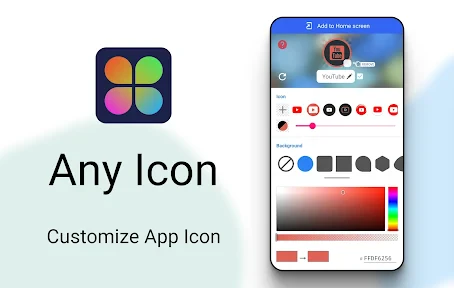
If you enjoy getting creative, you're going to love the built-in editing tools. It's like having a tiny design studio right on your phone. You can adjust shapes, play with filters, and even add a bit of text. And if you're not the artistic type, no stress—there are tons of pre-made designs to help you get started.
A big worry with these kinds of apps is whether they'll mess with your phone, but Icon Changer works smoothly. You don't need to do anything complicated to your phone's software. Just pick the app you want to change, choose your new icon, and you're done—your home screen has a brand new look! I was also happy to see that my phone didn't get any slower after I changed a bunch of icons, which is a common problem with some customization apps.
So, should you download Icon Changer? For sure. It's a blast to use and makes it incredibly easy to personalize your phone. Whether you want to show off your personality or just keep things looking new, this app is definitely worth trying. Our phones are a part of us, so why not make them look like it? With Icon Changer, you're not just updating icons—you're upgrading your whole phone experience. And that's honestly pretty awesome.


- Developer
- Any Studio
- Version
- 1.8.7
- Installs
- 10,000,000+
- Android Version
- 5.0
- Content Rating
- Everyone
- Price
- Free
- Customizes app icons effortlessly
- Enhances device personalization
- Supports a variety of themes
- User-friendly interface
- No need for rooting or jailbreaking
- May slow down device performance
- Limited free icon packs
- Contains in-app purchases
- Not all apps can be customized
- Occasional glitches in icon display