
LEGO® Builder
Building Adventures with LEGO® Builder
Building Adventures with LEGO® Builder
Hey there, fellow builders! If you've ever found yourself lost in the colorful world of LEGO bricks, then the LEGO® Builder app is something you need to check out. I downloaded it thinking it would just be a fun little time-waster, but man, was I pleasantly surprised. This app is like having a digital LEGO set right in your pocket. Let me give you the lowdown on this little gem.
First Look and Feel
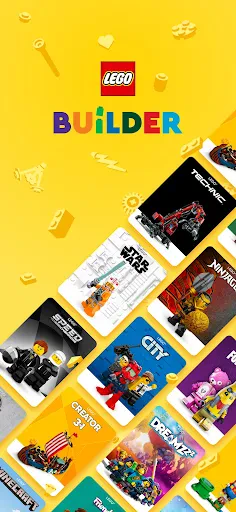
Right from the start, you can tell the LEGO team put a lot of care into this app. The layout is bright, colorful, and a breeze to get around, which is great for builders of any age. Scrolling through all the classic and new sets gave me a serious nostalgia hit. It's like revisiting your favorite childhood memories, but with a cool tech upgrade.
What This App Can Do
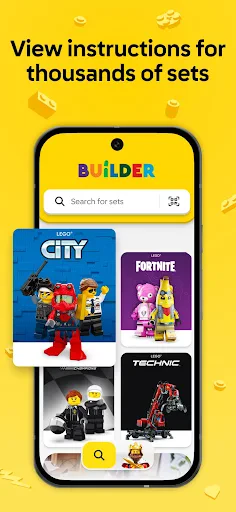
So, what's the deal with the LEGO® Builder app? It's packed with stuff to do. You can look through a huge collection of LEGO sets, and each one comes with detailed 3D instructions you can follow step-by-step. It's way better than a paper manual because you can pinch to zoom, spin the model around, and look at every piece from all sides. This is super helpful when you can't figure out where a tricky piece is supposed to go.
My absolute favorite part is how interactive the building feels. It's not just about reading steps; the app makes you feel accomplished with every piece you snap into place. It also saves your progress automatically, so you can stop and start whenever you want—perfect for anyone with a short attention span!
Everyone Can Join the Fun
LEGO has always been about creativity, and this app totally gets that. Whether you're young or just young at heart, there's something here for you. It's a wonderful way to spend time with your kids or just relax and de-stress. And come on, who doesn't love that classic "click" sound of bricks connecting, even if it's just happening on your screen?
Show Off Your Builds
Another awesome thing about this app is you can share what you make. After you finish a set, you can take a screenshot and show it off to your friends or post it for other LEGO fans to see. This social feature lets you brag about your creations or get new ideas from what other people are building. It's basically like joining a worldwide LEGO fan club from your phone.
Wrapping It Up
In the end, the LEGO® Builder app is a perfect mix of classic fun and modern tech. It captures the happiness of building with real LEGO bricks and brings it to your device without losing any of the charm. No matter your experience level, this app promises tons of creative entertainment. So why not download it? You might just rediscover your love for LEGO all over again!
Don't forget, the app is free to download on both Android and iOS. Pick up your virtual bricks and get building



- Developer
- LEGO System A/S
- Version
- 4.1.7
- Installs
- 10,000,000+
- Android Version
- 8.1
- Content Rating
- Everyone
- Price
- Free
- Intuitive interface for easy navigation.
- Encourages creativity and imagination.
- Regular updates with new building challenges.
- Safe environment for kids to play.
- Offline mode available for uninterrupted play.
- Requires significant storage space.
- Some features locked behind paywall.
- Occasional in-app purchase prompts.
- Limited multiplayer options.
- Requires a stable internet connection for some features.