Logo Maker : Graphic Designer
Logo Maker: Graphic Designer
Logo Maker: Graphic Designer
Ever had that moment when you're in dire need of a logo but graphic design seems like a foreign language? Well, let me introduce you to Logo Maker: Graphic Designer. It's like having a design guru in your pocket, ready to whip up a snazzy logo in no time. Let’s dive into what makes this app a must-have for budding entrepreneurs and creative minds alike.
Your Go-To Design Buddy
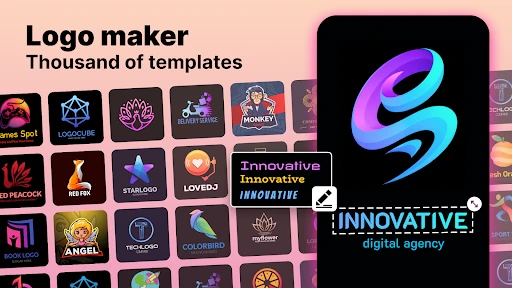
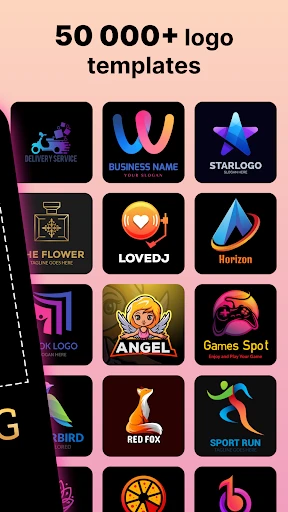
First off, the app's interface is slicker than a greased weasel. It’s intuitive, which means you don’t need to be a seasoned designer to navigate through it. The moment you fire it up, you're greeted with a plethora of templates. Whether you're aiming for something minimalist or an elaborate design, there's a template that whispers, "Pick me!"
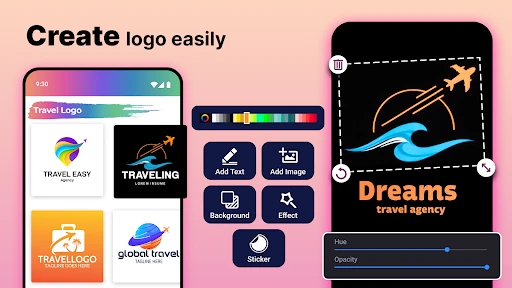
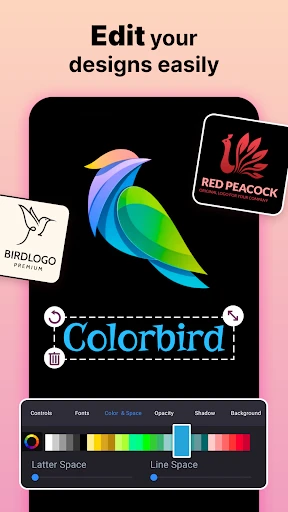
The customization options are what really steal the show. You can tweak everything—from the color palette to the typography. I spent hours just playing around with different fonts and icons, feeling like a kid in a candy store. The best part? You don’t need any design experience. Just a dab of creativity and voila, you're on your way to creating a logo that screams ‘professional’.
A Toolkit for Your Imagination
Logo Maker isn’t just about slapping a name onto a generic logo. Oh no, it goes beyond that. The app is packed with features that allow you to create something truly unique. The layering tool is a personal favorite; it lets you stack different elements to create depth and complexity in your logo. And if you're worried about originality, fret not. With a vast library of icons, backgrounds, and fonts, the possibilities are nearly endless.
Another neat feature is the export options. You can save your masterpiece in various formats which is a lifesaver when you're trying to maintain quality across different platforms. Whether it's for a website, a social media profile, or print, Logo Maker has got you covered.
What Makes It So Special
So, what makes this app stand out in a sea of graphic design apps? For starters, it’s incredibly user-friendly. Even if you’re someone who’s more tech-averse, the app holds your hand through the process without making you feel like a total novice. Plus, the frequent updates mean you're always getting the latest in design trends and tools.
And let's talk about cost-effectiveness. Hiring a professional designer can burn a hole in your pocket, but this app offers a budget-friendly alternative without skimping on quality. It’s perfect for small businesses, startups, or personal projects where every penny counts.
In a nutshell, Logo Maker: Graphic Designer is like having a Swiss Army knife for logo creation. It’s versatile, easy to use, and packed with features that cater to both amateurs and semi-pros. So, if you’re looking to create a logo that makes a statement, give this app a whirl. You might just surprise yourself with what you can create

- Developer
- Prometheus Interactive LLC
- Version
- 2.2.6
- Installs
- 10,000,000+
- Android Version
- 5.0
- Content Rating
- Everyone
- Price
- Free
- User-friendly interface for quick design.
- Wide variety of templates available.
- High-quality graphics and fonts.
- Customizable design elements.
- Supports export in multiple formats.
- Limited free features.
- Occasional ads disrupt workflow.
- Requires internet for full functionality.
- Some templates feel generic.
- No collaboration features.