minimalist phone: Launcher
Minimalist Phone: Launcher
Minimalist Phone: Launcher
Ever feel like your phone is more of a distraction than a helpful gadget? Meet Minimalist Phone: Launcher. This app is a total game-changer for anyone wanting to simplify their phone use and focus on the things that are actually important.
First Glance and Setup
Right after I downloaded the Minimalist Phone: Launcher, I was struck by its clean and easy-to-understand design. No more messy screens or endless, annoying notifications. I was welcomed by a calm home screen that actually helped me feel more productive and mindful.
Getting it set up was a breeze. In just a few minutes, I had it running and was picking which apps I really needed on my home screen. It felt great to only see the essentials, and it honestly helped me stay more focused all day long.
Noteworthy Features You'll Love
A really cool feature is how it can prioritize your apps based on how you use them. If you're constantly opening social media apps, the launcher quietly moves them out of the way, so you can focus on your work. It's like having a tiny digital coach in your pocket!
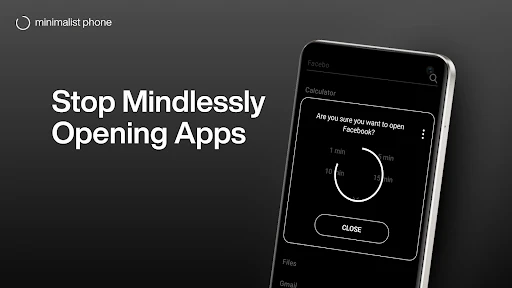
Another feature I really came to rely on was the monochrome mode. By turning the screen to grayscale, it made the app icons less colorful and tempting, which helped me stop mindlessly tapping on them. It's a genius trick for anyone trying to cut down on screen time.
Making It Your Own
Even though the launcher is all about simplicity, it still lets you customize a ton. You can change everything from the font size to the shape of the icons, making sure your phone feels like yours without losing any of its usefulness. It's like having a helper that knows what you need before you do.
And we can't forget about the widgets. The app has a selection of simple, clean widgets that fit right in with the overall look. Whether it's just the time or a quick weather check, everything is designed to keep you focused and free from clutter.
Overall Thoughts and Recommendation
In a time when our phones are always fighting for our attention, Minimalist Phone: Launcher is a welcome change. It's ideal for anyone who wants to clean up their digital life and take back control of their phone. It might feel a little strange at first, especially if you're used to a standard phone layout, but the positive effects are definitely worth it.
If you're serious about turning your phone into a tool for getting things done instead of a source of distraction, you should test this app out. It could be exactly what you need.



- Developer
- Focus Experts
- Version
- 1.16.5v205
- Installs
- 5,000,000+
- Android Version
- 6.0
- Content Rating
- Everyone
- Price
- Free
- Simple and clean user interface.
- Low resource consumption for better performance.
- Highly customizable themes and icons.
- Quick access to essential apps and tools.
- Improves productivity with minimal distractions.
- Limited features compared to advanced launchers.
- May not support all widgets.
- Lack of frequent updates.
- Some users may find it too basic.
- No backup option for settings and layout.