Mobile Passport Control
Mobile Passport Control: Your Shortcut Through Airport Customs
Mobile Passport Control: Your Shortcut Through Airport Customs
Traveling can be both exciting and daunting, especially when it comes to navigating through those never-ending airport lines. Let me introduce you to a little lifesaver I stumbled upon: Mobile Passport Control. If you’re like me and can't stand the thought of waiting in line for hours after a long flight, this app might just become your best friend.
What Exactly is This App?
Mobile Passport Control is an app designed to expedite your entry into the United States by allowing you to skip the traditional paper forms and dreaded waiting lines. It’s officially authorized by U.S. Customs and Border Protection, which means you're in safe hands. Available on both Android and iOS, this app aims to make your travel experience smoother and more efficient.
Getting Your Phone Ready
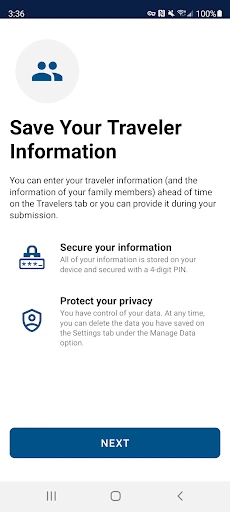
Getting started with Mobile Passport Control is a breeze. Just download the app from your app store, and you’re halfway there. The interface is clean and user-friendly, which means you don't have to be a tech wizard to use it. You’ll need to create a profile with your passport information and personal details. Don’t worry, the app uses secure encryption to keep your data safe. Once you’re set up, you’re good to go!
Using the App at the Airport
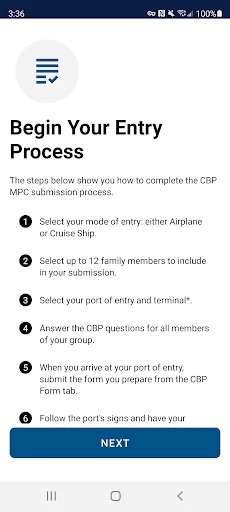
Now, let's talk about how this little gem really works its magic. Once you land at a participating airport, you simply open the app, complete your customs declaration, and submit it directly through your phone. After that, you’ll receive an electronic receipt with a QR code. This code is your golden ticket to skipping the lines. Just show it to the customs officer at the designated Mobile Passport Control lane, and you’re on your way!
Putting It to the Test
I was a bit skeptical at first, wondering how effective this app could really be. But after using it on a recent trip, I’m a convert. The process was seamless, and I was through customs in a fraction of the time it usually takes. No more fumbling with paper forms or waiting impatiently in line. It’s like having a fast pass for your travels!
Why You'll Love It
One of the standout features of this app is its simplicity. It’s incredibly easy to navigate, and the instructions are straightforward. Plus, it’s free to use, which is always a bonus in my book. Another key benefit is the time-saving aspect. We all know time is precious, especially when you're eager to start your vacation or return home.
A Few Helpful Reminders
While Mobile Passport Control is fantastic, it’s important to note that it doesn’t replace your passport. You’ll still need to have your physical passport with you. Also, not all airports support Mobile Passport lanes, so it’s a good idea to check ahead and see if your destination is on the list.
Is It Right for You?
In conclusion, if you’re a frequent traveler looking to streamline your airport experience, Mobile Passport Control is definitely worth checking out. It’s easy to set up, simple to use, and can save you a significant amount of time. Whether you’re a tech-savvy jet setter or someone who just wants to get through customs hassle-free, this app has got you covered. So next time you’re planning a trip, give Mobile Passport Control a try and breeze through customs like a pro!



- Developer
- U.S. Customs and Border Protection
- Version
- 3.0.1
- Installs
- 1,000,000+
- Android Version
- 7.0
- Content Rating
- Everyone
- Price
- Free
- Streamlines airport entry process.
- User-friendly interface.
- Secure data encryption.
- Supports multiple travelers.
- Reduces passport control wait time.
- Limited to select airports.
- Requires stable internet connection.
- No offline functionality.
- Occasional app crashes.
- Limited customer support.