Music Player for Android
Discovering the World of Music with Music Player for Android
Discovering the World of Music with Music Player for Android
Hey there, fellow music enthusiasts! 🎶 Have you ever found yourself lost in the endless sea of music apps on Android, wondering which one will finally hit the right note? Well, today I’m diving into the world of Music Player for Android, an app that promises to revolutionize your music-listening experience. Let’s see if it really lives up to the hype!
A Look That Welcomes You In
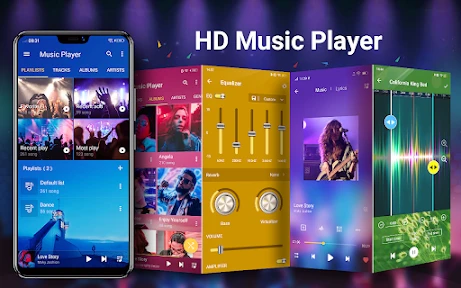
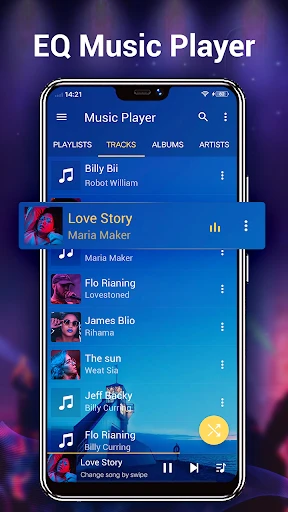
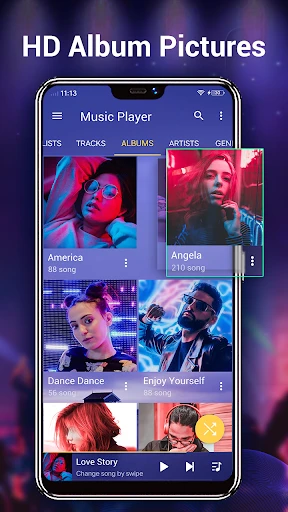
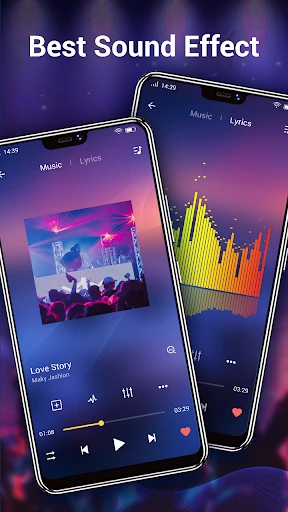
When you first open the app, you'll notice its clean and straightforward layout. It feels like walking into a tidy music library where all your songs are sorted and ready to go. The design team really nailed it, making sure that everyone, from tech pros to beginners, can find their way around without any trouble. You know those apps that bombard you with too many choices? This one finds a sweet spot between being simple to use and having all the features you need.
It also plays nicely with a huge range of audio file types. So, if you prefer high-quality FLAC files or just stick with standard MP3s, this app has you covered. I was pleasantly surprised by how fast and smoothly it connected with the music I already had on my phone—it felt like the app knew exactly what to do without any help from me. Pretty cool, right?
Tuning Into Top-Notch Audio
Now, let's get to the good stuff: the sound. After all, that's the main reason we use these apps. Music Player comes with a built-in equalizer that lets you adjust the sound to your exact liking. Whether you want powerful bass or sharp, clear vocals, you can change the settings to fit whatever you're listening to. For me, the rock setting made my favorite albums sound brand new. 🎸
Plus, the app offers gapless playback. This is a total game-changer if you enjoy live concert recordings or albums that flow from one song to the next without interruption. It’s those small touches that really improve the whole experience, wouldn't you agree?
Handy Tools for Everyday Listening
Beyond great sound, Music Player is loaded with useful features for all kinds of listeners. The sleep timer is perfect for anyone who likes to fall asleep to music but doesn't want to waste battery all night. And if you love singing along, the lyrics display is a fun extra that shows you the words to each song as it plays.
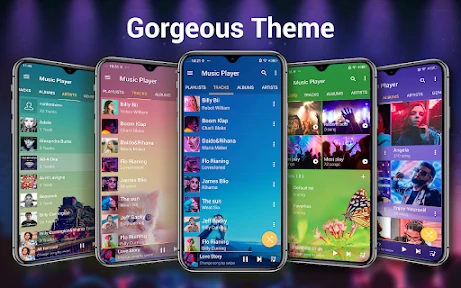
You can also change the app's appearance with different themes. Let's be honest, we all like to personalize our apps to reflect our own style. With Music Player, you can adjust the look of the interface to match your vibe, turning your listening time into a more visual treat as well.
Wrapping It Up
With so many music apps out there, Music Player for Android manages to stand out by combining an easy-to-use design with powerful tools. No matter if you just listen now and then or you're a serious audio fan, this app has something to offer. It's like having your own personal DJ right in your phone!
If you're looking for a reliable new music player, why not try this one? You might just discover a new favorite way to play your music. Go ahead and tap that download button—your ears will be glad you did! 🎧
- Developer
- Leopard V7
- Version
- 7.1.8
- Installs
- 50,000,000+
- Android Version
- 5.0
- Content Rating
- Everyone
- Price
- Free
- User-friendly interface design.
- Supports various audio formats.
- Offline playback available.
- Customizable equalizer settings.
- Minimal battery consumption.
- Contains ads in free version.
- Limited features without premium.
- Requires frequent updates.
- No cloud sync option.
- Occasional playback glitches.