OpenDocument Reader Pro
Ever found yourself in need of opening an OpenDocument file on your mobile device, only to be faced with the dreaded message that your app can't handle it? I’ve been there, and it’s not fun. Luckily, OpenDocument Reader Pro is here to save the day. Let me walk you through my experience with this nifty app, which has quickly become my go-to for handling all things OpenDocument on-the-go.
Ever found yourself in need of opening an OpenDocument file on your mobile device, only to be faced with the dreaded message that your app can't handle it? I’ve been there, and it’s not fun. Luckily, OpenDocument Reader Pro is here to save the day. Let me walk you through my experience with this nifty app, which has quickly become my go-to for handling all things OpenDocument on-the-go.
Getting Your Hands on OpenDocument Reader Pro
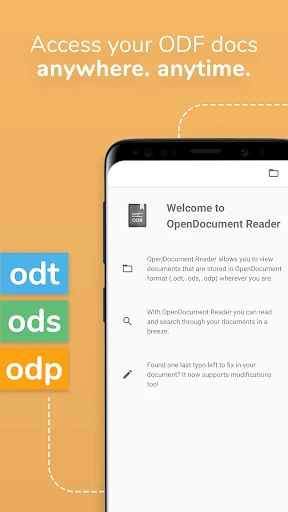
First things first, getting OpenDocument Reader Pro up and running is super simple. You can find it on both Android and iOS, and it doesn't take up much space on your phone. After you install it, you're met with a clean and straightforward interface. There's no complicated mess—just a simple, easy-to-use layout. I was able to find and open my files without any trouble almost immediately.
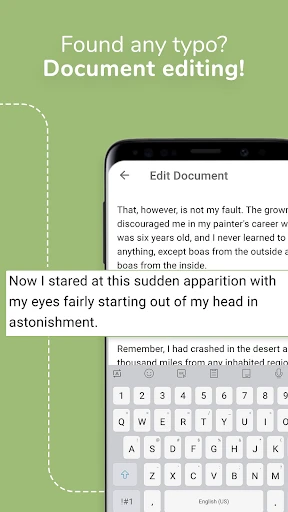
Right away, I was impressed by how easily it opened .odt, .ods, and .odp files. These formats have been a real pain point for me before. But with this app, I could not only view but also make edits to documents directly from my phone. It’s pretty cool to have a mini office right in your pocket.
The Handy Features You'll Love
A feature I really love is that OpenDocument Reader Pro works completely offline. It’s so annoying when you need to check a file but don't have an internet connection. This app solves that problem, making it perfect for travel or areas with spotty service.
It also works great with cloud storage like Google Drive and Dropbox, so moving files between your devices is smooth and easy. On top of that, it can handle password-protected files, which is great for keeping your private documents secure.
Using the App in Everyday Life
In my daily routine, OpenDocument Reader Pro has been a real game-changer. Whether I'm checking over a slideshow or updating a spreadsheet between meetings, the app runs smoothly every time. I'm especially impressed with how quickly it switches between different types of documents.
The tools for marking up documents are also fantastic. Highlighting text and leaving comments is a breeze, which makes working with others on documents really simple. I've started using it all the time to give feedback on files my coworkers send me.
Wrapping It Up
To sum it up, if you often work with OpenDocument files, OpenDocument Reader Pro is an essential app. It's fast, easy to use, and has all the features you need to handle documents on your phone. It might not have every single feature a full desktop program has, but its convenience and simplicity more than make up for that.
No matter if you're a student, someone with a busy job, or just a person who likes to have their files handy, OpenDocument Reader Pro is definitely worth installing. It's become a key part of how I get things done on my phone, and I bet you'll find it just as useful. Why not check it out? It could be the handy app you've been missing

- Developer
- Stefl und Taschauer OG
- Version
- Varies With Device
- Installs
- 5,000+
- Android Version
- Varies With Device
- Content Rating
- Everyone
- Price
- $2.99
- Supports various file formats
- User-friendly interface
- Offline access to documents
- Regular updates and improvements
- Compatible with cloud services
- Limited advanced editing features
- Ads in free version
- Occasional crashes
- In-app purchases required for full features
- Limited customer support