

Photoroom AI Photo Editor
Photoroom AI Photo Editor: A User's Honest Take
Photoroom AI Photo Editor: A User's Honest Take
Have you ever looked at a picture and thought it could use a bit more life? Well, I've been exploring different photo editing apps and found one that's seriously cool – the Photoroom AI Photo Editor. I've spent some time testing it out, and honestly, it feels like having a tiny, powerful photo studio right on your phone. Let's get into the details.
First Impressions: What’s the Buzz?
So, Photoroom isn't your average, run-of-the-mill photo app. It comes with this smart AI that's designed to make your pictures stand out with just a few taps. When I first installed it, I was a little doubtful. How effective could it actually be? But, I was pleasantly surprised! The layout is clean and really easy to navigate, which is a big win for people like me who can get overwhelmed by complicated menus.
Features That Really Shine
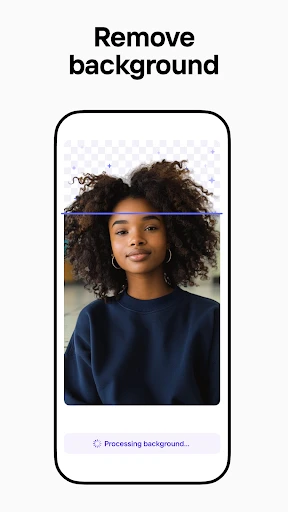
Let's chat about what makes this app special. First up is the background remover – it's practically magical! You just tap on what you want to keep, and poof, the background is gone. I tested it on a photo of my dog, and it worked perfectly. No more struggling with precise cutting; the AI handles all the hard work for you.
Then there are the templates. Whether you need a polished profile picture, a cool social media post, or a creative birthday card, Photoroom has a template for it. There's a huge variety to pick from, and I genuinely had fun playing around with them. It's like having your own personal design assistant ready to go.
Editing Made Simple
I really appreciate how straightforward the editing is. You don't need to be an expert to make your photos look fantastic. The app walks you through simple adjustments like changing the brightness, contrast, and color intensity. There are also some playful filters that can add a special touch. I enjoyed trying different styles, and it was cool to see how a few small changes could completely change my photos.
Saving and Sharing Your Creations
After you've finished your creation, sharing it is super simple. You can save your edited photos in high quality, which is perfect if you want to get them printed. Or, if you love sharing your work online, you can post it straight to your social media accounts. The app works smoothly with platforms like Instagram and Facebook, making it incredibly easy to show off your new and improved pictures.
Are There Any Downsides?
Okay, let's be real, no app is flawless. I did notice that some of the more powerful features need a paid subscription. The free version has lots of useful tools for everyday users, but if you want to get into more professional-level editing, you might have to pay a little extra. However, if you're dedicated to your photo editing, it could be a worthwhile investment.
The Bottom Line: Should You Try It?
All things considered, the Photoroom AI Photo Editor is a fantastic app for anyone who wants to enhance their photos without a steep learning curve. It's filled with features that are both enjoyable and practical, and the AI tools genuinely deliver. Whether you're a social media enthusiast, an aspiring photographer, or just someone who likes to be creative, this app is absolutely worth a look. So why not give it a try and see what it can do for your photos



- Developer
- Photoroom AI Photo Editor
- Version
- 2025.21.01
- Installs
- 100,000,000+
- Android Version
- 10
- Content Rating
- Everyone
- Price
- Free
- User-friendly interface for beginners
- Wide range of editing tools
- High-quality output results
- Fast processing times
- Regular updates with new features
- Limited features in free version
- Occasional app crashes
- In-app purchases can be costly
- Requires internet for full functionality
- Ads in the free version


