
Remote for Roku: TV Remote
Your TV Remote's New Best Friend: The Remote for Roku App
Your TV Remote's New Best Friend: The Remote for Roku App
Ever found yourself in that slightly annoying, yet surprisingly frequent situation where your TV remote has decided to embark on an impromptu vacation to the land of missing socks and pens? Well, fret not, because the Remote for Roku: TV Remote app is here to save the day! 🎉 Let me walk you through this nifty little app that promises to make your TV watching experience a breeze.
Getting Your New Remote Ready
First things first, downloading and setting up the app is as easy as pie. Available for both Android and iOS, you can find it on the Google Play Store or Apple App Store. Once installed, the app guides you through a straightforward setup process. Just make sure your phone and your Roku device are connected to the same Wi-Fi network, and you’re good to go!
A Layout You Already Know
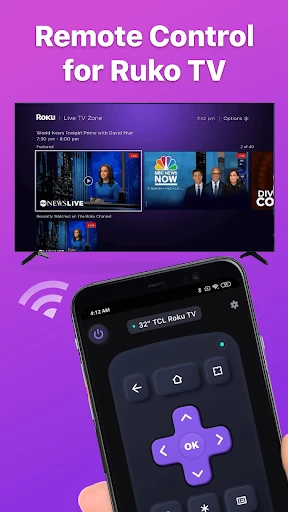
The app’s interface is incredibly user-friendly. It mimics the physical Roku remote almost perfectly, so there’s no learning curve. You’ve got your standard navigation buttons, volume control, and even the all-important home button. It’s like having your remote but without the risk of it disappearing into the couch abyss.
Handy Tools That Make a Difference
This app isn’t just about replacing your lost remote; it brings a few extra goodies to the table. One of my personal favorites is the voice search feature. Just tap the microphone icon, say what you’re looking for, and voilà! It’s perfect for those lazy days when typing feels like too much effort.
Another great feature is the keyboard integration. Typing in search terms or logging into apps on your Roku can be a tedious task with the regular remote. But with this app, typing is as easy as it gets. You can use your phone’s keyboard, which is a massive time-saver.
Watching TV on Your Own Terms
Ever wanted to watch TV without disturbing others? The app has got you covered with its private listening feature. Connect your headphones to your phone, and the sound will stream directly to your ears. It’s perfect for late-night binge sessions when everyone else is asleep.
Why This App is a Total Win
In the grand scheme of things, the Remote for Roku: TV Remote app is a game-changer. It’s not just a replacement for your physical remote but an enhancement of your Roku experience. From its intuitive design to its handy features, it makes managing your Roku device smoother and a lot more fun.
So next time your remote decides to play hide and seek, just remember that your phone, with this app, is the ultimate game-winner. It’s definitely a must-have for any Roku user looking to simplify their TV time. Happy streaming! 📺✨


- Developer
- BoostVision
- Version
- 1.5.5
- Installs
- 5,000,000+
- Android Version
- 7.0
- Content Rating
- Everyone
- Price
- Free
- Seamless integration with Roku devices.
- User-friendly interface for quick navigation.
- Supports voice commands for ease.
- Customizable remote layout options.
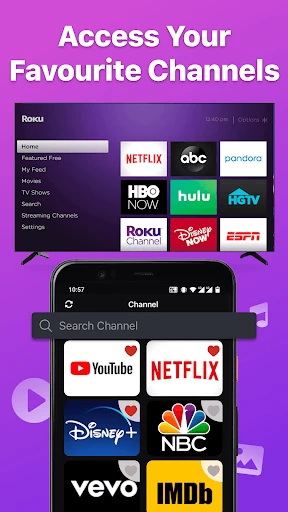
- Quick launch for favorite channels.
- Limited features in free version.
- Requires stable internet connection.
- Ads can be intrusive.
- Occasional connectivity issues.
- No support for older Roku models.


