RoughAnimator - animation app
Bringing Drawings to Life with RoughAnimator
Bringing Drawings to Life with RoughAnimator
Have you ever found yourself doodling in the margins of your notebook during a boring meeting or lecture? If you’re a creative soul who loves bringing drawings to life, then RoughAnimator might just be your new best friend. This app is a fantastic tool for anyone interested in animation, whether you’re a seasoned pro or just starting out on your creative journey.
Getting Started with the App
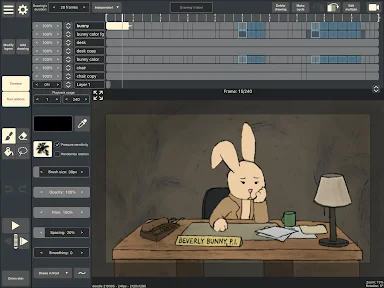
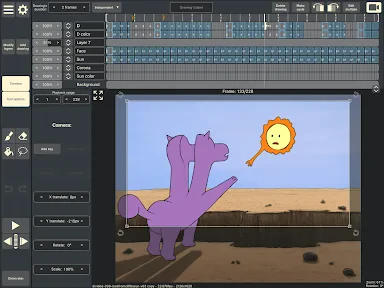
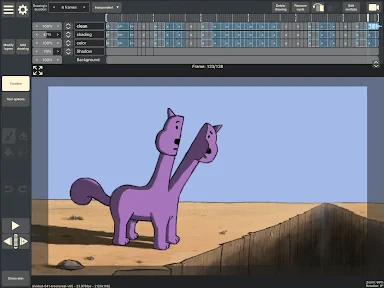
When you first open RoughAnimator, you might be a bit overwhelmed by all the options and tools at your disposal. But don’t worry; it’s a lot simpler than it seems. The interface is designed to be intuitive, with a range of features that cater to both beginners and advanced users. This app is available for both Android and iOS, so you can animate on the go, wherever you are.
Tools to Unleash Your Imagination
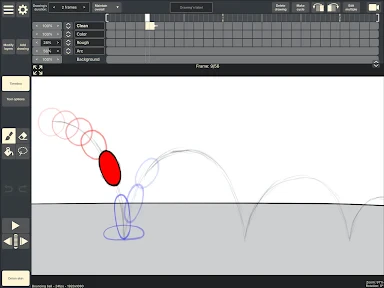
The app is packed with features that make animation easy and fun. You can create traditional hand-drawn animations using a variety of brushes and pencils. The onion skinning feature is particularly useful—it allows you to see multiple frames at once, so you can ensure your animations are smooth and fluid. Plus, you can import audio to sync with your animations, which is a game-changer if you’re looking to create more dynamic content.
One of the standout features of RoughAnimator is its ability to export your animations into multiple formats. Whether you’re looking to share your creations on social media or incorporate them into a larger project, this app has got you covered. You can export your animations as GIFs, image sequences, or even video files.
Is It Easy to Use?
While the app is incredibly powerful, it doesn’t come without its challenges. If you’re new to animation, there might be a slight learning curve. However, the app includes a set of tutorials and guides to help you get started. Once you get the hang of it, the possibilities are endless! The community around RoughAnimator is also very supportive, with plenty of online resources and forums where you can share your work and get feedback from fellow animators.
Another great thing about RoughAnimator is its performance. Unlike some other animation apps that can be sluggish and crash-prone, RoughAnimator runs smoothly even on older devices. This reliability is a huge plus, especially when you’re in the middle of a creative streak and can’t afford any interruptions.
Our Overall Verdict
In conclusion, RoughAnimator is a fantastic tool for anyone interested in animation. It’s versatile, user-friendly, and packed with features that cater to both beginners and seasoned animators. Whether you’re creating simple doodles or complex animations, this app provides the tools and flexibility you need to bring your ideas to life.
So, if you’ve got a love for animation and a creative itch to scratch, give RoughAnimator a try. It’s a small investment for a tool that can help turn your artistic visions into reality. Happy animating

- Developer
- WeirdHat
- Version
- 3.25
- Installs
- 10,000+
- Android Version
- 5.0
- Content Rating
- Everyone
- Price
- $6.99
- User-friendly interface for beginners.
- Wide range of drawing tools available.
- Supports frame-by-frame animation.
- Export to various video formats.
- Affordable pricing model.
- Lacks advanced features for professionals.
- Occasional glitches and bugs.
- Limited color palette options.
- No cloud storage integration.
- Requires manual updates.


![[KNA008] COMBINE](https://appnexusworld.com/wp-content/uploads/2025/11/image1190636060267623625.webp)