Samsung Food: Meal Planning
Samsung Food: Your Ultimate Kitchen Companion
Samsung Food: Your Ultimate Kitchen Companion
Your New Digital Sous-Chef
First off, let's be clear—Samsung Food is way more than a basic meal planner. It feels like having a helpful cooking buddy right on your phone. The moment you open the app, you're met with a clean, straightforward layout that's a breeze to use. I found the design really refreshing, especially when you're sorting through tons of recipes and weekly plans.
A Universe of Recipes at Your Fingertips
One of the coolest things about Samsung Food is its massive collection of recipes. Whether you need a fast lunch idea or are prepping a fancy weekend meal, this app has you covered. I was happy to discover dishes from all over the world, fitting all sorts of diets. You'll find everything from plant-based meals to gluten-free goodies—truly something for every taste.
What really stood out to me were the clear, step-by-step guides. Every recipe is split into easy stages, with built-in timers and handy hints. It’s like having a friendly guide walking you through the process! And on days when I felt like mixing it up, the app offered fun twists and alternative ideas to keep things interesting.
Stress-Free Weekly Meal Organization
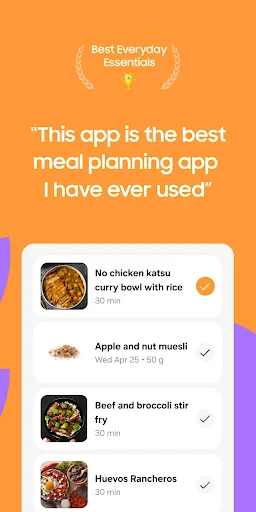
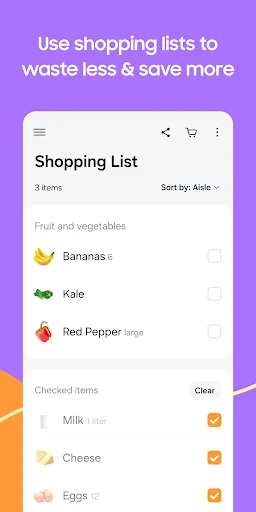
Now, onto the meal planning part. Samsung Food makes it simple to map out your meals for the coming week—goodbye, dinnertime panic! You can pop recipes right into your weekly calendar, and the app automatically creates a shopping list with everything you need. This has totally changed how I handle groceries, cutting down on both time and wasted spending.
Another neat detail is the nutrition info for every dish. As someone who tries to eat balanced meals, I really appreciated this. You can keep an eye on calories and make sure you're meeting your health targets without any extra effort.
Connecting Your Kitchen to the Future
Samsung Food goes beyond recipes and planning—it connects smoothly with other Samsung gadgets. If you have compatible appliances, you can link the app to your smart fridge or oven for a next-level cooking session. Think about your oven starting to preheat automatically for the dish you picked—how cool is that?
For those who love to share their kitchen wins, the app also lets you join a community of food fans. You can post your own creations, swap advice, and check out what recipes are popular. It’s basically a social feed just for people who love food!
In a nutshell, Samsung Food isn't just an app—it’s a tool that makes daily life better. Whether you’re a pro in the kitchen or just getting started, this app works for all experience levels and eating habits. With its smart connections, huge recipe library, and practical planning tools, it’s a top pick for anyone wanting to up their cooking game. So why not take it for a spin and see how it shakes up your time in the kitchen?



- Developer
- SamsungFood
- Version
- 2.40.1
- Installs
- 1,000,000+
- Android Version
- 7.0
- Content Rating
- Teen
- Price
- Free
- User-friendly interface and easy navigation
- Extensive recipe collection and variety
- Personalized meal plans tailored to diet
- Grocery list export simplifies shopping
- Integration with Samsung Health app
- Limited offline functionality
- Ads may interrupt user experience
- Some features require premium subscription
- Occasional syncing issues reported
- Limited support for non-Samsung devices