SnapBridge
Nikon SnapBridge: Your Photo Sharing Sidekick
Nikon SnapBridge: Your Photo Sharing Sidekick
Have you ever been out on a fun photo walk, taking amazing pictures with your Nikon, and wished you could share those perfect shots with your friends right away? Today, we're exploring SnapBridge, an app that aims to be the perfect link between your camera and your phone. Let's see how it really performs!
Seamless Connectivity, But How Seamless?
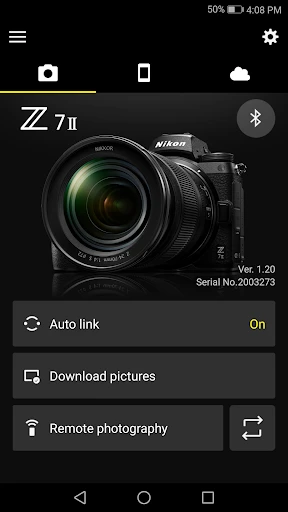
So, here's the deal: SnapBridge talks a lot about keeping a constant link between your camera and phone for automatic photo transfers. I'll be honest, I was a little doubtful at first. A constant Bluetooth connection? That sounds like it would kill your battery, doesn't it? But to my surprise, the app handles this pretty well. It keeps the connection going without draining your battery too much, so both your devices stay powered up longer. It's like having a quiet helper that always has your best photos ready for Instagram!
User Experience: A Walk in the Park?
Let's chat about the user interface. Getting SnapBridge set up is mostly simple. The app guides you through the process of linking your camera to your phone with easy-to-follow steps. That said, I found the first-time setup might test your patience a little, especially if you're not super comfortable with technology. But once you get past that initial hurdle, it's pretty easy from there. The app's layout is neat, and all the important features are right where you need them.
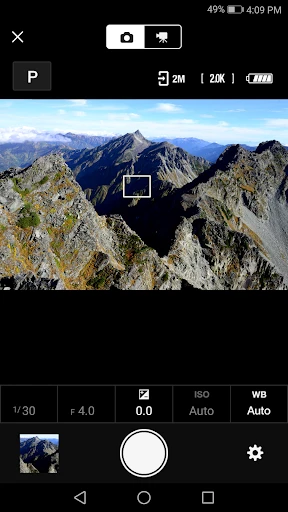
A feature I really love is being able to use my phone as a remote control for the camera. Picture this: you've set up your camera for a big group photo, and you can take the picture from a distance without having to run back and forth. Pretty convenient, huh?
Image Transfers and Sharing
Now, for the main event – moving your pictures over. This is where SnapBridge really stands out. Your photos transfer over quickly, and they still look fantastic. You can even choose the size of the photos you want to send to your phone, which is great if you're watching your phone's storage space. On top of that, the app can add location details to your photos, so you remember exactly where you took each one. It's a nice way to add a bit of your personal story to your pictures.
Sharing your photos straight to social media from inside the app is super simple. It's a real time-saver for anyone who likes to keep their friends and followers in the loop with their latest photo projects.
Final Thoughts
So, what's the final word? Is SnapBridge worth trying out? Definitely, especially if you use a Nikon and enjoy sharing photos while you're out and about. It's more than just an app; it's a tool that connects your photography life. It might take a few attempts to get everything working just right, but the convenience it offers is hard to ignore. Whether you're a pro or just getting started with photography, SnapBridge brings something new to the table, making your hobby more lively and connected.
In a time when sharing pictures is everything, having the right tool to show off your work instantly is key. And for that job, SnapBridge has definitely earned a spot on my phone's home screen


- Developer
- Nikon Corporation
- Version
- 2.12.0
- Installs
- 10,000,000+
- Android Version
- 6.0
- Content Rating
- Everyone
- Price
- Free
- Seamless photo transfers via Bluetooth.
- Intuitive and user-friendly interface.
- Allows remote control of camera settings.
- Automatic backup to cloud services.
- Supports multiple camera models.
- Occasional connectivity issues.
- Limited editing features.
- Drains battery quickly.
- Requires constant app updates.
- Not compatible with all devices.