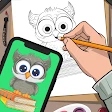
Stickman: draw animation maker
Unleashing Creativity with Stickman: Draw Animation Maker
Unleashing Creativity with Stickman: Draw Animation Maker
Hey there, animation fans! Ever wanted to make your own cartoons but got scared off by complicated software? Well, you're in luck. Stickman: Draw Animation Maker is here to help you bring your animation ideas to life, no stress required. Let's check out why this app is a top pick for newbies and experts in the animation world.
A Beginner's Best Friend
First up, let's chat about how easy it is to use. When you open Stickman: Draw Animation Maker, you'll see a simple and clear layout. It feels like the app is inviting you to start creating right away. You won't need to read any complicated guides because all the tools are right where you'd expect them. No matter your skill level, you'll get the hang of it in no time.
The app is packed with tools to help you build your animations. You can draw anything from simple shapes to more detailed pictures with its easy-to-use drawing tools. The great thing is, you don't have to be a master artist to make something cool. Just let your ideas flow, and the app will help you make it happen.
Tools That Spark Great Ideas
Now, let's look at the special features that make this app so powerful. A key feature is the frame-by-frame animation tool. This lets you make smooth, professional-looking animations. You can change how fast they play, put in different backgrounds, and even add sounds to make your work really stand out.
Another awesome tool is the set of stick figure options. If you're not too sure about your drawing skills, you can use these ready-made characters as a base. Change them up, add your personal touch, and see your stick people start to move. It's like having a set of digital puppets, and you can do so much with them!
Show the World What You Made
After you've finished your awesome animation, you'll probably want to share it, right? Stickman: Draw Animation Maker makes it super simple to share your work. With just a couple of clicks, you can save your animation and post it on social media, send it to your friends, or put it on animation websites to build an audience. The app works with many different file types, so you don't have to fuss with conversion problems.
And honestly, there's a real thrill in watching people like and comment on something you made. It's a great way to get helpful tips and become a better animator over time.
The Perfect Tool for New Creators
To wrap it up, Stickman: Draw Animation Maker is a real standout among animation apps. It's easy to use, has strong features, and makes sharing your work simple, making it a key download for anyone wanting to start making animations. Whether your goal is to make fun stick figure videos or more detailed cartoons, this app can do it.
So why wait? Pick up your stylus, let your ideas run free, and use Stickman: Draw Animation Maker to start your fun animation adventure. You definitely won't regret it


- Developer
- Appache apps and games ltd
- Version
- 6.0.1s
- Installs
- 10,000,000+
- Android Version
- 5.0
- Content Rating
- Everyone
- Price
- Free
- User-friendly interface for beginners.
- Wide range of drawing tools available.
- Supports frame-by-frame animation.
- Export animations in various formats.
- No watermark on exported projects.
- Limited advanced animation features.
- Occasional app crashes reported.
- In-app ads can be intrusive.
- Requires internet for some features.
- Limited community support and tutorials.