Universal TV Remote for All TV
Turn Your Smartphone into a Universal TV Remote: A Personal Dive into the App
Turn Your Smartphone into a Universal TV Remote: A Personal Dive into the App
Have you ever found yourself tearing the living room apart just to find your TV remote? Or maybe you've experienced that sinking feeling when you realize your remote's batteries are dead right in the middle of a binge-watching session. Well, fret not! The Universal TV Remote for All TV app might just be the lifesaver you didn’t know you needed. I decided to give this app a whirl, and here's my take on it.
Getting the App Ready: Super Simple or Kind of Tricky?
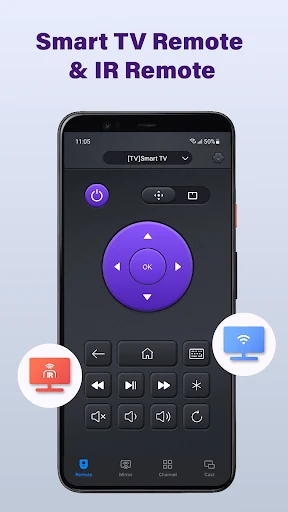
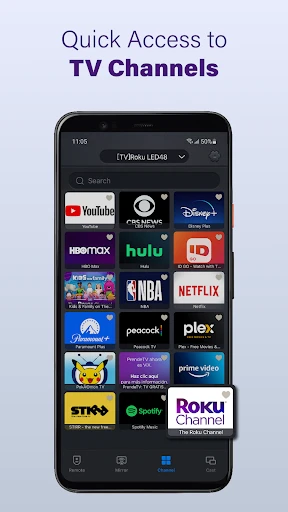
Downloading and setting up the Universal TV Remote app was as easy as pie. Available for both Android and iOS, it took just a few taps to install. One of the things that struck me right away was the app's user-friendly interface. It's clean, intuitive, and doesn’t bombard you with unnecessary options. When you open it for the first time, you're greeted with a simple tutorial that walks you through the basic setup process. In a few minutes, my phone was ready to control my TV. Easy peasy!
The Big Question: Is My TV on the List?
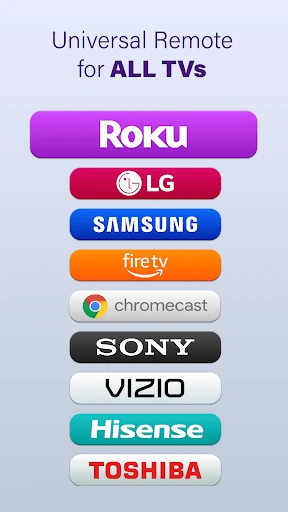
Now, onto the big question: does it really work with all TVs? The app boasts compatibility with a wide range of TV brands, from Samsung and LG to Sony and Philips. I personally tested it on my slightly older model Samsung TV, and it worked like a charm. The app connected seamlessly, allowing me to surf channels, adjust the volume, and even access smart TV features. However, I did notice that some features, like voice control, were only available on newer TV models. So, if you have a TV that's been around for a while, you might want to manage your expectations a bit.
More Than Just Buttons: What's This App Got?
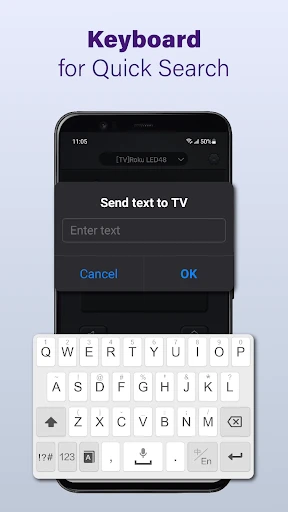
This app isn’t just about changing channels or adjusting volume. It comes packed with features that make it stand out. My favorite? The ability to create custom remotes for different devices. This is super handy if you have multiple TVs or other smart devices at home. Another nifty feature is the voice command functionality, allowing you to control your TV hands-free. Just say what you want, and voila! It's like having a futuristic remote right in your pocket.
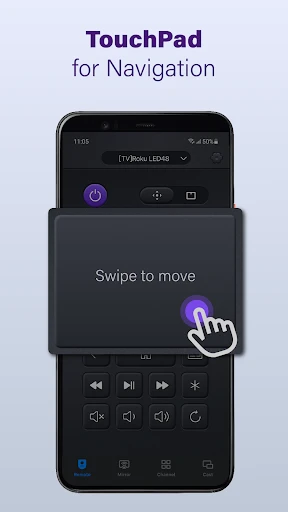
The app also supports a touchpad mode, which makes navigation a breeze, especially on smart TVs with complex menus. And for those who love a good bit of personalization, you can customize the app interface to suit your style. Choose your color scheme, button layout, and more. It's the little things that add a touch of personalization and make the app feel like it's really yours.
How Well Does It Work: Smooth or Glitchy?
In terms of performance, I found the Universal TV Remote app to be quite reliable. There were no noticeable lags or connectivity issues during my testing. The response time was quick, almost instantaneous, which is crucial when you're trying to catch the latest episode of your favorite show. However, it's worth noting that the app’s performance can vary depending on your phone model and the specific TV you're using it with.
Wrapping It Up: My Final Take
All in all, if you're looking for a convenient and efficient way to ditch those pesky physical remotes, the Universal TV Remote for All TV app is definitely worth a shot. It’s versatile, easy to use, and packed with features that cater to the needs of today’s smart home enthusiasts. While it might not replace your remote entirely for every single function, it certainly comes close. Plus, the convenience of having a remote on your phone is unbeatable, especially when you’re constantly misplacing things like I am!
So, why not give it a go? It might just save you the next time your remote mysteriously disappears into the abyss of your couch cushions.
- Developer
- BoostVision
- Version
- 2.2.0
- Installs
- 10,000,000+
- Android Version
- 5.0
- Content Rating
- Everyone
- Price
- Free
- Compatible with most TV brands.
- Simple setup and user-friendly interface.
- No need for multiple remote controls.
- Quick response time with minimal lag.
- Free version available with basic features.
- Ads in the free version can be intrusive.
- Limited advanced features in free version.
- May not support older TV models.
- Requires internet for initial setup.
- Occasional connectivity issues.