Unroll.Me - Email Cleanup
Tame Your Inbox: A Look at Unroll.Me
Tame Your Inbox: A Look at Unroll.Me
Ever felt like your inbox is a never-ending abyss of unread emails? Well, I have, and let me tell you, it’s not a fun place to be. That’s when I stumbled upon Unroll.Me, an app that promises to clean up your inbox and declutter your email life. Let’s dive into how it works and whether it lives up to the hype.
Getting to Know the App
Unroll.Me is a service built to help you get a handle on all your email subscriptions. It links up with your email account and gives you a complete list of everything you're signed up for, letting you ditch the ones you don't want anymore with just one click. It sounds pretty perfect, doesn't it?
Getting Started is Simple
Beginning with Unroll.Me is a total breeze. You just download the app, sign in with your email, and grant it access to your inbox. I get it – letting an app see your emails might feel a little weird, but Unroll.Me has been operating for a long time and has a solid track record for keeping your info safe. Once you're connected, it immediately starts searching your inbox for all those subscription emails.
Your Daily Digest Email
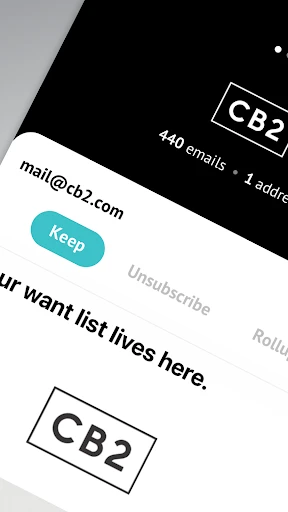
A really cool feature of Unroll.Me is called the Rollup. It gathers your chosen subscriptions and combines them into one single email that you get each day. You can even pick what time you want this digest to arrive, making it super easy to glance through all your subscriptions in one spot without letting them overwhelm your main inbox. It's basically a custom daily newsletter with only the things you like.
One-Click Unsubscribing
And for those mailing lists you're totally done with? Unroll.Me lets you unsubscribe with a single tap. I was honestly shocked to see how many things I had subscribed to over time – some I had completely forgotten about. The app makes it ridiculously simple to break up with them for good.
How It Performs
Using Unroll.Me is straightforward and hassle-free. The layout is simple and easy to understand. I didn't run into any problems or glitches while using it, which is always a big win. It also works with several email accounts, so if you have one email for work and another for personal stuff, you can manage everything in one place.
The Real-World Impact
After trying out Unroll.Me for a few weeks, my inbox definitely feels more manageable and tidy. I don't feel that sense of dread when I open my email anymore, and I've actually found a few newsletters that I really like reading again. It's amazing what a difference an organized inbox can make in your day-to-day life.
Wrapping Up
In a time when we're all flooded with emails, a tool like Unroll.Me can be a real game-changer. It’s not just about cleaning up your inbox; it’s about taking back control of your online space. If you're feeling swamped by emails, it's worth trying Unroll.Me. It’s free, simple to set up, and it could completely change how you deal with your email.



- Developer
- Unroll.Me
- Version
- 3.3.20
- Installs
- 1,000,000+
- Android Version
- 8.0
- Content Rating
- Everyone
- Price
- Free
- Simplifies email management efficiently.
- Unsubscribes from lists with a single click.
- User-friendly interface and easy navigation.
- Reduces inbox clutter significantly.
- Compatible with major email providers.
- May access sensitive email data.
- Limited features in the free version.
- Occasional syncing issues reported.
- Not available for all email platforms.
- Privacy concerns with data usage.