Venmo
If you haven't jumped on the Venmo bandwagon yet, you might want to reconsider. I mean, who carries cash anymore, right? Venmo has become a staple in the world of digital wallets and social payment apps, and after giving it a whirl, I can see why it's all the rage.
If you haven't jumped on the Venmo bandwagon yet, you might want to reconsider. I mean, who carries cash anymore, right? Venmo has become a staple in the world of digital wallets and social payment apps, and after giving it a whirl, I can see why it's all the rage.
So, What Exactly is Venmo?
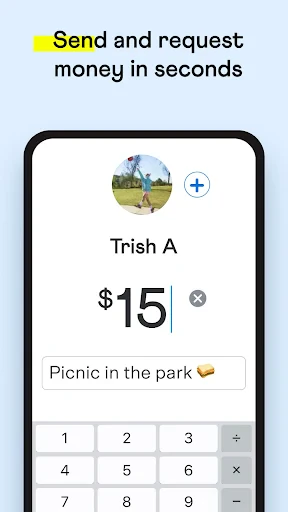
Alright, let’s break it down. Venmo is this super handy app that lets you pay and request money from your friends. Think of it as the PayPal for millennials, but with a social twist. What sets Venmo apart is its social feed. Every payment you make or receive can be shared with a customized note, emoji, or even a GIF, making it not just a transaction but a fun interaction.
Getting Your Venmo Account Up and Running
Setting up Venmo is as easy as pie. Download the app, sign up using your email or Facebook, link your bank account or card, and you're ready to go. The interface is pretty intuitive; even my grandma could probably figure it out without any help. Plus, there are no fees when you pay using your bank balance or debit card. However, using a credit card incurs a 3% fee, so watch out for that if you're a credit card points fiend.
The Fun Part: The Social Feed
One thing that stands out with Venmo is its social feature. Every time a friend pays you back for that coffee, or you split a dinner bill, you can include a quirky message or emoji. This can be a bit of a double-edged sword, though. On one hand, it's pretty entertaining to see what people write. On the other hand, do you really want everyone knowing you spent $5 on a latte? Thankfully, you can adjust privacy settings for each transaction, so you’re not broadcasting your financial habits to the world.
Keeping Your Money and Info Safe
Speaking of privacy, Venmo does take security seriously. They use encryption to protect your card and bank details, and you can set up a PIN code for an extra layer of security. Just be sure to keep your app updated to fend off any potential security threats. Like with any app handling your money, it’s wise to stay vigilant.
Using Venmo Day-to-Day
I’ve found Venmo particularly useful for splitting bills, whether it’s rent with roommates or the tab at a restaurant. It beats the awkwardness of chasing people down for cash or trying to remember who owes what. Plus, you can easily transfer your Venmo balance to your bank account, although it usually takes 1-3 business days. For those in a hurry, there's an instant transfer option, but it comes with a small fee.
Another neat feature is the Venmo card. It’s a physical debit card linked to your Venmo balance. Super handy for when you want to spend your Venmo funds directly without transferring them to your bank first.
Wrapping Up: Is Venmo For You?
In a nutshell, Venmo is a must-have app in today’s digital age. It’s convenient, easy to use, and adds a dash of fun to mundane transactions. Whether you’re paying back your friend for last night's movie tickets or splitting utilities, Venmo makes it hassle-free. Just remember to keep those privacy settings in check and watch out for any fees. Happy Venmo-ing!



- Developer
- Venmo
- Version
- 10.65.0
- Installs
- 50,000,000+
- Android Version
- 8.0
- Content Rating
- Everyone
- Price
- Free
- User-friendly interface
- Instant money transfers
- Social feed for transactions
- Supports credit/debit cards
- Strong security features
- Transaction fees for credit cards
- Limited international use
- Possible privacy concerns
- Must link a bank account
- Social feed may feel intrusive