Slack
Ever felt like your email inbox is just a little too crowded? Or maybe those endless threads make you want to pull your hair out? Enter Slack, the communication app that’s been a game-changer for teams across the globe. Let’s dive into what makes Slack a must-have for any team.
Ever felt like your email inbox is just a little too crowded? Or maybe those endless threads make you want to pull your hair out? Enter Slack, the communication app that’s been a game-changer for teams across the globe. Let’s dive into what makes Slack a must-have for any team.
Getting Familiar with the Slack Platform
First things first, Slack is like that cool kid in school who seems to have it all. It’s a messaging app designed for teams, offering a platform to collaborate effortlessly, whether you’re all in the same office or spread across different time zones. It’s available on both Android and iOS, so no one’s left out of the loop.
Channels: The Core of Team Communication
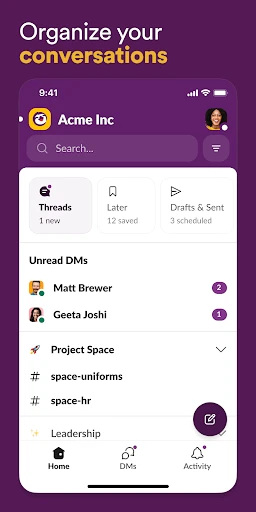
Think of channels as little virtual rooms dedicated to specific topics or projects. This is where the magic happens. Instead of sifting through a pile of emails, you just pop into the relevant channel and catch up on what’s going on. It’s like having a dedicated space for every conversation, so nothing gets lost in translation.
What I love about channels is how customizable they are. You can create public channels for everyone in the company or private ones for more sensitive topics. Plus, joining or leaving a channel is just a click away, making it super flexible.
Sending Private Messages to Team Members
Need to have a one-on-one with a colleague? Slack’s got you covered with Direct Messages. It’s as simple as texting but right within the app. You can even create group DMs if you need to loop in a couple of people on a quick conversation without creating a whole new channel.
Connecting Your Favorite Apps and Tools
Here’s where Slack really shines – integrations. The app supports a plethora of third-party services, from Google Drive and Trello to GitHub and Zoom. This means you can pull in files, check task updates, or even start a video call without leaving Slack. It’s like having all your work tools under one roof.
And the best part? Setting up these integrations is a breeze. Even if you’re not super tech-savvy, Slack makes it easy to connect and manage your favorite apps.
Finding Anything Quickly with Search
Let’s be honest, we’ve all experienced the frustration of trying to find that one message from weeks ago. Slack’s search feature is a lifesaver. It’s fast, efficient, and helps you locate messages, files, and even links in no time. So, no more endless scrolling!
Tailoring Your Alert Preferences
There’s nothing worse than being bombarded with notifications. Thankfully, Slack lets you customize notifications to suit your needs. Whether you want to mute specific channels or set a Do Not Disturb schedule, Slack gives you the control to stay focused without missing out on the important stuff.
What’s more, you can even set keyword alerts. So, if there’s a particular project or topic you’re keen on, Slack will give you a nudge whenever it’s mentioned. How neat is that?
Wrapping Up Our Look at Slack
In a world where communication is key, Slack stands out as a robust tool that brings teams together. It’s intuitive, flexible, and packed with features that cater to both small teams and large enterprises. Whether you’re managing projects, sharing files, or just catching up with coworkers, Slack makes it all feel seamless.
So, if you’re tired of drowning in emails and looking for a streamlined way to keep your team connected, give Slack a whirl. It might just be the productivity boost you’ve been searching for.



- Developer
- SLACK TECHNOLOGIES L.L.C.
- Version
- 25.05.20.0
- Installs
- 10,000,000+
- Android Version
- 10
- Content Rating
- Everyone
- Price
- Free
- Seamless team communication
- Integrates with many tools
- User-friendly interface
- Customizable notifications
- Strong search functionality
- Can be overwhelming with notifications
- Limited free version features
- Occasional message delays
- Requires stable internet
- No offline access to messages