Google Messages
Exploring the World of Google Messages
Exploring the World of Google Messages
Hey there! Today, let’s dive into the world of Google Messages, an app that’s been making waves in the messaging scene. Whether you’re sending a quick text or diving into a full conversation, Google Messages has got you covered. Let’s check out what makes this app tick and why it might just be the messaging service you didn’t know you needed.
First Look and Feel
Opening Google Messages for the first time feels like a breath of fresh air. The user interface is clean, intuitive, and easy on the eyes. You’re greeted with a simple layout where your conversations are front and center, making it super easy to find what you’re looking for. It’s like having all your chats organized without even trying.
Handy Features You'll Love
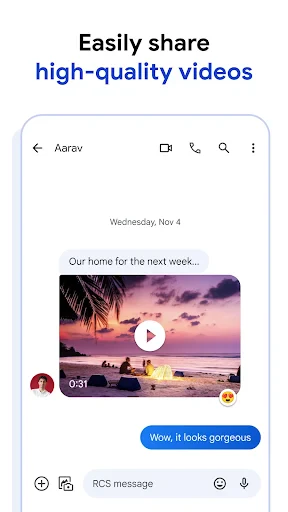
Google Messages isn’t just about sending plain old texts. Oh no, it’s packed with features that make messaging a breeze. For starters, there’s the integration with RCS (Rich Communication Services), which means you can send high-quality images, videos, and even see when someone’s typing. It’s like having all the perks of a messaging app without needing to convince your friends to download something new.
Another neat feature is the Smart Reply. It’s almost like Google’s reading your mind, offering up quick replies that actually make sense. This little addition can save you loads of time, especially when you’re juggling multiple conversations.
It Works Great With Your Other Google Stuff
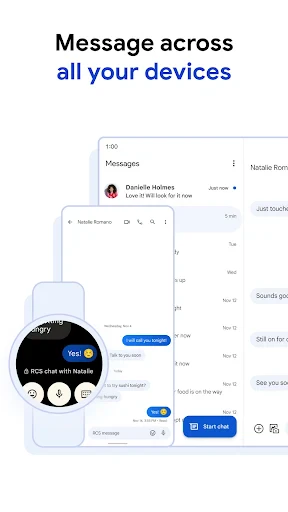
One of the coolest things about Google Messages is how well it integrates with other Google services. If you’re already in the Google ecosystem, this app feels like a natural extension. You can easily access your messages from your computer, thanks to the web version. Just sync your phone, and voilà, you’re ready to type away on a full-sized keyboard.
Make the App Your Own
Who doesn’t love a little personalization? Google Messages lets you customize the look of your chats with different themes and colors. You can even set custom notifications for specific contacts, so you know who’s texting without even looking at your screen. It’s these little touches that make the app feel like yours.
Keeping Your Chats Safe and Sound
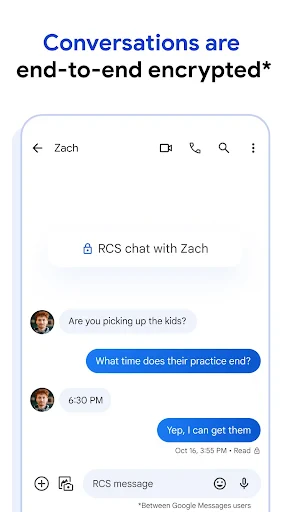
In a world where data privacy is a big deal, Google Messages takes things seriously. Your chats are secured with end-to-end encryption, giving you peace of mind that your conversations are for your eyes only. It’s nice to know that Google’s got your back when it comes to keeping things private.
Wrapping It All Up
If you’re on the hunt for a reliable, feature-packed messaging app, Google Messages is definitely worth a try. Its seamless integration with other Google services, along with its robust features, make it a strong contender in the messaging app arena. Plus, the added security measures ensure that your chats stay private, which is always a win in my book.
So, give it a go and see how it fits into your daily routine. Who knows? You might just find that it becomes your go-to app for all things messaging!

- Developer
- Google LLC
- Version
- Varies With Device
- Installs
- 5,000,000,000+
- Android Version
- Varies With Device
- Content Rating
- Everyone
- Price
- Free
- Seamless integration with Google services.
- Rich media sharing options.
- End-to-end encryption for security.
- RCS support enhances messaging experience.
- User-friendly interface.
- Limited customization options.
- Requires internet for RCS features.
- Occasional syncing issues.
- Ads in some regions.
- Not available on all devices.