
My Straight Talk: Mobile App
Getting Started with Straight Talk My Account
Getting Started with Straight Talk My Account
Hey there! So, I recently dived into the Straight Talk My Account app, and let me tell you, it's like having a mini customer service rep right in your pocket. If you’re a Straight Talk user like me, you know how crucial it is to manage your account seamlessly, and this app promises to do just that.
First Impressions
Downloading and installing the app was a breeze. It's available on both Android and iOS, so no worries there. Once you open it up, the interface is pretty clean and straightforward. I mean, who doesn't love an app that doesn't require a manual to navigate, right?
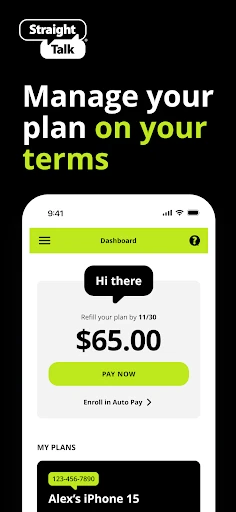
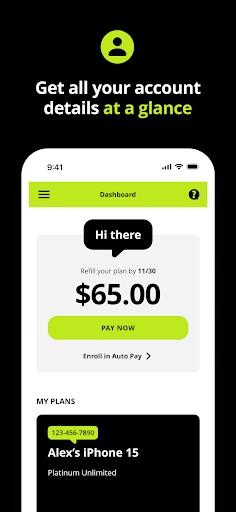
The main dashboard gives you a quick snapshot of your account status, including your current plan, remaining balance, and expiration date. It’s all laid out in a way that even your grandma could understand. Plus, the colors and fonts are easy on the eyes—no neon greens or blinding whites here!
A Look at the Handy Tools
One of the first things I noticed was the "Refill Your Plan" feature. It's super handy because, let’s be real, remembering to refill before your service cuts out is a modern-day struggle. You can set up auto-refill or do it manually, depending on your preference. I set mine on auto because who has time to remember all these things?
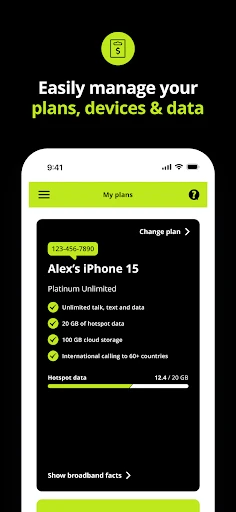
Another cool feature is the data usage tracker. It helps you keep an eye on how much data you're burning through. No more surprise texts saying you’re out of data when you're halfway through a Netflix binge. There’s also a transaction history section, which is neat if you like to keep tabs on where your money’s going.
How It Feels to Use
The app runs pretty smoothly, and I haven’t encountered any crashes or bugs, which is always a plus. The login process was straightforward, although I did have to reset my password (thanks, forgetful brain!). For those worried about security, the app uses your fingerprint or facial recognition for extra peace of mind.
Oh, and if you ever find yourself in a jam, the "Contact Us" section is there to save the day. It connects you directly to customer service via chat or call. I tested it out, and the response time was surprisingly quick.
Wrapping It All Up
Overall, the Straight Talk My Account app is a solid tool for managing your mobile service. It’s not just functional but also user-friendly, making it a must-have for anyone on a Straight Talk plan. Whether you’re refilling your plan, checking data usage, or contacting support, it’s all just a tap away.
If you’re looking for convenience and efficiency in managing your phone service, give this app a shot. It might just make your life a tad easier, and who doesn’t want that?
So, go ahead, download it, and let me know what you think. Happy managing
- Developer
- Straight Talk
- Version
- R27.8.0
- Installs
- 10,000,000+
- Android Version
- 7.0
- Content Rating
- Everyone
- Price
- Free
- Easy to track data usage.
- User-friendly interface.
- Quick bill payment options.
- Real-time account updates.
- Secure login features.
- Occasional app crashes.
- Limited customer support.
- Slow loading times.
- Ads can be intrusive.
- Requires frequent updates.